BPswitch Operators Manual
274 / 413
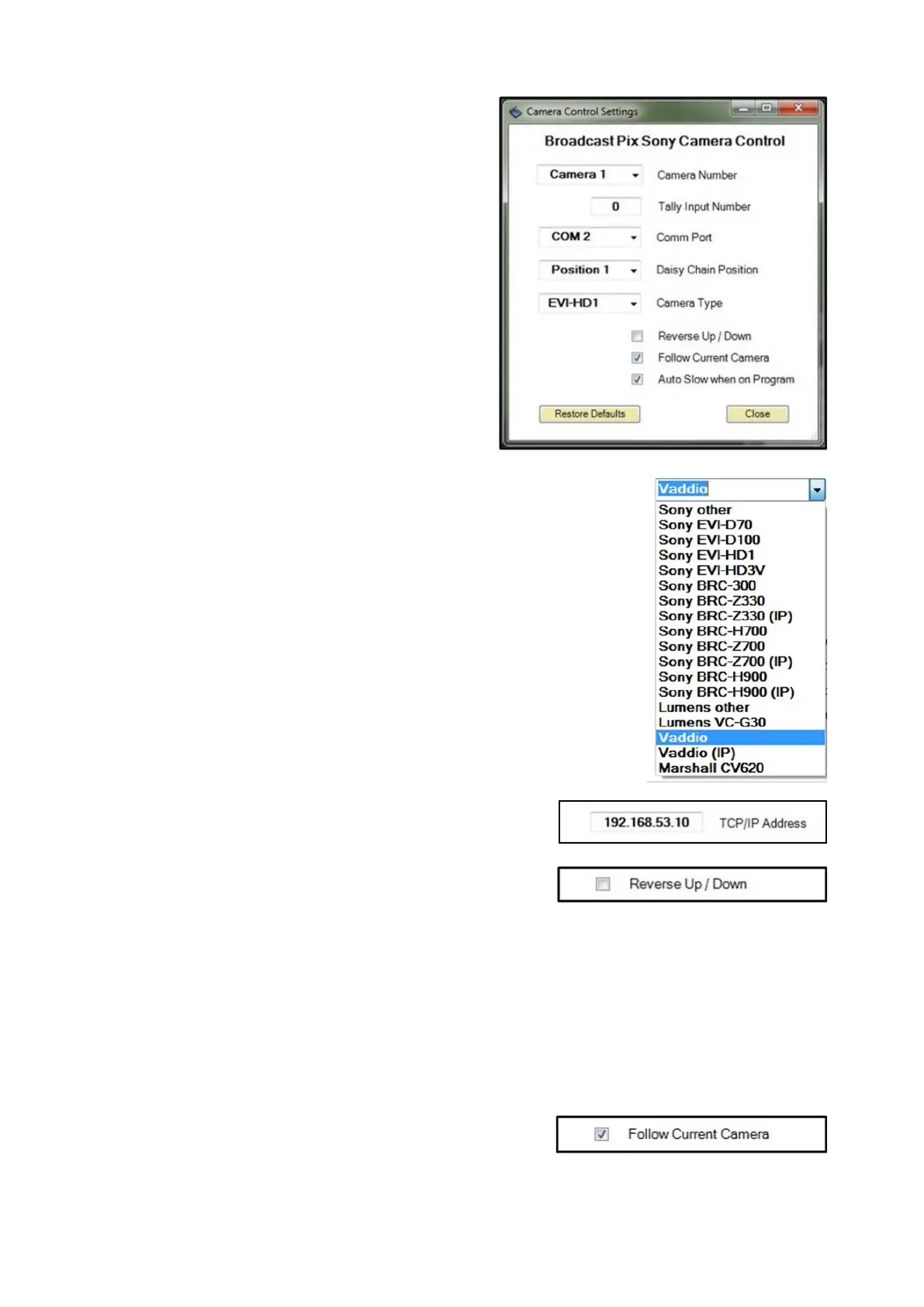
enter the BPswitch input number in
the Input Number text field. Enter 0
to have no tally.
This setting is also used to capture
thumbnail images of presets for the
Multi-View PixPad.
If using a daisy chain configuration,
under the Daisy Chain Position
drop down menu, select where the
camera is located in the daisy chain
either Position 1 to Position 7. If no
daisy chain is being used, select
Position 1.
Under the Camera Type drop down
menu, select which style of Sony
camera the com port is using, either
other, EVI-D70, EVI-D100, EVI-
HD1,
EVI-HD3V, BRC-300, BRC-Z330,
BRC-H700 BRC-Z700, Sony BRC-
H900, Lumens other, Lumens VC-
G30, Vaddio or Marshall CV620, as
shown on the right.
If an IP camera is selected, a TCP/IP
address text box will appear, as
shown on the right, to enter the
dedicated IP address for each
camera.
Some operators prefer the joystick
control for tilting to be reversed. To
reverse the Up/Down movement
place a check mark next to Reverse
Up/Down, as shown on the right.
In the normal/unchecked mode,
moving the joystick up tilts the
camera up and moving down tilts
down.
When using multiple cameras, the
Camera Control device can be set to
automatically change to select what
camera is being controlled off the



 To Next Page