BPswitch Operators Manual
395 / 413
Every system comes with a SoftPanel and a physical panel that may be used by
one person for redundancy. If one panel should fail, the other one may be used.
Physical Control Panel and SoftPanels
This capability is standard with every Broadcast Pix Switcher system. If the control
panel should fail, then press Reconnect on the SoftPanel’s web browser to
connect it. If you wish it to be always available, you need an optional additional
panel license, see Optional Multi-Panel Support.
Dual Physical Panels
An optional second control panel may be added to any BPswitch system. The
second control panel needs to have a different IP address than the main control
panel. This is accomplished with changing the Panel IP address on the control
panel, in the Panel Setup & Test mode, while the panel is off line.
The default IP address of a 1ME 2000 panel is: 192.168.53.247
The default IP address of a 1ME 1000 panel is: 192.168.53.251
The default IP address of a 1ME 500 panel is: 192.168.53.246
To change the Panel IP address:
Make sure the control is Offline, by closing the BPswitcher application.
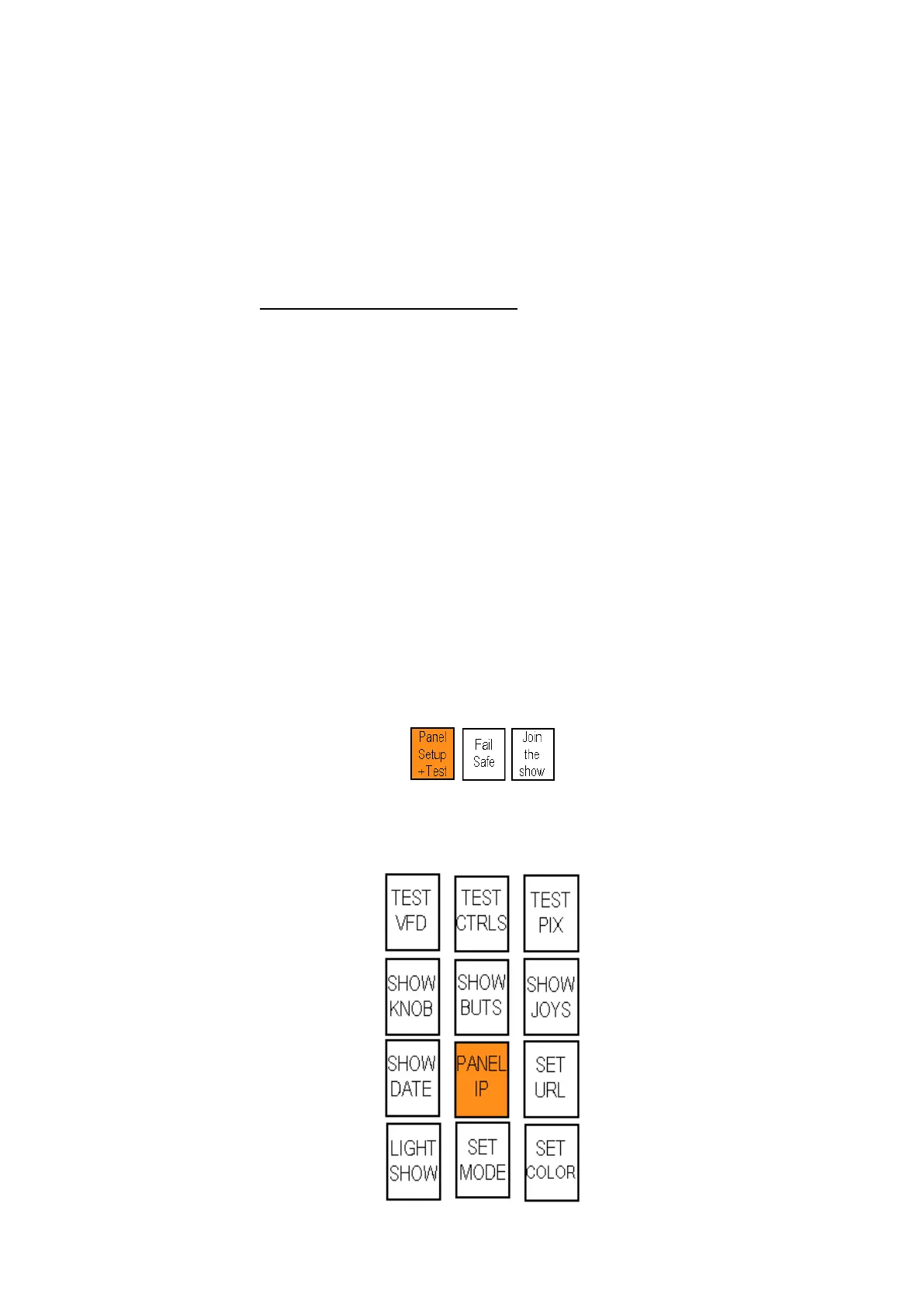
The 3 wildcard device buttons in the Device Control will illuminate, select the
[Panel Setup + Test] A button and it will illuminate orange, as shown below.
The PixPad will illuminate, as shown below, select the [Panel IP] PixButton.
The PixPad will change to a numeric PixPad.



 To Next Page