BPswitch Operators Manual
48 / 413
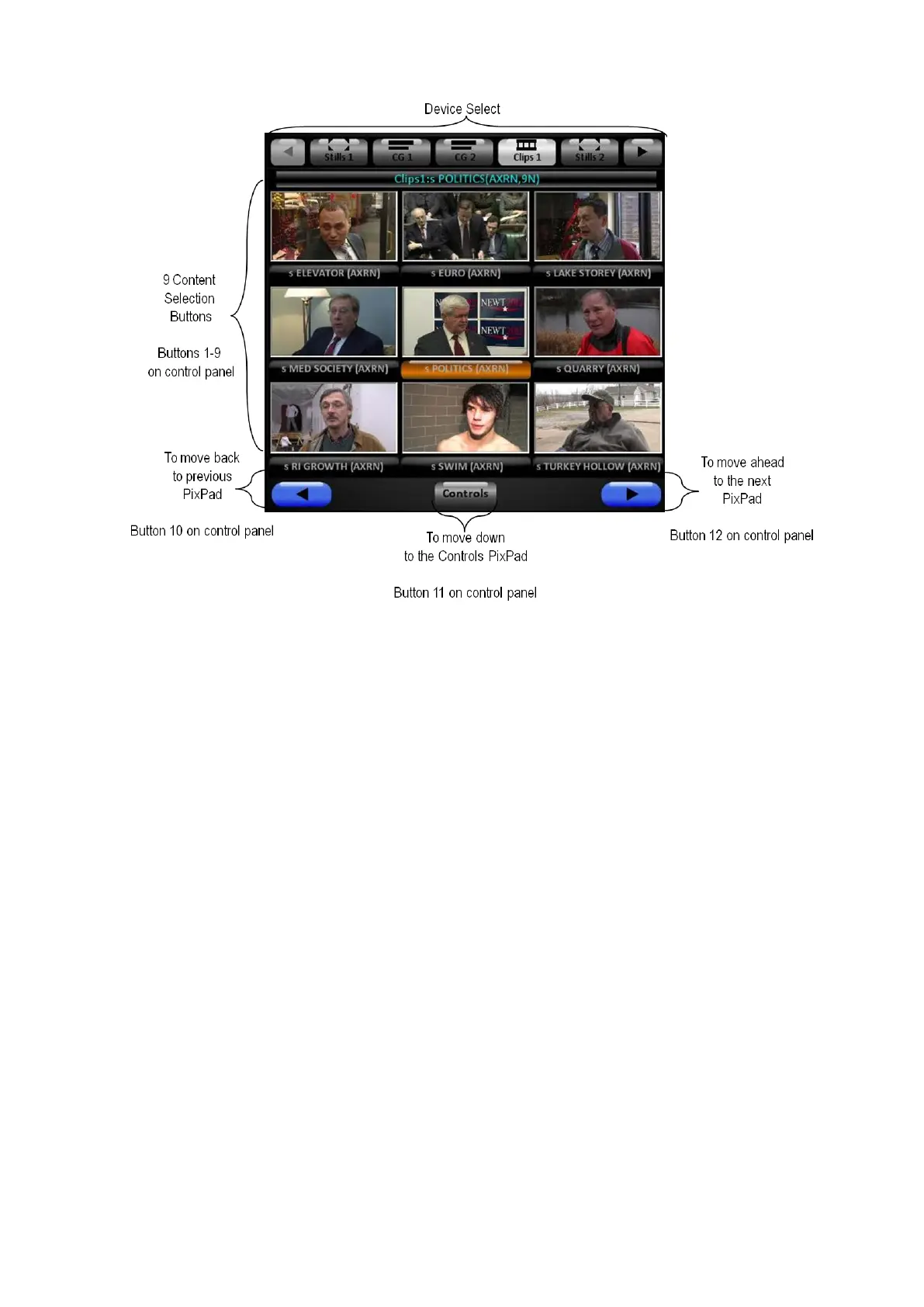
• To quickly jump to the first page of the content in the PixPad, simply select the
device button you are using in the Device Control section of the control panel
or SoftPanel.
• To quickly jump to the last page of the content in the PixPad, simply double-
click or double-punch the device button you are using in the Device Control
section of the control panel or SoftPanel, useful when using Watch-Folders.
• When you switch to another device, like CG, and then return, the PixPad will
return to the page it was last on.
Home Page of Multi-View PixPad:



 To Next Page