BPswitch Operators Manual
58 / 413
Advanced Switching:
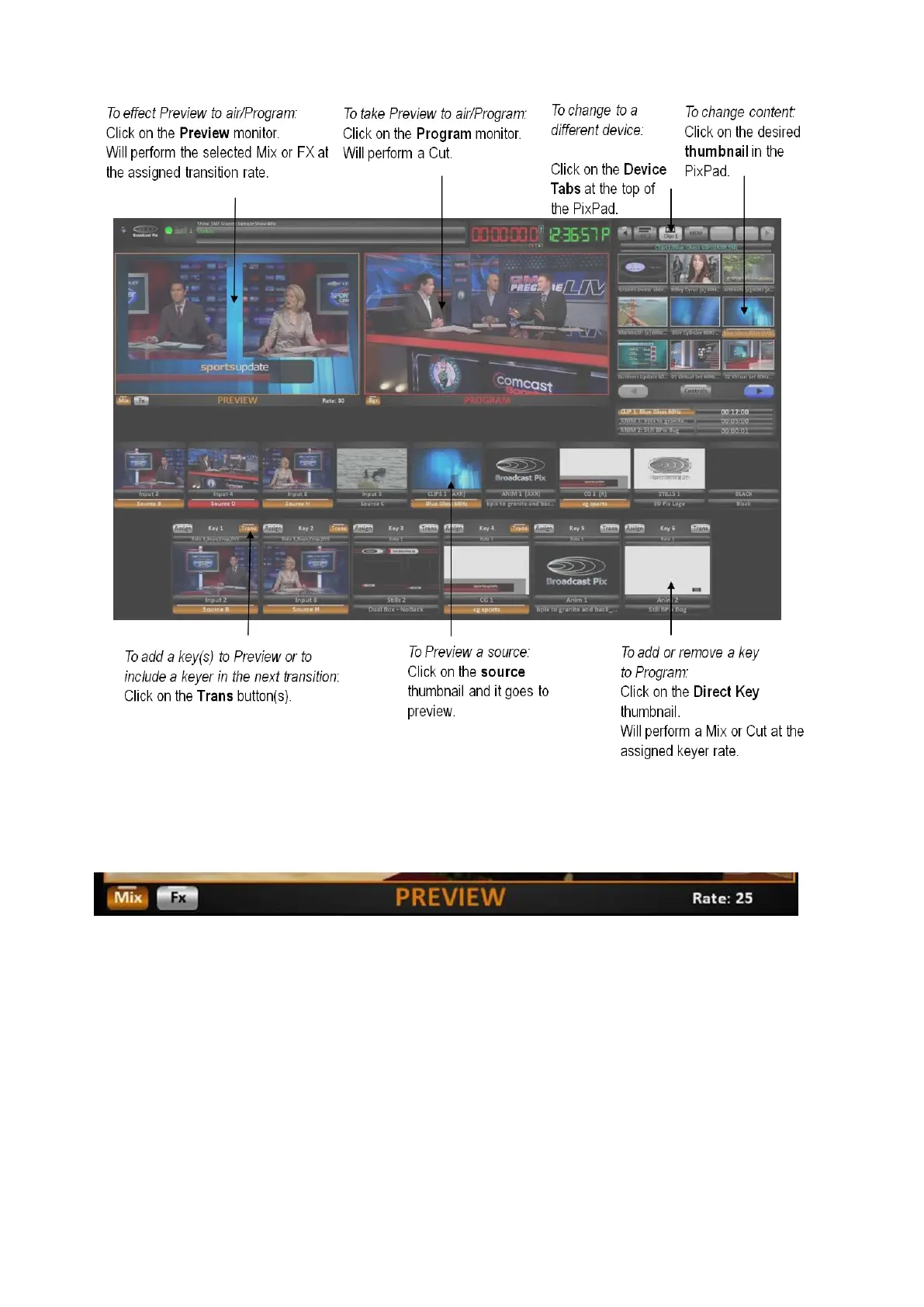
To change the style of transition that occurs when you click on the Preview monitor:
Click on Mix or Fx button on the bottom of the Preview monitor.
To change the transition rate or effect:
Click on Mix or Fx button on the bottom of the Preview monitor, and the PixPad will change showing
a numeric pad or available effects. Changing the transition rate will update the Rate display on the
Preview window.



 To Next Page