BPswitch Operators Manual
86 / 413
NOTE: the Refresh List button is used if you edit a library using Microsoft Windows, then changes
made can be seen by clicking on refresh list (or reopening PixMaster).
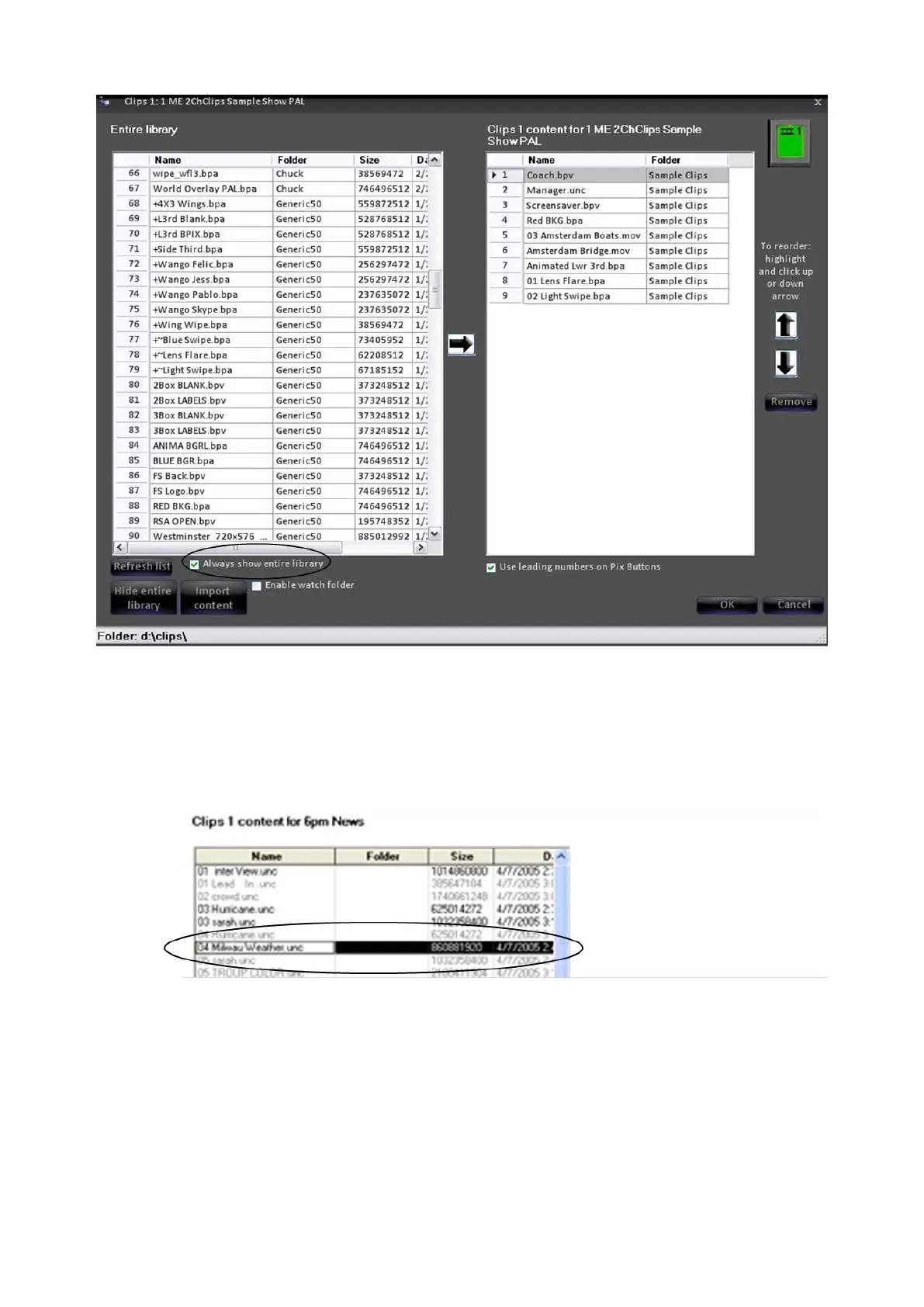
Select the clip you wish to move into the show by left-clicking on it (it will
highlight). Items already in the show are grayed out in the library, while the
items not displayed in the show are black.
Select where you wish to insert the new clip into the show by clicking on
the show’s content list on the right side. In the illustration below Hurricane
is selected, and so the 04 Milwaukee Weather clip will be inserted after
the Hurricane clip.



 To Next Page