BPswitch Operators Manual
89 / 413
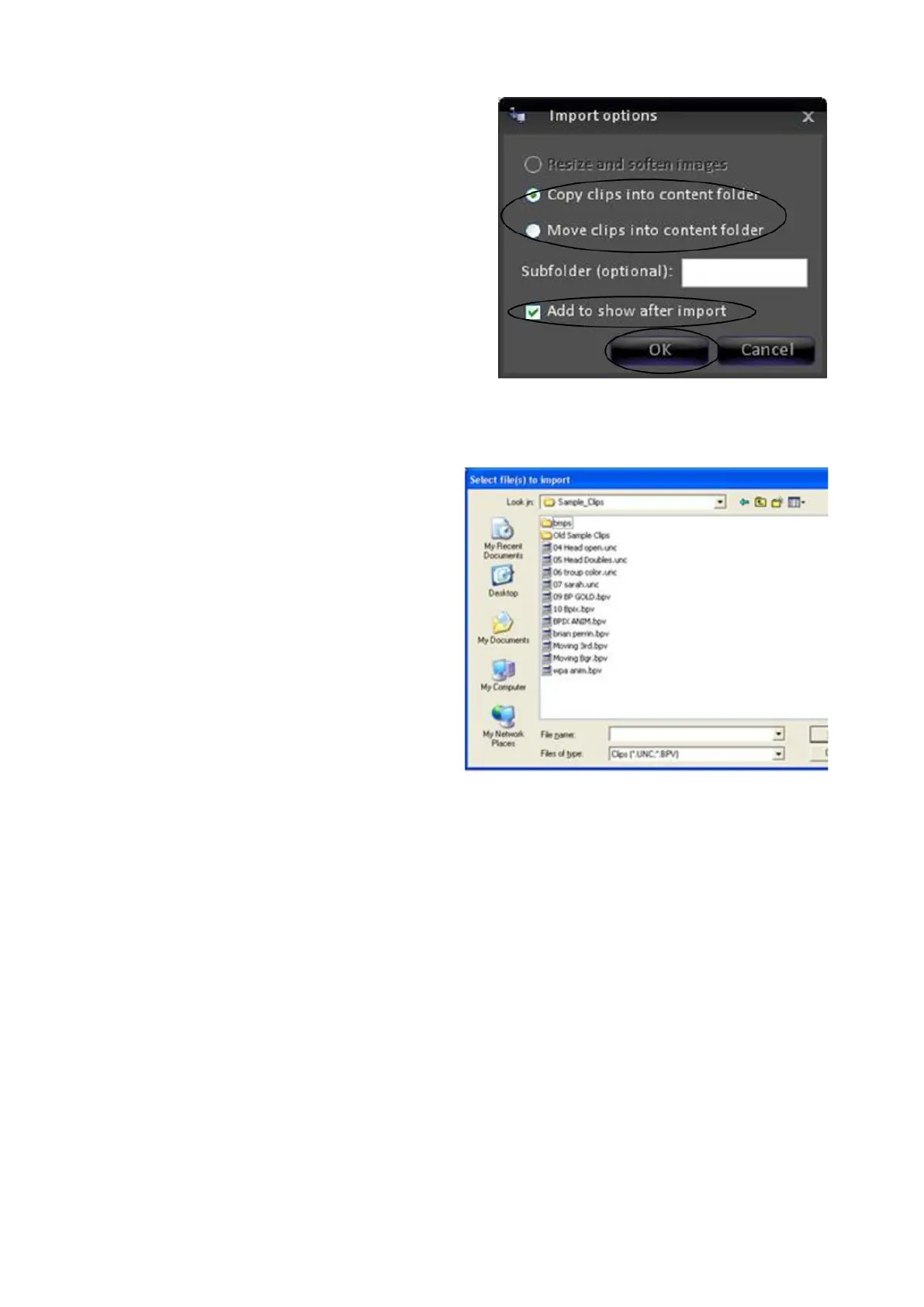
the copy in the existing library. If
you keep all your clips in one central
location, then select “Move.” In this
example we have chosen to “Copy”
the clip into the library. This keeps
copies of the clip in two locations.
The imported clip with be
automatically added to the show
upon import, since that box is
checked, as shown above. If you
do not want this, (and instead just
want to add it to the library, but not
the show), then simply uncheck the
box.
Press OK. A browser window opens.
Use standard Microsoft Windows
navigation to browse to the location
of the clip you wish to import. Select
it and it will appear in the File name
window.
Press Open. The clip imports.
Note: The longer the clip is the
longer it will take to import. When
files are being imported the bottom
left corner of the content window
displays “Importing files”. Wait unit
this message disappears before
continuing.



 To Next Page