Continue selecting any other elements of the panel you would like to save in
this Mem:
[Mem Save Prev] PixButton will save the preview source, press again to
save the content. (Pv or Pvc)
[Mem Save Prog] PixButton will save the program source, press again to
save the content. (Pg or Pgc)
[Mem Save Trans] PixButton will save the transition selected, as well as
any modifiers including softness, aspect and rate. If you press it again it will
also save the state of the [Bgr] and key transition buttons. (T or T+)
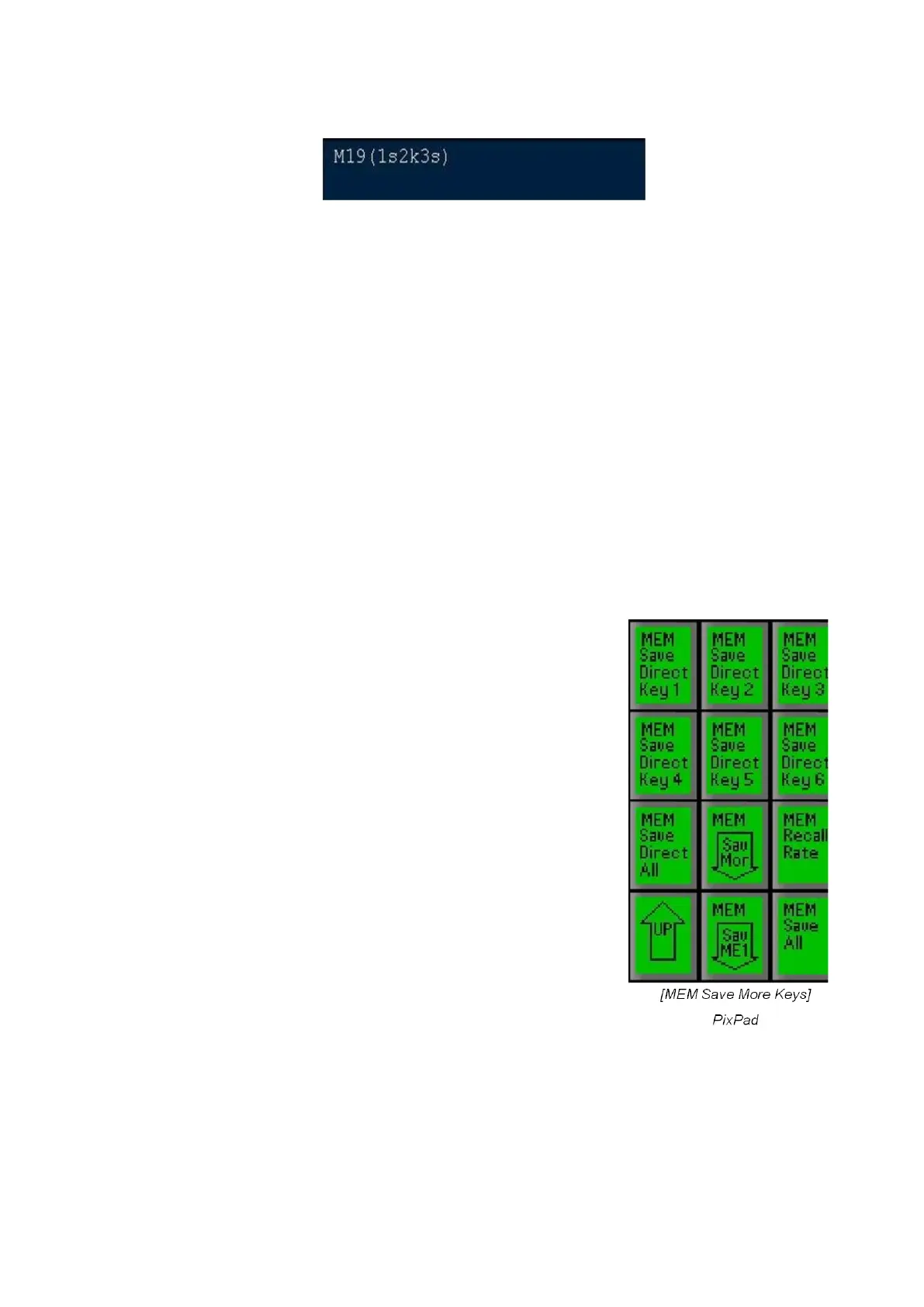
[Mem Sav More] PixButton enables saving the state of more switcher
functions. It does this individually by bringing up a secondary PixPad that
lets you select the each option. When finished press the [Up Arrow] to
return to the main element selection PixPad.
[Mem Save Direct Key 1] PixButton will save the
state (on/off) of Direct Key 1. (D1)
[Mem Save Direct Key 2] PixButton will save the
state (on/off) of Direct Key 2. (D2)
[Mem Save Direct Key 3] PixButton will save the
state (on/off) of Direct Key 3. (D3)
[Mem Save Direct Key 4] This function is not
available on an FX/RX System.
[Mem Save Direct Key 5] This function is not
available on an FX/RX System.
[Mem Save Direct Key 6] This function is not
available on an FX/RX System.
[Mem Save Direct All] PixButton is a short cut for
saving Direct Keys 1 to 3. Press again and it clears all
3 Direct Keys from the display. (D123 or blank)
[Mem Recall Rate] PixButton sets the amount of time
in frames a memory will take to be recalled during a
production. Useful for creating on-air DVE moves for
push-back animations.



 To Next Page