BPswitch Operators Manual
194 / 413
Select the [MEM] device button. This will
bring up the MEM device PixPad.
Click on the [Controls] PixButton in the
PixPad.
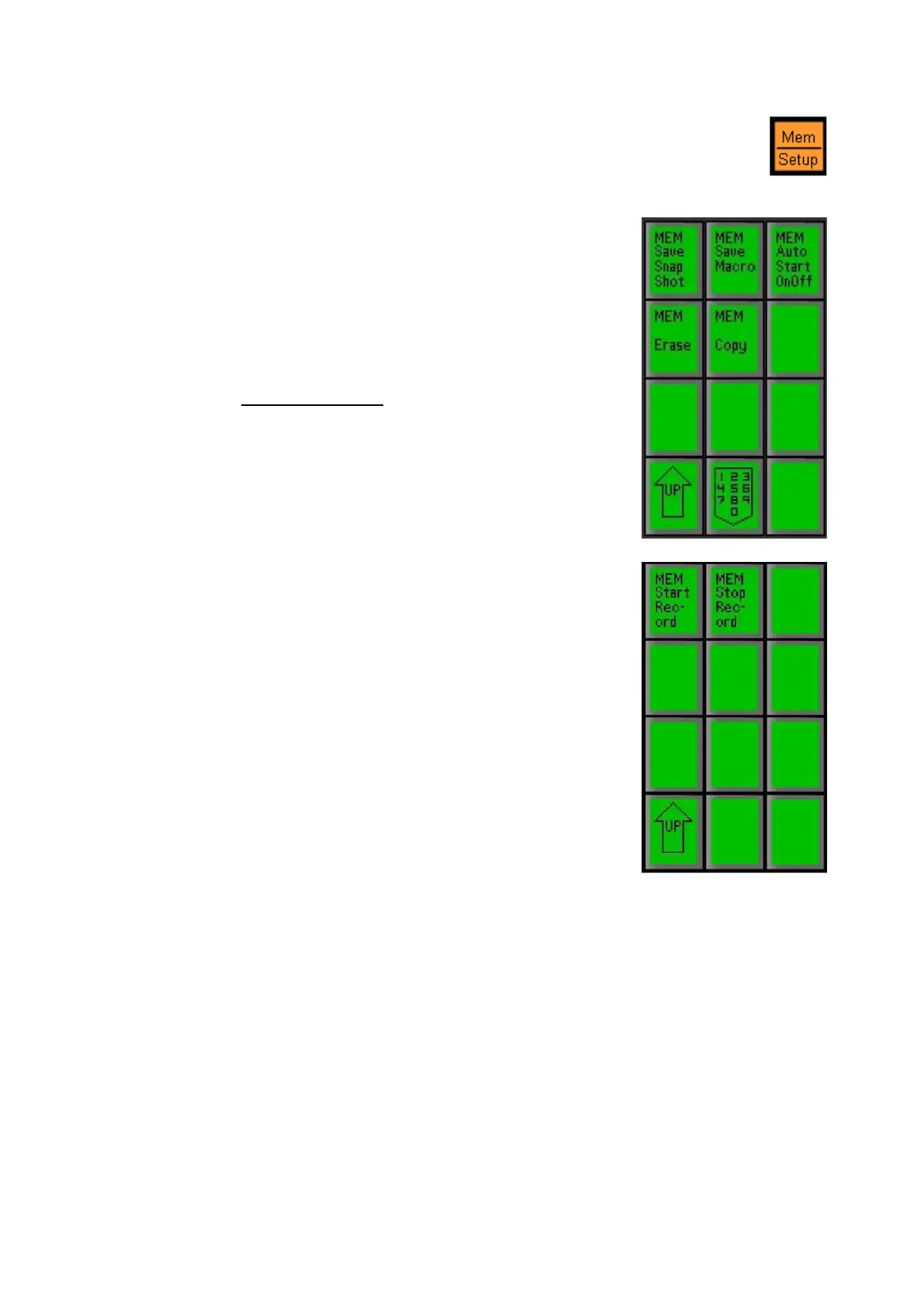
In the following PixPad select the [MEM
Save Macro] PixButton, as shown on the
right.
Select an available memory, 1-999, as
described in To Save a Mem.
In the following PixPad select the [MEM
Start Record]
PixButton, as shown on the
right. Alternatively, the Play button in the
motion controls section can be used.
Note that the Macro Editor or Player does
not need to be opened for recording to
occur. However, if the Macro Player is
open a list of commands being recorded
will be visible in the Macro Display.
Macros is now waiting for the first panel
operation to occur for the timer to start.
The Record button will remember every
button/command selected and its timing
sequentially.
Select the desired buttons on the control
panel.
The display will read out that the Macro is
recording, the counter in the lower right
corner will start to move and the Play
motion control button will illuminate red.
When the macro is finished being
recorded, select the [MEM] device button,
it will illuminate orange.



 To Next Page