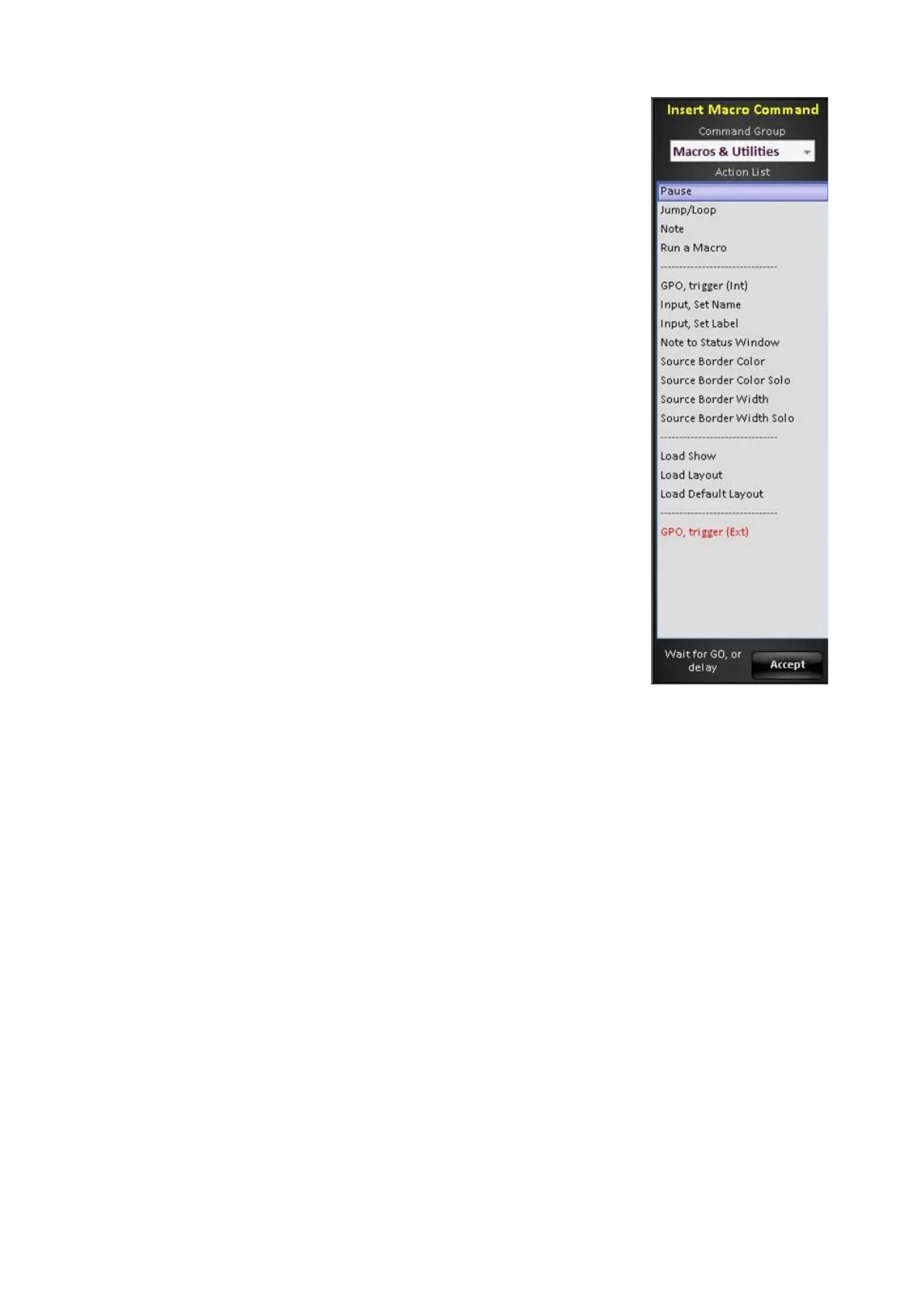
groups, as shown on the right.
Select the desired Command Group and Action, based
on the description below:
Clicking on the Command Group drop down menu will
list the available groups. These windows are similar to
the groups described in the previous section.
The Macros & Utilities command group allows for
functions that can not be recorded from the panel, as
described below.
Pause: A user-defined delay, set to 0 (zero) to manually
advance to the next step. Paused steps will appear
yellow in the Action List.
Jump/Loop: Goes to another step number in the macro,
and can be set to loop. Set to 0 (zero) for infinite loop.
Note: Displays a short note/message in the Macro Player
at the defined time, useful for reminders during a longer
macro.
Run a Macro: Recalls a .bpm SnapShot file or a .tln
macro file from the memories folder as one step. To
insert a macro seeing all the actions, use the Append…
function in the Toolbar.
GPO trigger (Int): Triggers the General Purpose Output
on the Granite/Mica Switcher (1-24).
GPO trigger (Ext): Triggers the General Purpose Output
on the external USB tally/GPO boxes (1-
288). Settable to
use the selected Pulse Rate, GPO-Hi, GPO-Lo or toggle
between Hi and Lo.
Input, Set Name: Allows a Macro to change the Input
name (top line) on the Multi-View for a specific source.
Input, Set Label: Allows a Macro to change the Input
label (bottom line) on the Multi-View for a specific
source.
Note to Status Window: Similar to the Note action, allows
a short message to be displayed in the Status bar on the
Multi-View.
Source Border Color: Allows a Macro to highlight the
window frame color of multiple sources on the Multi-
View.



 To Next Page