BPswitch Operators Manual
232 / 413
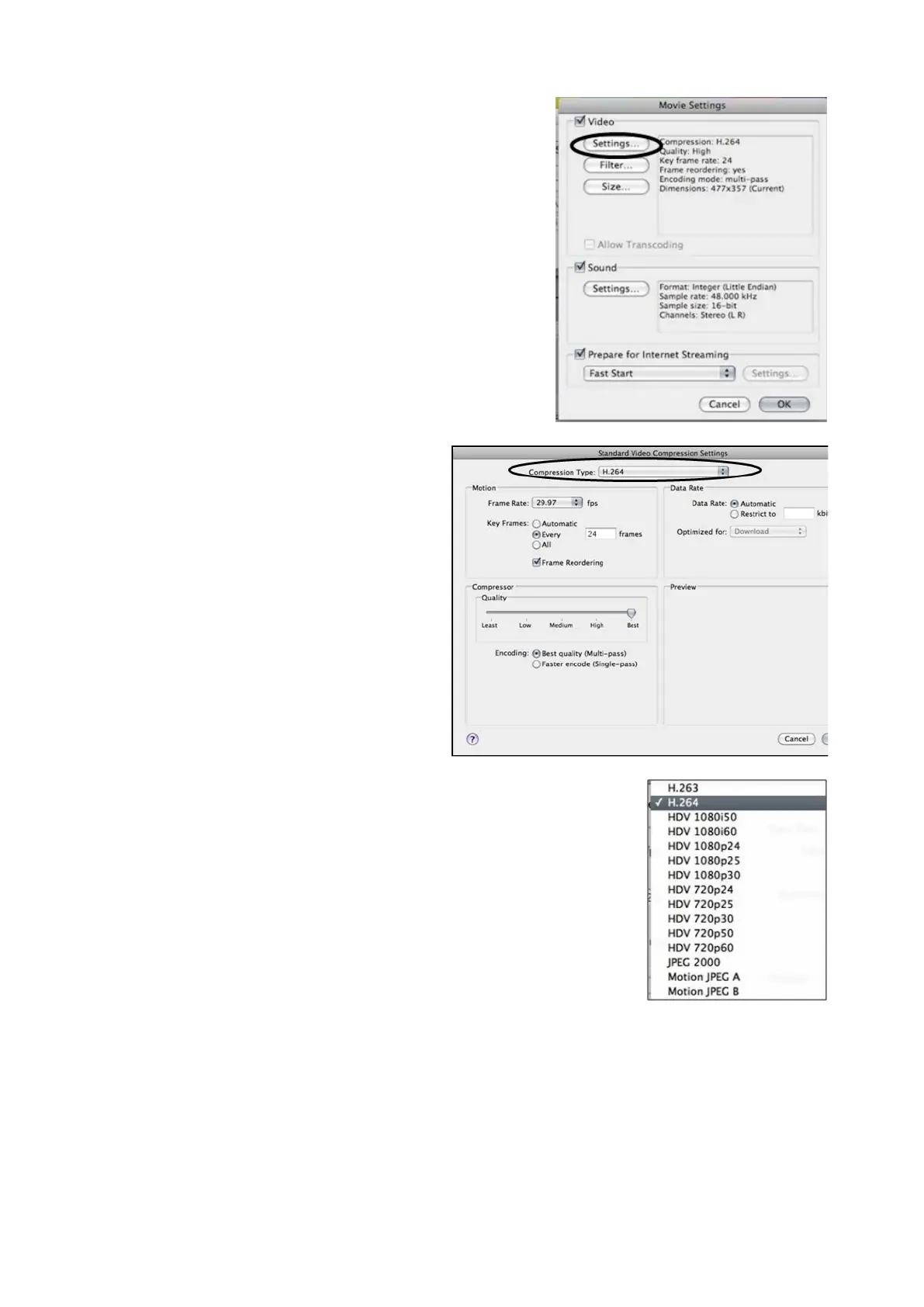
The Movie Settings menu window
will appear, make sure that both
Video and Sound headings are
checked to ensure proper export
of both audio and video.
Select Settings under the Video
section, to change the video
compression settings.
The Prepare for Internet
Streaming setting has no effect for
playout in Broadcast Pix.
The Standard Video Compression
Settings window will appear, as
shown below.
In this window you will be able to
change the Compression Type,
the Quality and Frame Rate.
Select the Compression Type
drop down menu, which will bring
up a list of possible compression
settings. Select H.264, ProRes
Proxy, ProRes LT or ProRes, as
shown on the right.
Choosing any other setting will not
create a file recognizable in
Broadcast Pix.
Under the Motion section, select
the Frame Rate drop down menu
and select 29.97
for NTSC/60hz or
25 for PAL/50Hz, as shown on the
right.



 To Next Page