BPswitch Operators Manual
233 / 413
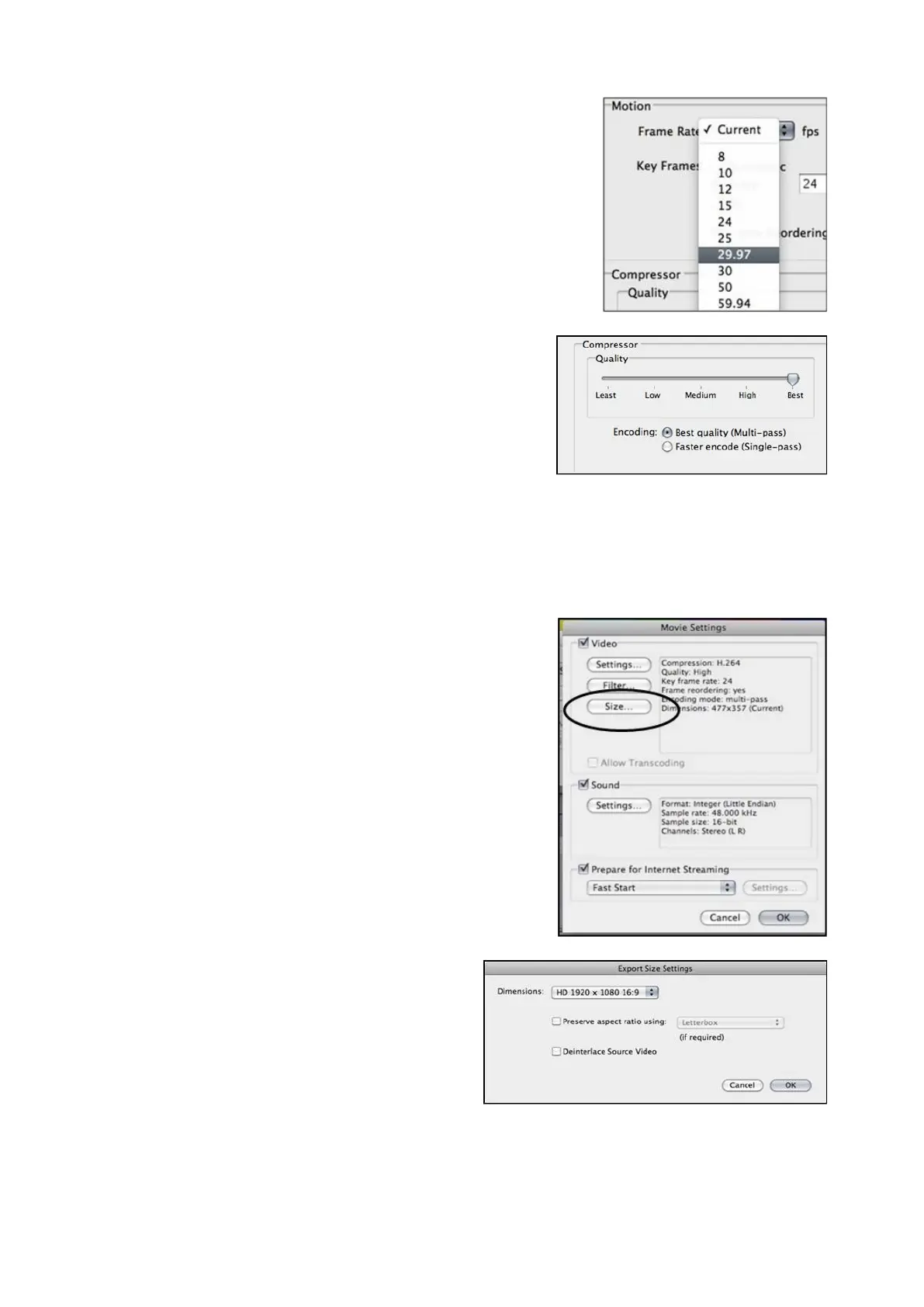
Under the Motion section, select
the Automatic radio button under
Key Frames.
Under the Compressor section,
select Best with the Quality slider
and select the Best quality
(Multi-pass) radio button, as
shown on the right.
Under the Data Rate section,
select the Automatic radio button.
Once all these settings have been
selected, click on the OK button.
In the Movie Settings window,
click on the Size… button, as
shown on the right.
In the Export Size Settings
window, click the Dimensions drop
down menu and select the HD
1920 x 1080 16:9 option, as
shown on the right.
Click on the OK button, to close
the Export Size Settings window.
Under the Movie Settings window,



 To Next Page