BPswitch Operators Manual
248 / 413
Press the [Auto Start OnOff] PixButton. The letter A will be appended
to the clip name in the display to let you know that it has been set to
auto-start.
Now when the clip is transitioned to air, the clip will automatically start
and when the clip goes off-air, it will automatically rewind back to the
start of the clip.
To turn off Auto-Start, repeat step 3.
To start recording a new clip:
If recording has been configured on
channels on the external server
(refer to your server’s documentation),
then the starting and stopping of
records may be initiated. Currently
recording only functions on Grass
Valley K2 servers.
Ensure that the DDR control is
selected and a record channel has
been selected.
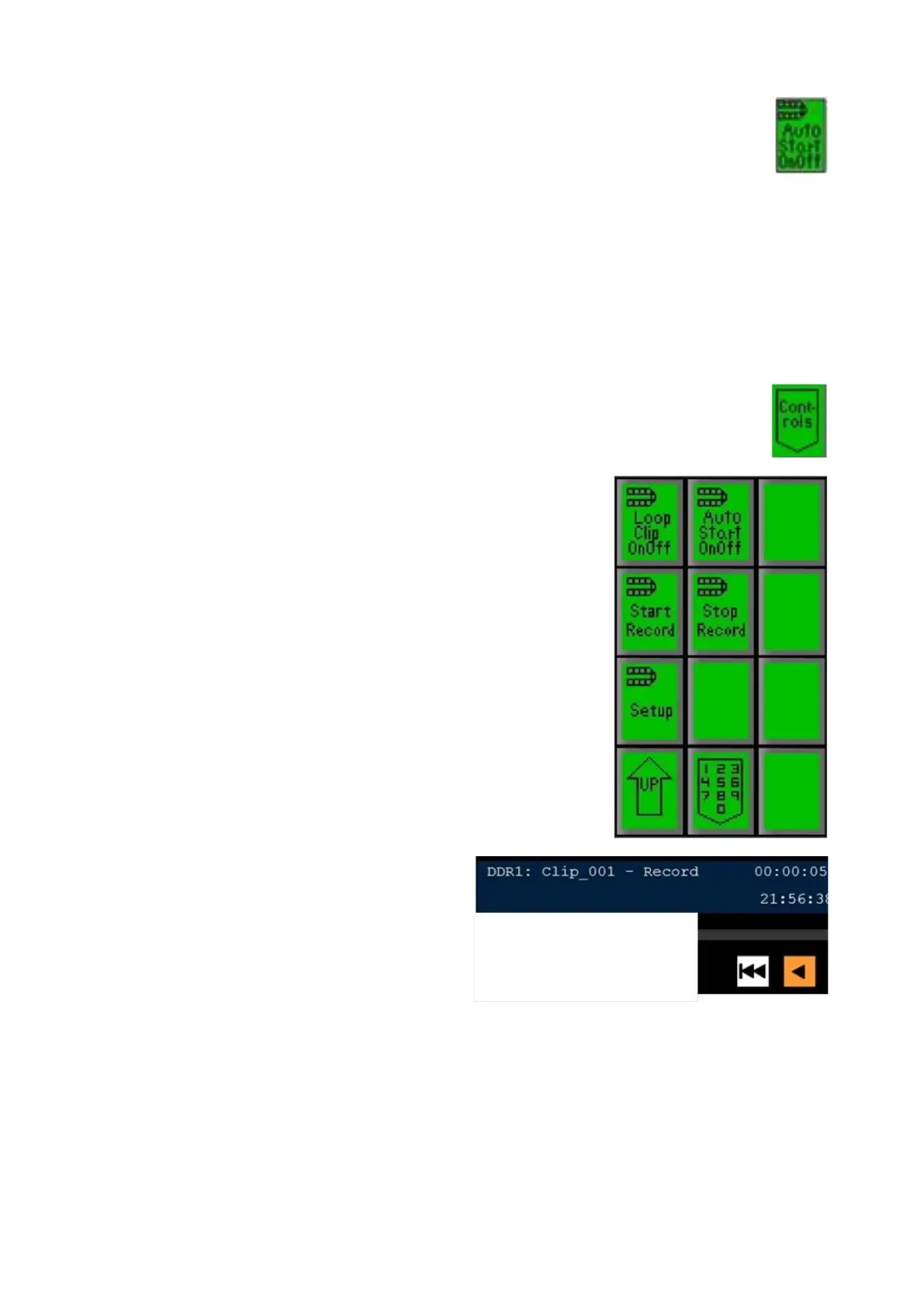
Press the [Controls] PixButton at the
bottom of the PixPad, which will bring
up a new PixPad, as shown on the
right.
Press the [Start Record] PixButton.
The display will change to a generic
clip name of ‘Clip_XXX’ with the statu
s
changing to Record.
The time code will start to count up,
showing how long the clip has been
recording for. The duration will start to
count down, showing how much
space/time is left on the external
server.
In addition, the [<] and [>] motion
control buttons will both illuminate
orange to signify that a recording is
taking place, as shown on the right.
Up to 999 clips may be recorded
sequentially, however the clip name



 To Next Page