BPswitch Operators Manual
257 / 413
is being used then the Broadcast
Pix Control Panel link can be used,
but the settings must be returned to
the factory settings after these steps
have been completed.
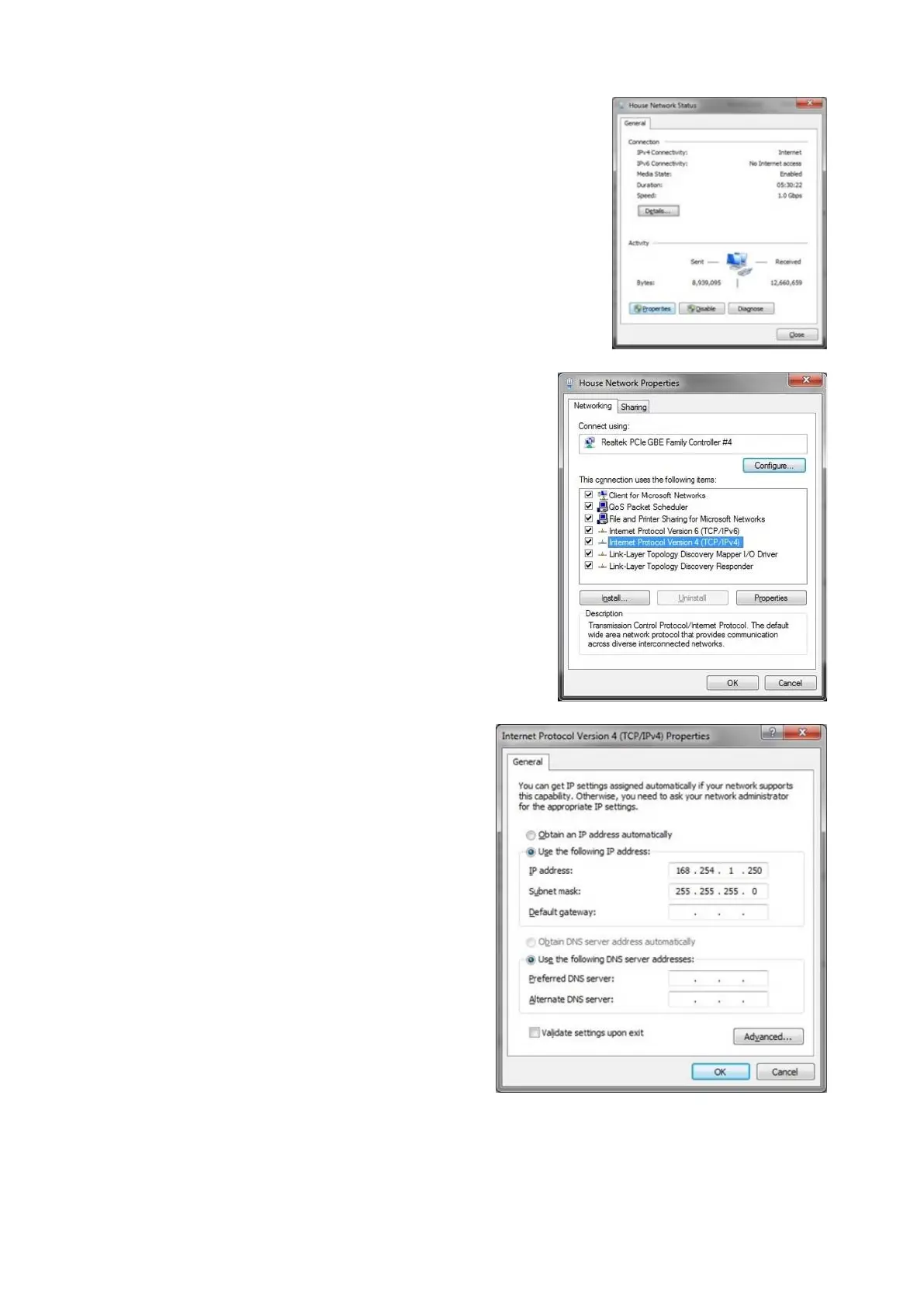
In the Status window that appears,
click on the Properties button, as
shown on the right.
In the Properties window that
appears, double-click on the
Internet Protocol Version 4
(TCP/IPv4) item, as shown on the
right.
In the TCP/IPv4 Properties window,
click on the Use the following IP
address radio button.
In the IP address: text box enter the
following address 169 254 1 250
In the Subnet mask: text box enter
the following address
255 255 255 0
as shown on the right.
Ensure that your Vaddio camera is
powered on and connected to the
system you are configuring with.
Only connect 1 camera at a time, as



 To Next Page