BPswitch Operators Manual
258 / 413
a network conflict may occur
otherwise.
Navigate to a web browser, Start
Menu, Google Chrome.
In the address bar, type in the
address 169.254.1.1 and press
Enter on the keyboard.
The Vaddio camera webpage will
appear. On the left navigation bar,
click on the Admin button.
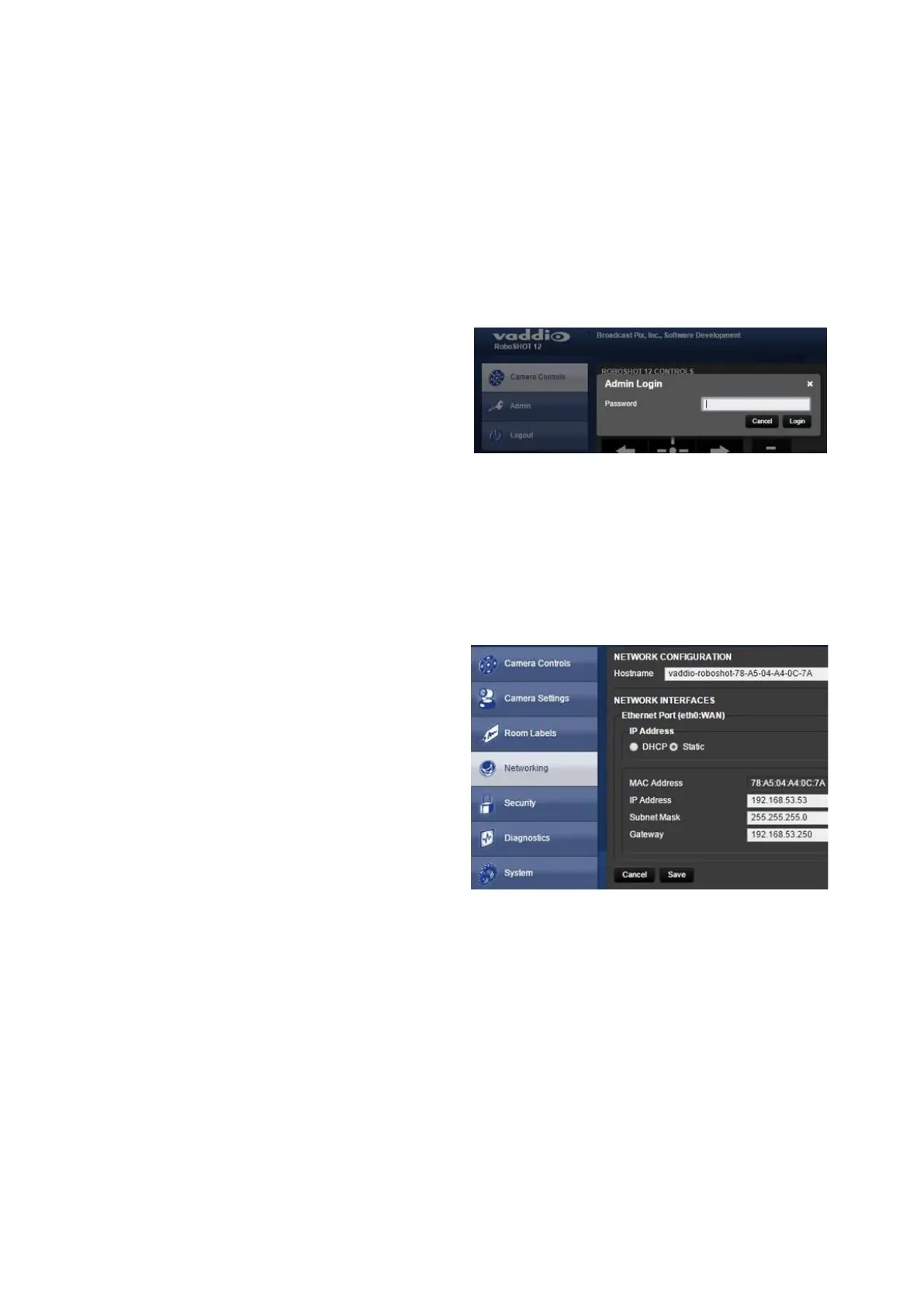
An Admin Login pop-up will appear,
as shown on the right. Enter the
Password in the text field.
The default Administrator name is
Admin and the default Password is
password.
Click on the Login button.
The webpage will refresh, in the left
navigation bar click on the
Networking button.
Under the Network Interfaces
section, click on the Static radio
button, as shown on the right.
In the IP Address text field, enter
the new IP address, ensuring that
each camera has a unique IP
address that does not conflict with
other devices on the same network,
as shown on the right.
In the Subnet Mask text field enter
the following address 255.255.255.0
In the Gateway text field enter the
first 3 sets of decimal numbers used
in your IP address, followed by 001
This example uses the IP address
of 192.168.53.53 so the Gateway



 To Next Page