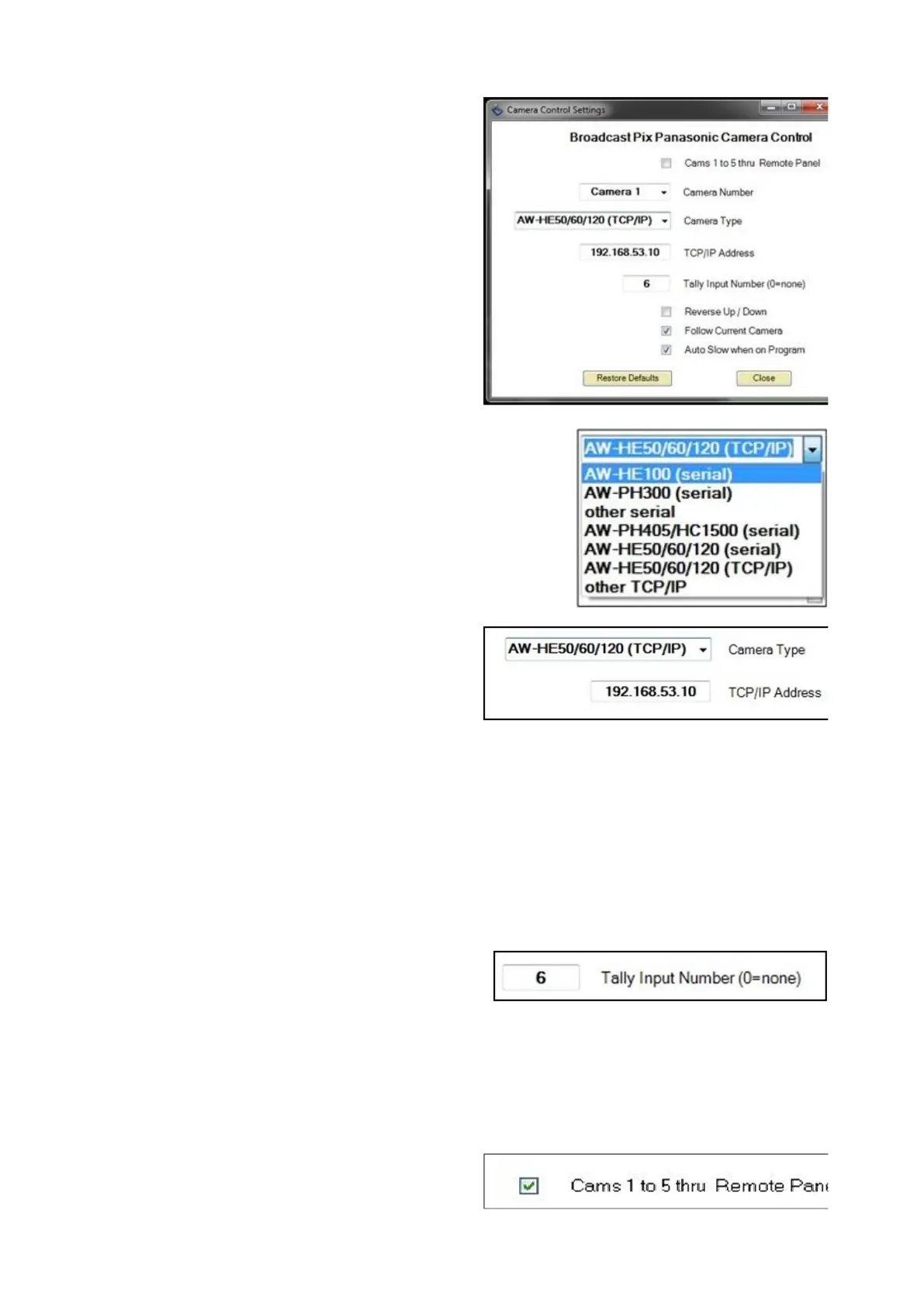
In the Camera Control Settings click
the Camera Number drop down
menu to select a camera 1-12.
Under the Camera Type drop down
menu, select which style of
Panasonic camera you are
controlling, either AW-HE100
(serial), AW-PH300 (serial), other
serial, AW-PH405/HC1500 (serial),
AW-HE50/60/120/130 (serial), AW-
HE50/60/120/130 (IP) or other IP.
The Other option will control any non
100/300 model camera. You may mix
and match model numbers within a
show. Only the Panasonic AW series
may be controlled from Broadcast
Pix.
The AW-HE50/60/120 (TCP/IP) will
control IP controllable cameras. If
selected a TCP/IP address text box
will appear, as shown on the right, to
enter the dedicated IP address for
each camera.
If the camera head has built-in tally,
enter the BPswitch input number in
the Input Number text field. Enter 0
to have no tally.
This setting is also used to capture
thumbnail images of presets for the
Fluent-View PixPad.



 To Next Page