BPswitch Operators Manual
336 / 413
Controlling PixPlay:
Once a clip or a mark has been selected on
an individual deck or as part of a gang, they
can be control using various controls.
Select a clip or mark as described on the
previous page.
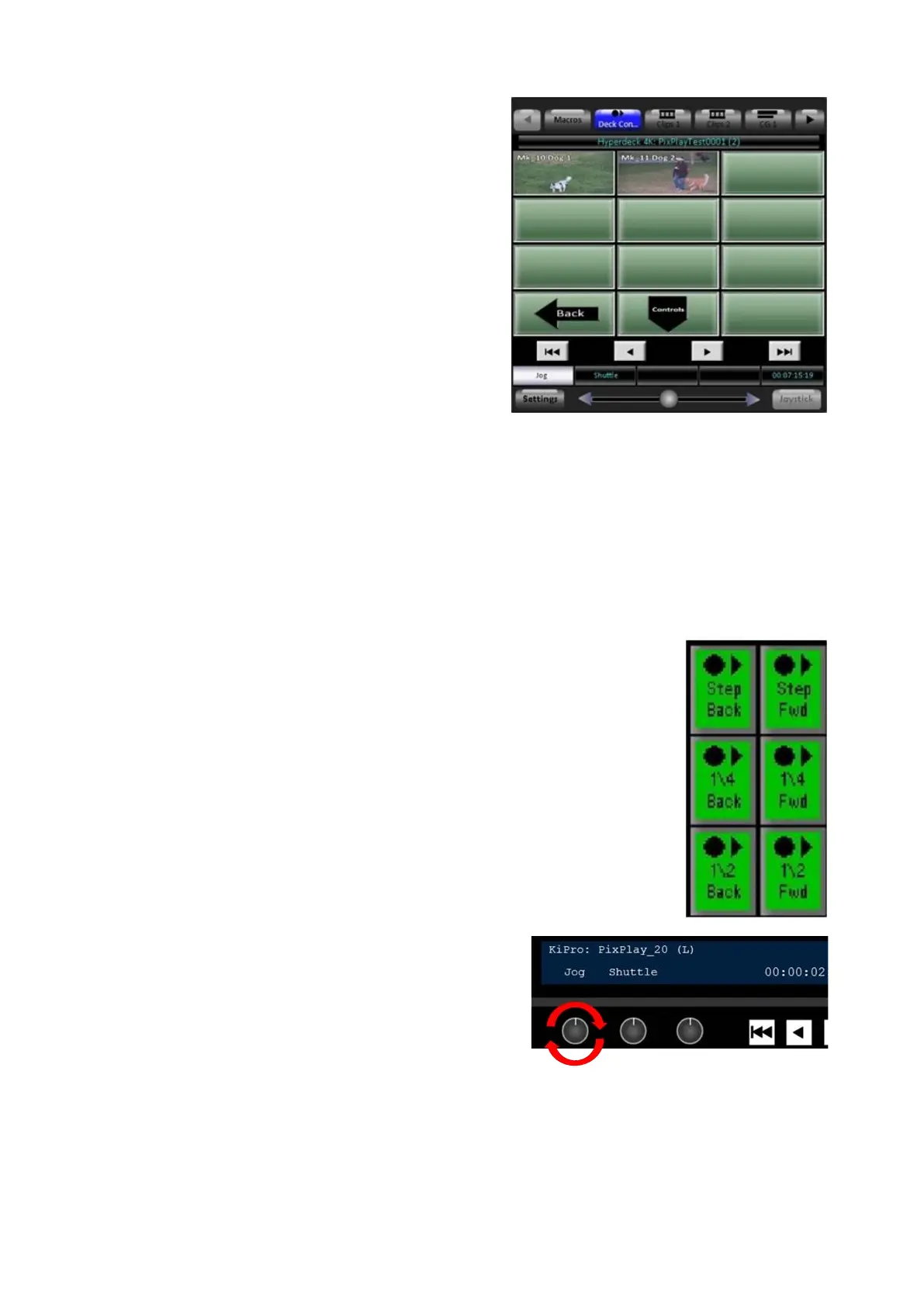
Use the [Step Back] or [Step Fwd]
PixButtons to move the deck(s) 1 frame
backwards or forwards. Each button push
will move the deck frame by frame.
These buttons are useful when wanting to
pinpoint an exact play or spot in the action.
In addition to the [Step] PixButtons, the
[Jog] Knob (knob 1) can be used to scrub
frame by frame, as shown on the right.
Turning to the right will scrub the deck(s)
forward. Turning to the left will scrub
backwards.
To move the deck(s) slightly faster the [1/4
Back], [1/4 Fwd], [1/2 Back] and [1/2 Fwd]
PixButtons can be used.
In a similar fashion, the [Shuttle] Knob
(knob 2) can be used to move deck(s) at
various speeds.
Turning to the right will go move forward and



 To Next Page