BPswitch Operators Manual
398 / 413
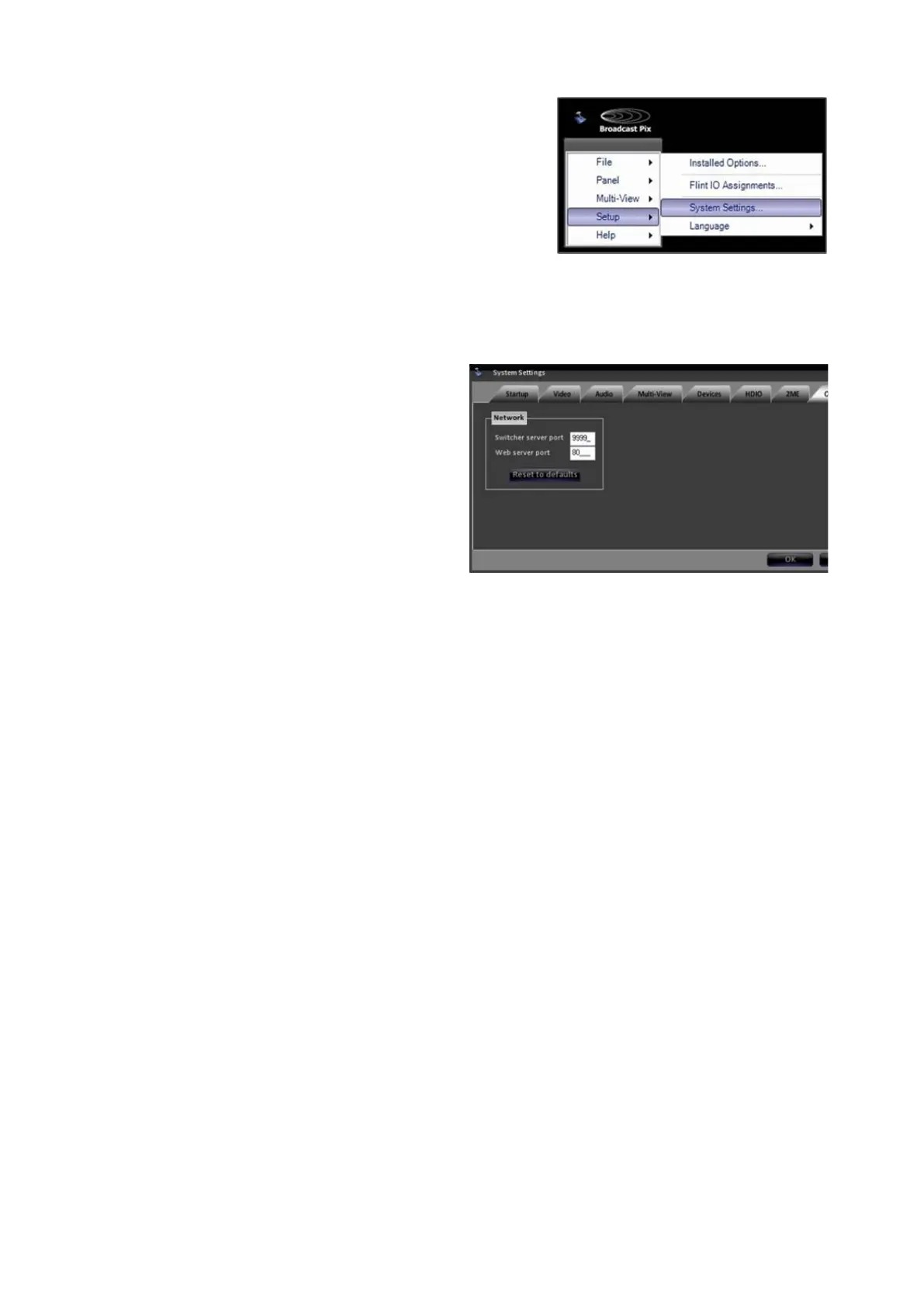
Then select System Settings…
In the System Settings window, click
on the Remote tab.
The Switcher Server Port is the
network port used to control the
system remotely and the port where
Physical Control Panels connect to.
This port should never be changed.
For more information contact
Technical Support. The default is
9999.
The Web Server Port is the network
port used for SoftPanels, iPixPanels
and iPixPads to connect to the
system. This port may be changed to
accommodate other network ports
and devices. The default is 80.
After you have entered the proper
port numbers, click on the OK button
to save your changes.
For outside users to gain access to
the Server, the Internet Router in your
network must be configured to
forward both the
Switcher Server Port
(9999) and the Web Server Port (80),
as specified above. Refer to your
users manual of the router for more
information.



 To Next Page