BPswitch Operators Manual
69 / 413
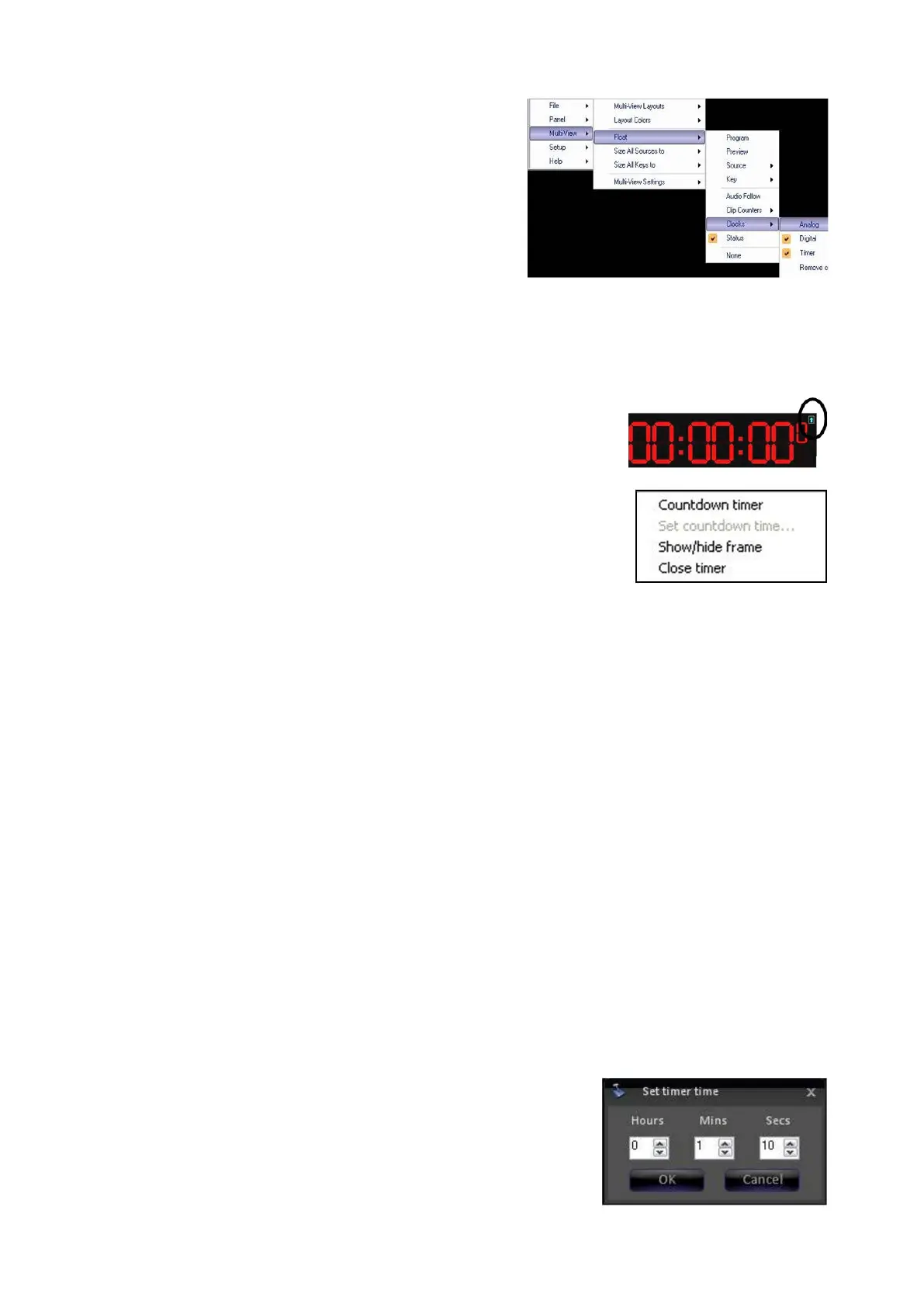
From the available drop down menu select
Analog, Digital and/or Timer.
A checkmark
will appear next to the floating clocks, as
shown on the right.
To select between Count Up (Stopwatch) and Countdown Timers:
Float the Timer clock, as described above. The
red Timer window will appear, drag and resize to
your liking.
Left-Click on the blue arrow in the upper right
hand corner of the window. This toggle button
switches between a Stopwatch and Countdown
timer.
You may also Right-click anywhere in the timer
window, and a pop-up menu will appear, as
shown on the right. If the Timer window is
set to Stopwatch left-click on Countdown
timer. If the Timer window is set to Countdown
left-click on Stopwatch timer.
To operate a Countdown Timer:
Activate the Timer window and set it as a
Countdown timer, as described above.
Right-click anywhere on the timer window and
and a pop-up menu will appear.
Select Set countdown time… from the
available list. This will open the Set timer
time window.
In the pop-up window enter the hours, minutes
and/or seconds, as shown to the right.
Click on OK to save and exit the window. The
time that you entered will now appear in the



 To Next Page