BPswitch Operators Manual
72 / 413
To access devices D-F or 4-6 select the View
shifted devices checkbox.
Click on the OK button, then Close and then Save
Show to close PixMaster.
To assign the device controls to Timer Control:
Press the [Timer] wildcard [Device Select] button (A/B/C)
and it will illuminate orange and the following device controls will be appear.
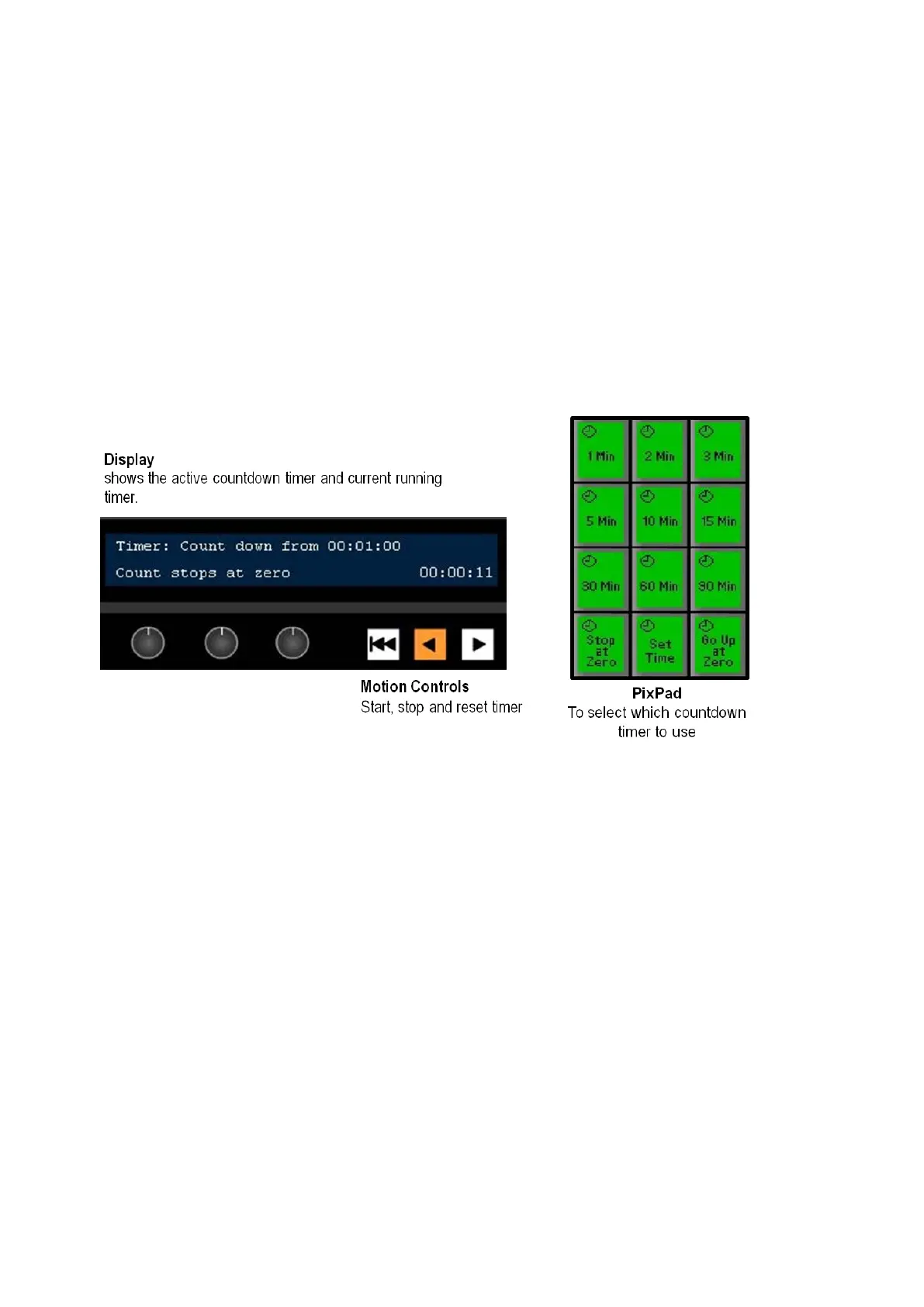
Timer Control device controls:
When you press the Timer Control device button, the active timer last used will be
selected.
The display indicates 3 pieces of information:
1.
The top left corner always shows status (running, stopped and type) of the
timer/stopwatch. In this case, the words Timer: Countdown from 00:01:00
indicates the type of counter/timer. When the timer is stopped, the top right of
the display will show the last selected countdown time.
2.
The time in the bottom right of the display indicates the running time, either
counting up or down, in this case 00:00:11.
3.
The bottom left side displays what the countdown timer will do once it reaches
0 (zero), either stopping at zero or counting back up to show the elapsed time,
in this case it will stop at zero.
To select a pre-made timer:
In Device Control section, select the [Timer]
device button (A/B/C), it will illuminate orange.



 To Next Page