-SCS Parameter Analyzer Reference Manual Appendix H:
Using a Micromanipulator 8860 Prober
4200A-901-01 Rev. C / February 2017 H-25
6. To open an existing program listing file, click the pcIndie open button in the pcIndie window.
Select the file and click OK.
Figure 721: pcIndie open button
Use KCon to add a prober
On the 4200A-SCS, use KCon to add the prober to the configuration:
1. Open KCon.
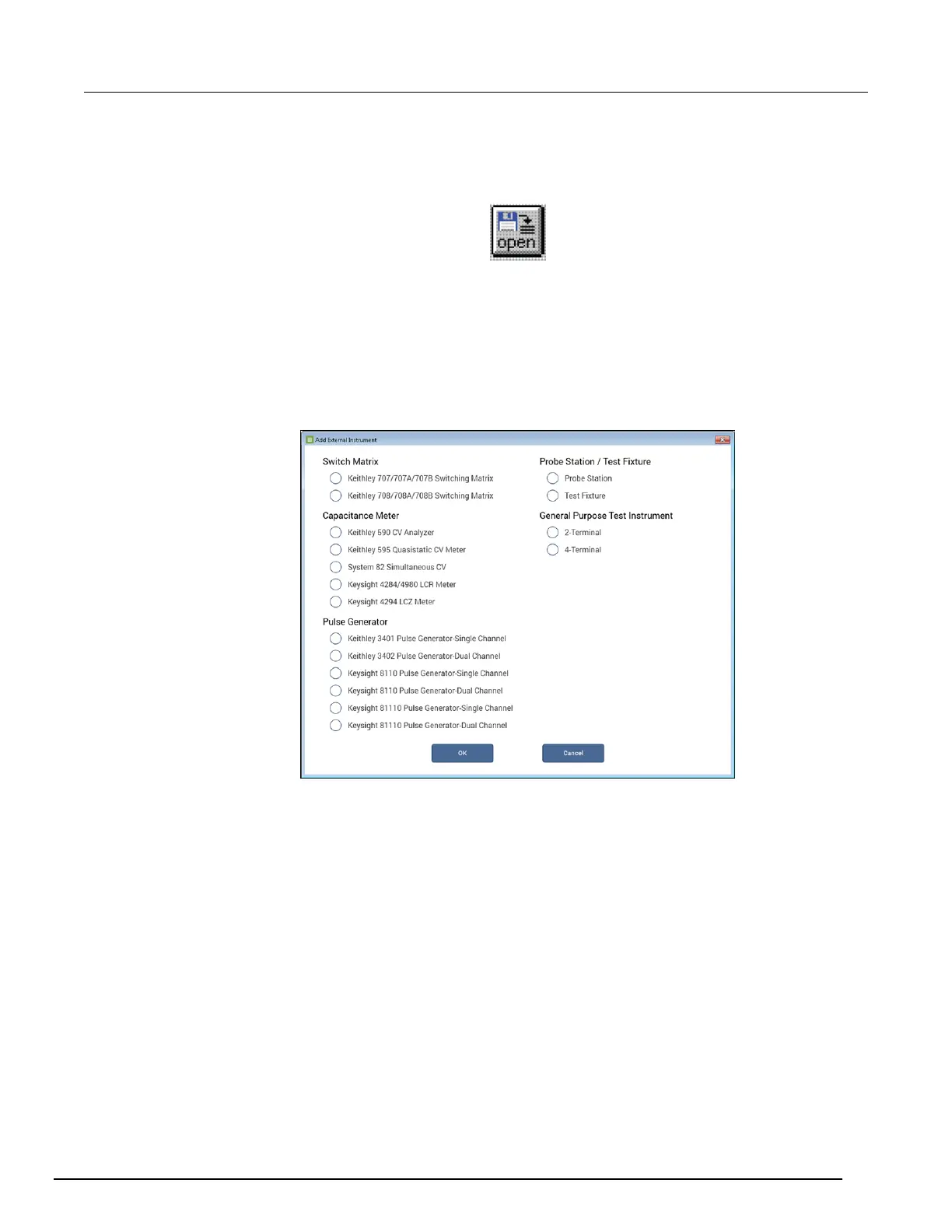
2. At the bottom of the Configuration Navigator, select Add External Instrument. The Add External
Instrument dialog box is displayed.
Figure 722: Add a prober in KCon



 To Next Page
 Loading...