-SCS Parameter Analyzer Reference Manual Section 4: Multi-frequency capacitance-
4200A-901-01 Rev. C / February 2017 4-23
Configure the test
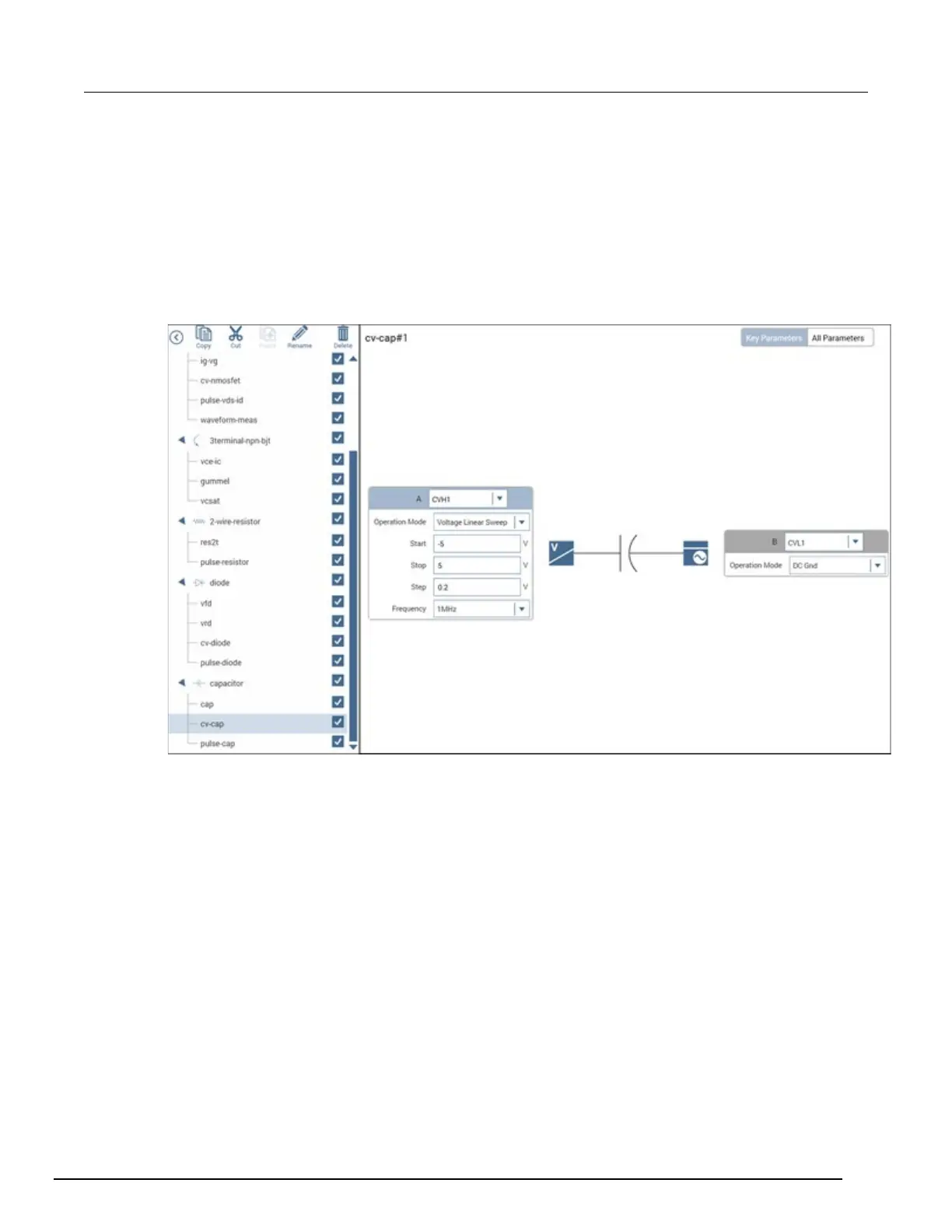
This example uses the cv-cap test, which measures the capacitance as a function of a linear voltage
sweep of a capacitor.
Configure the cv-cap test:
1. In the project tree, select the cv-cap test.
2. Select Configure. The key parameters are displayed in the center pane.
Figure 102: cv-cap key parameters
3. Verify the settings for CVH1:
Operation Mode: Voltage Linear Sweep
Start: −5 V
Stop: 5 V
Step: 0.2 V
Frequency: 1 MHz



 To Next Page
 Loading...