BPswitch Operators Manual
31 / 413
Double-click the green Paragon icon
on the desktop, to launch the
application. If the icon is not on the
desktop navigate to The Start Menu,
All Programs, Paragon Backup and
Recovery 11 Home, Paragon Backup
and Recovery.
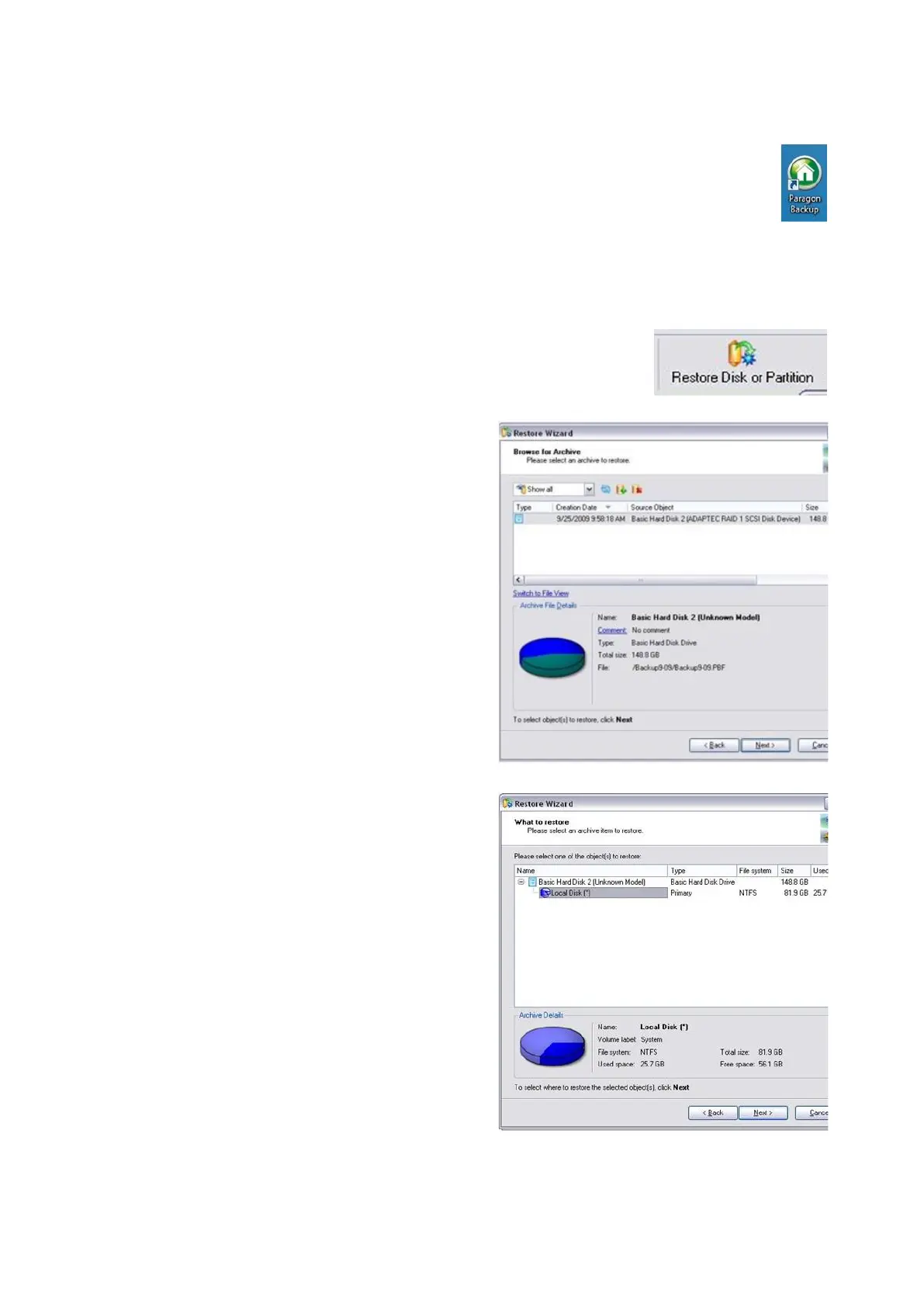
Once the software is open, click on
Restore Disk or Partition button, in
the top left corner of the application.
In the Welcome to the Restore Wizard
screen, click on the Next button.
In the Browse for Archive window,
select the desired back up point.
If no restore points have been made,
the factory default labeled
arc_BP_Install_Ship may be used.
Note: You may need to select the
Switch to File View to view your
backups by filename.
Then click on the Next button.
In the What to restore window, click on
Local Disk (*) icon, as shown on the
right. Then click on the Next button
In the Where to restore window, click
on the Next button.
Since there is only one system drive in
the system there wont be any other
choices in this window.
In the Restore results window, ensure
that the Assign the following drive
letter is set C. Then click on the Next



 To Next Page