BPswitch Operators Manual
32 / 413
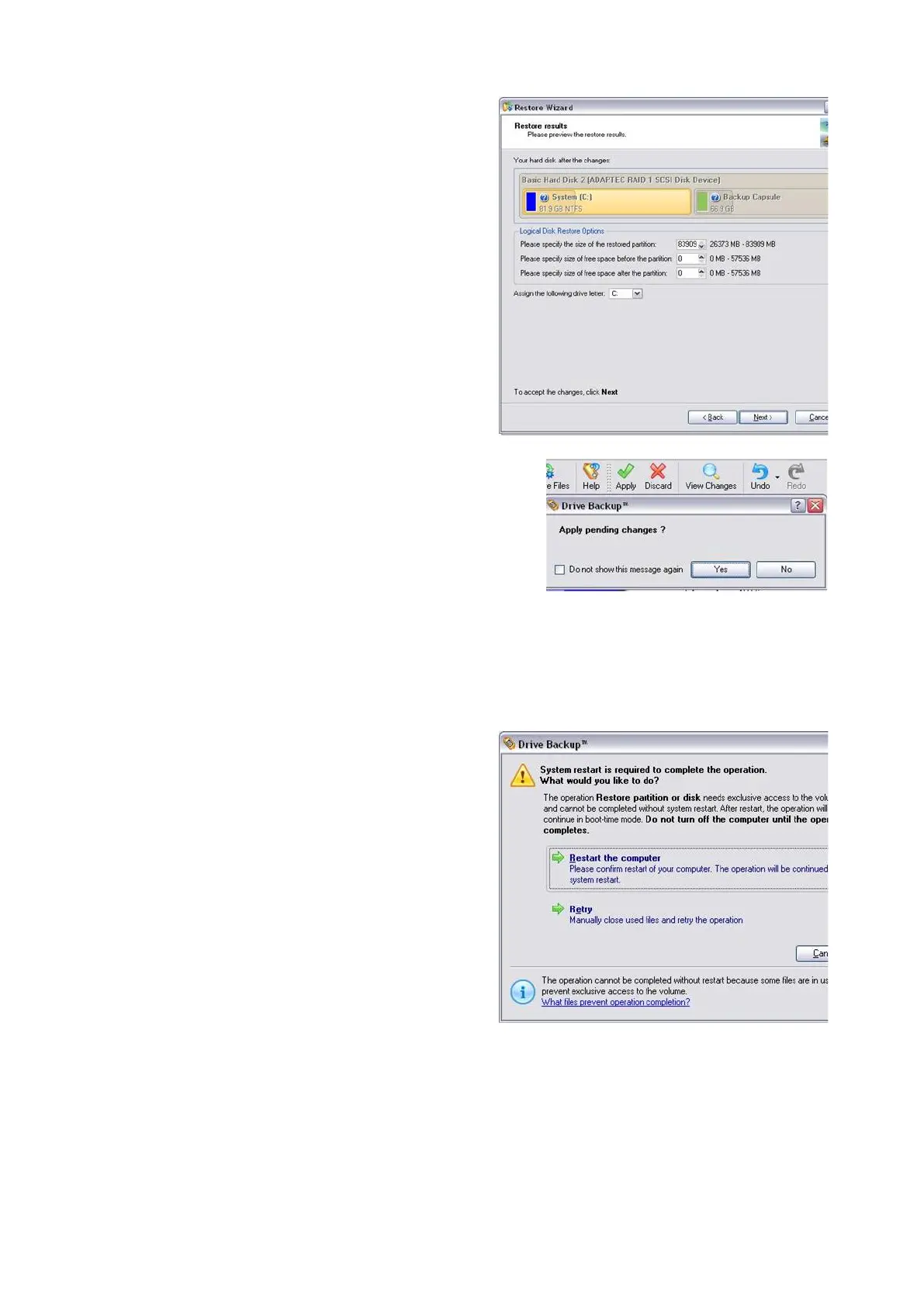
In the Completing the Restore Wizard
window, click on the Finish button.
At the top of menu bar, click on the
green Apply check mark button.
A confirmation screen will appear, click
on Yes, as shown on the right.
The backup point will overwrite the
contents of the System C drive and
replace it with the back up files. Any
files that are on the current System
drive and not on the backup will be
deleted.
In the Drive Backup pop-up window,
click the Restart the computer
button,
as shown on the right.
This will reboot the system and begin
the restore process. During the restore
process a Paragon screen will appear
showing the overall progress. It is
important not to restart or shutdown the
workstation during this process as data
may be lost.
The restore is now taking place. This
process will take anywhere from 20 to
40 minutes, depending on the amount
of files being restored.
When the restore is complete, the
workstation will automatically reboot.
You are now ready to use your system.



 To Next Page