BPswitch Operators Manual
334 / 413
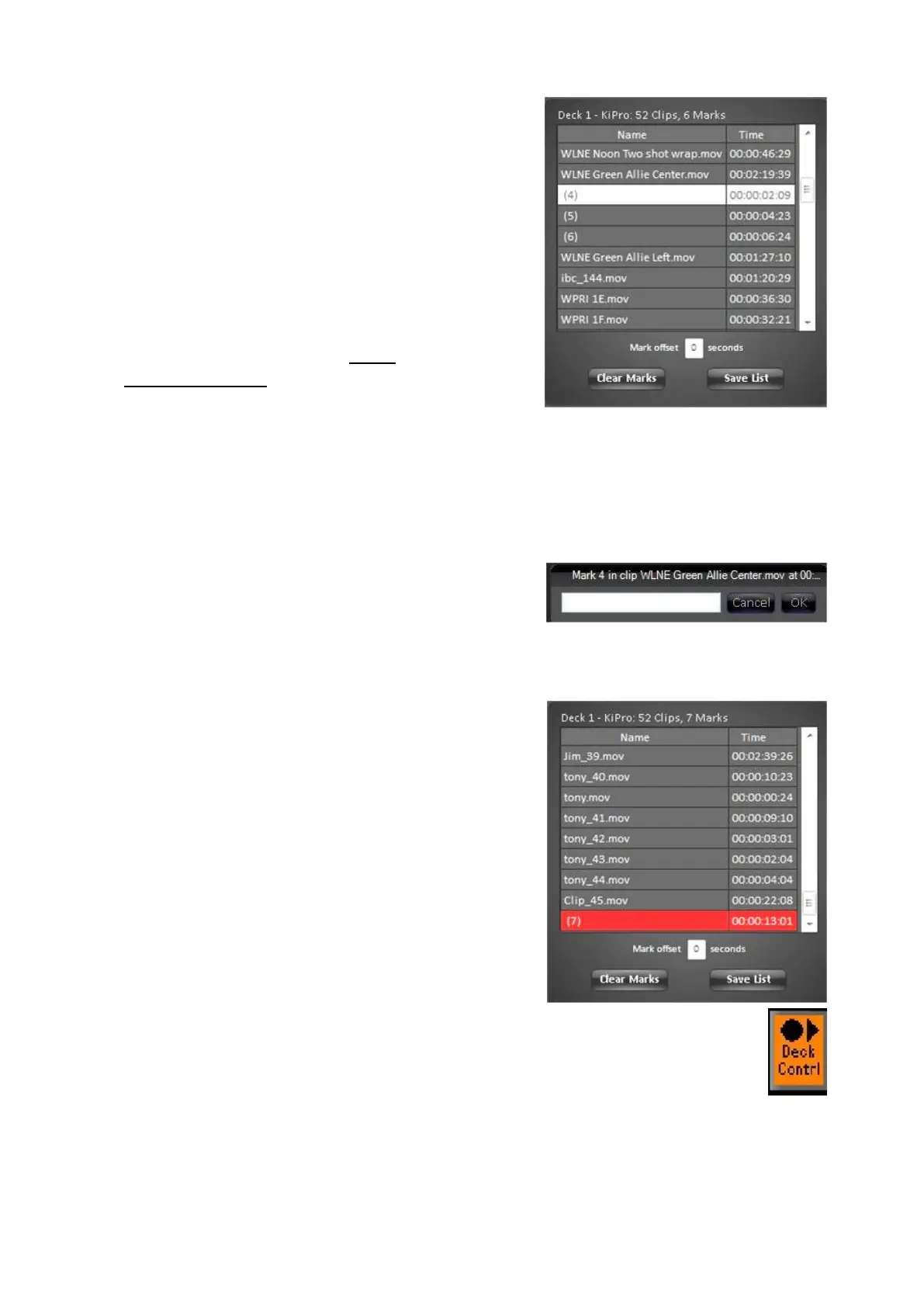
The PixPlay window will appear
listing all the clips on disk and their
associated marks, as shown on the
right.
To select a clip or a mark left-click
on the desired line and it will highlight
white, as shown on the right.
Clip names are based off the record
name set in the Deck Control
Settings, as described in Deck
Control Settings.
Marks are numbered in parentheses,
i.e. (1).
Note as clips and marks are selected
the deck will automatically jump to
that location for easy viewing.
To name a mark right-click on the
desired mark, and a text box pop up
will appear. Enter a custom name
and then click on the OK button, as
shown on the right.
It is recommended to float the
PixPlay window while recording, both
as a visual indicator as well as having
a quick way to enter mark names
while they are fresh in mind.
When recording the last line in the
PixPlay window will highlight red and
the clip timecode will be moving, as
shown on the right.
To view clips and marks on the
PixPad, select the [Deck Contrl]
PixButton, it will illuminate orange, as
shown on the right.



 To Next Page