BPswitch Operators Manual
342 / 413
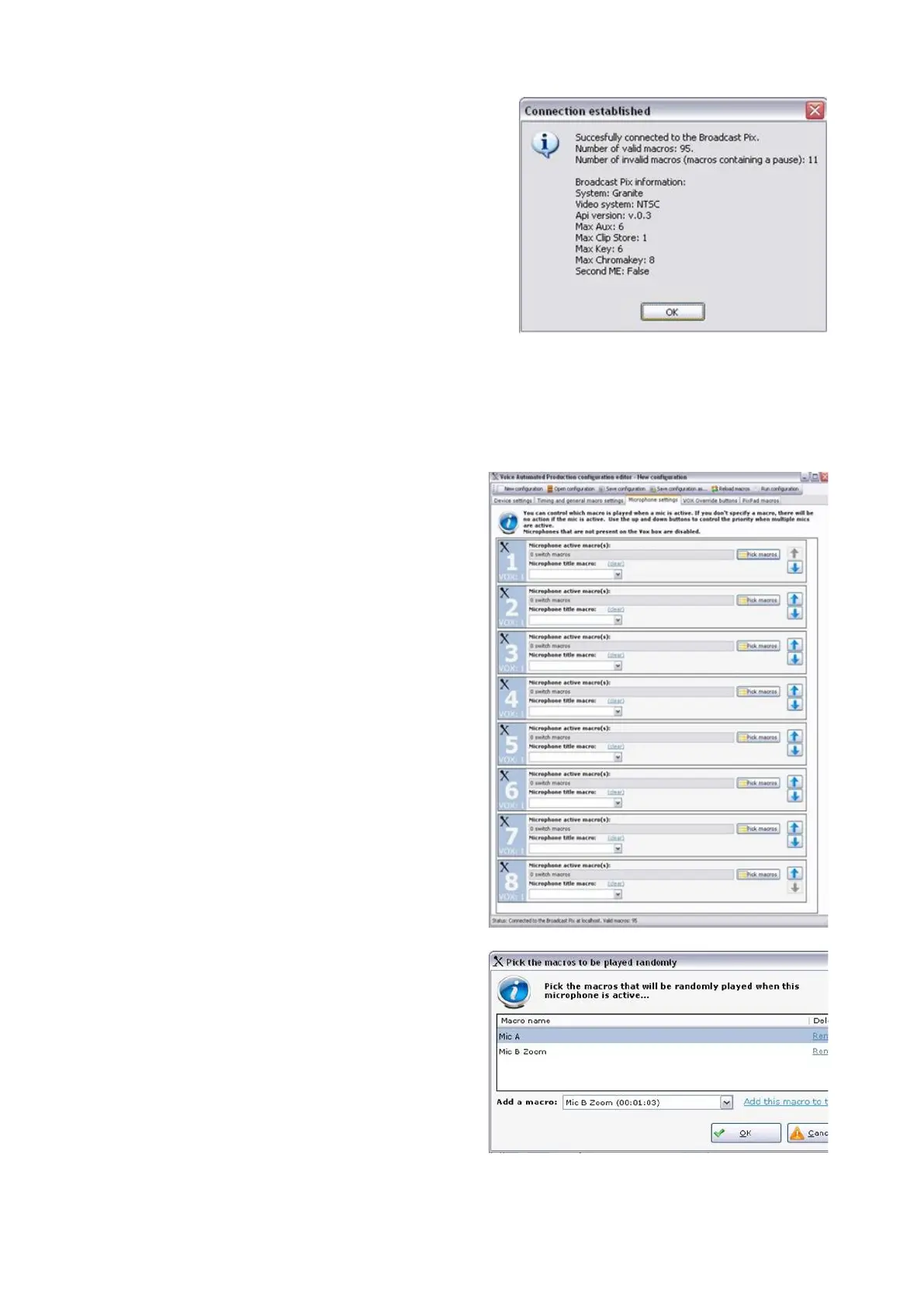
When successful, a Connection
established pop up message will
appear, click on the OK button, as
shown on the right.
If the connection fails, ensure that
both the serial cable is connected
and that a show is running on the
Broadcast Pix Switcher.
Once communication has been
established, a series of tabs will
appear at the top of the window.
To assign Macros to audio inputs:
Click on the Microphone settings tab
on the top of the window.
A list of all available mic inputs will
appear, 1-8 for each VOX unit
connected, as shown on the right.
Each labeled input corresponds to the
physical audio input on each VOX unit.
Click on the Pick macros button, and a
pop up screen will appear.
In the Add a macro: drop down menu,
select the desired macro, in this
example Mic B Zoom, and click on the
Add this macro to this list link.
Each input may have unlimited macros.
When an input triggers an assigned
macro it will randomly choose a macro
from this list. To have a greater chance
to run a certain macro, like a close up of
the talent, simply add the macro to the



 To Next Page