BPswitch Operators Manual
349 / 413
selected and the assigned Macro is running.
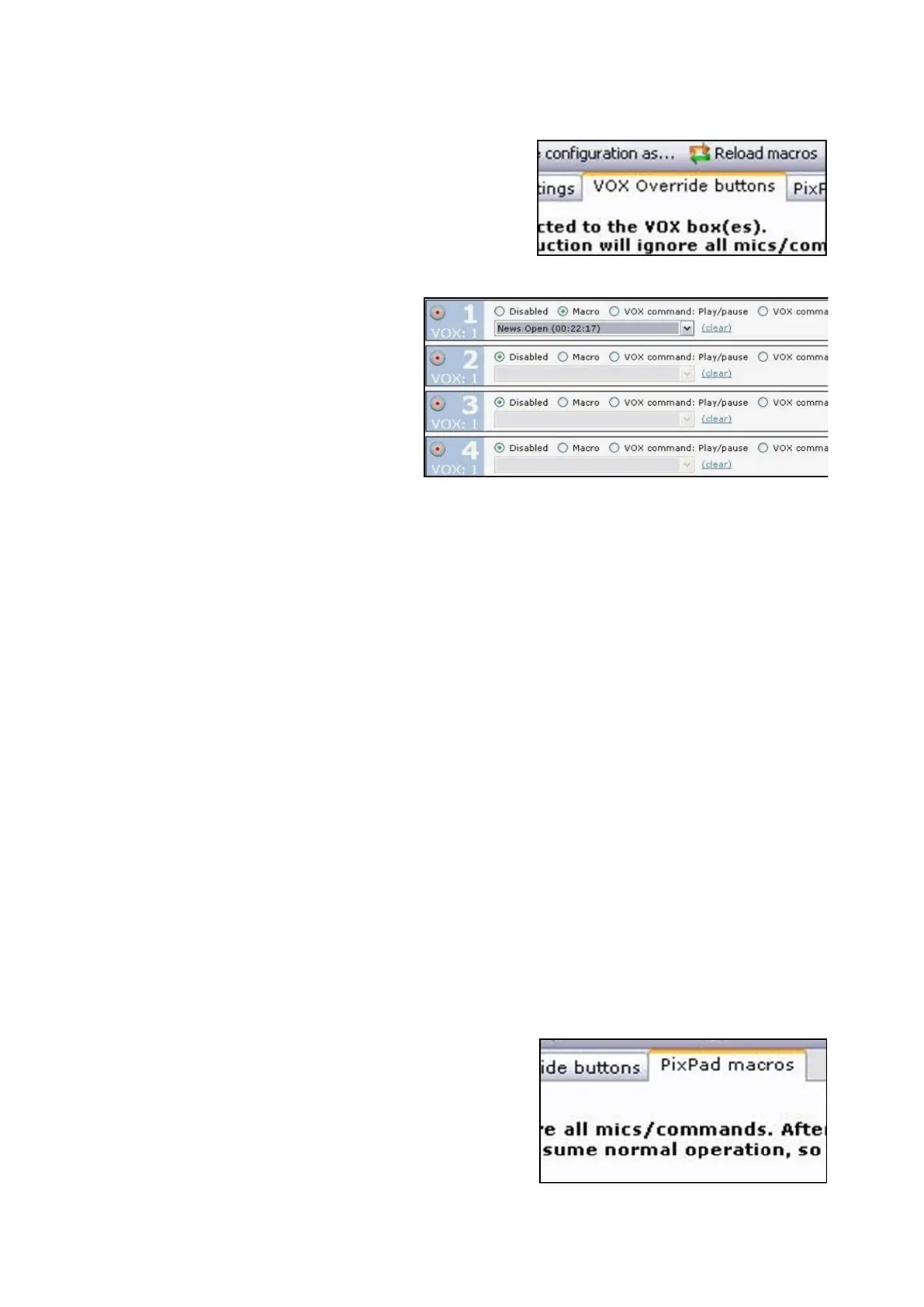
Click on the VOX Override
buttons tab at the top of the
window, as shown on the right.
For each GPI you may select
one of the following 4 radio
buttons, as shown on the right.
Disabled: Which assigns no
Macro to the button
Macro: Which allows for one
Macro to be assigned to the
button. Use the drop down menu
to select the desired Macro.
Play/Pause: Which is a toggle to
momentarily pause the VOX
automation, then after another
push on the same button to
continue with the automation. It
may also be used as a Start
command to re-launch the
automata if the VOX has been
turned off
Stop: Which completely stops
the VOX automation
To assign PixPad Macros:
Similar to the host override buttons, up to 9 more Macros may be assigned to the
VOX device control PixPad. This allows for more override for either the host or
possibly the audio engineer/technician controlling the audio mix to select pre-
defined Macros. This allow for a basic operator to take control at certain points of
the production. These Macros can then be selected on a control panel, Multi-View
PixPad or the iPixPanel application on the iPad.
Click on the PixPad macros tab at
the top of the window, as shown on
the right.



 To Next Page