G: Using a Cascade Microtech PA200 Prober Model 4200A-SCS Parameter Analyzer
G-8 4200A-901-01 Rev. C / February 2017
To set up GPIB communications:
1. Double-click the ProberBench NT icon (shortcut) on desktop.
2. Double-click the Service Programs file.
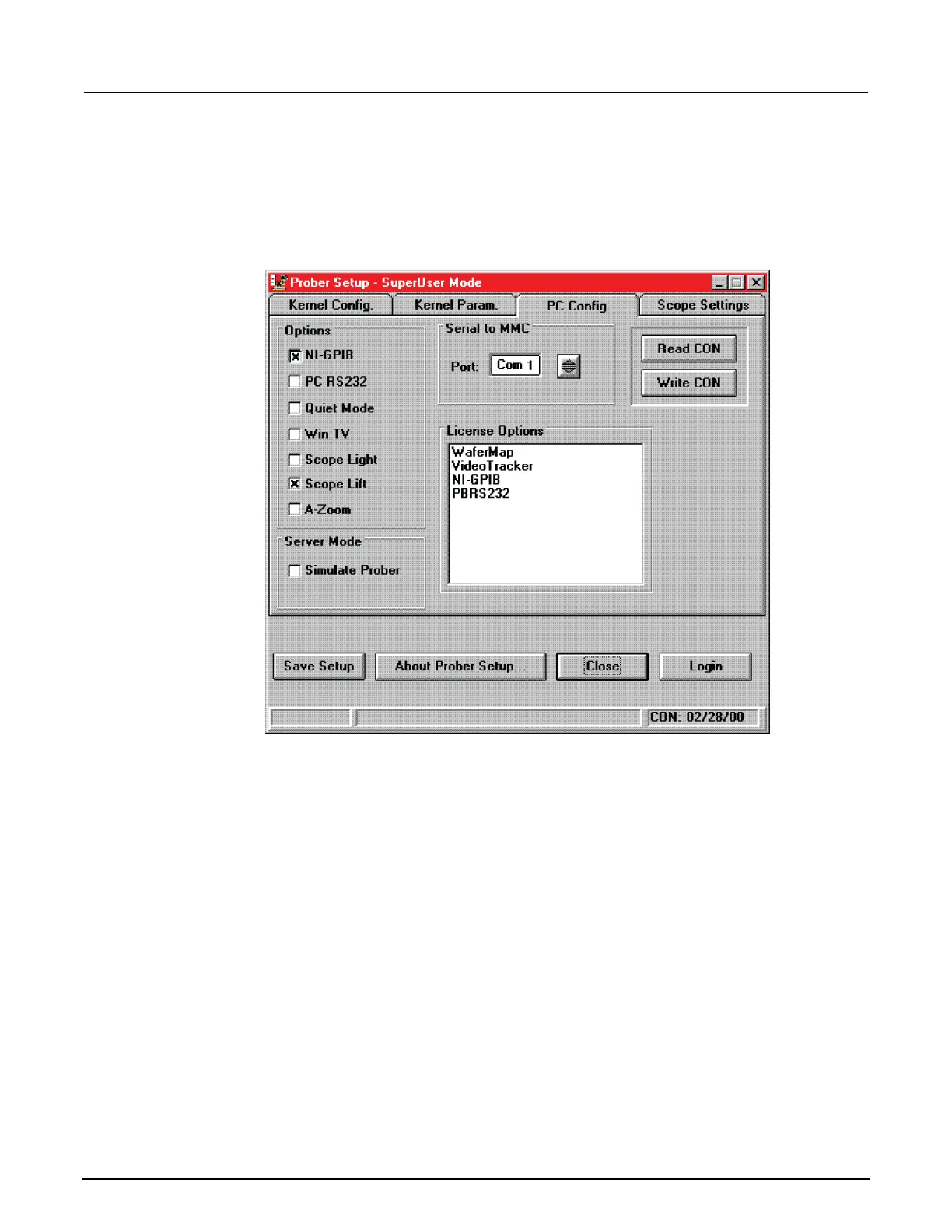
3. Double-click the Prober Setup file in the Service Programs directory. The Prober Setup window
appears (see the below graphic).
Figure 637: Prober setup: PC Config tab
4. Select the NI-GPIB Option.
5. Clear the Simulate Prober box in the Server Mode section of the dialog box.
6. Click Save Setup.



 To Next Page
 Loading...