7-10
7
Dumping Coins Function (Overow Bin)
Coins dumped to the Overflow Bin will be mixed with coins previously existing in the Overflow Bin.
COINS EXISITING IN THE OVERFLOW BIN PRIOR TO PERFORMING THIS FUNCTION MUST BE
REMOVED !
Log In > Status (bottom tool bar) > Coin Recycler > Empty Bin
When coins are dumped to the Overflow Bin using this feature, the dumped coins WILL NOT
be added to the Overflow Bin coin count.
Step 1: Open the Coin Handler Vault door.
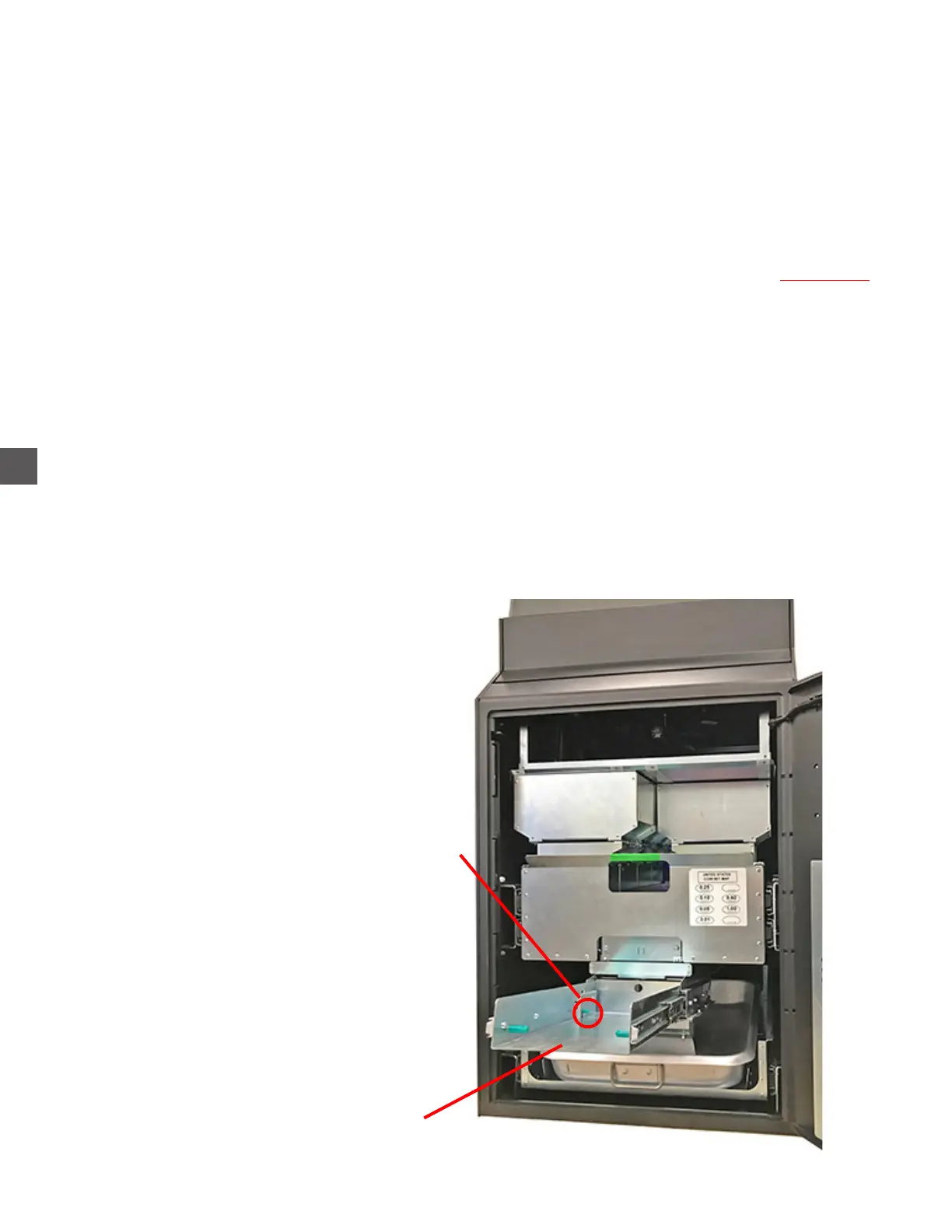
Step 2: Extend the Coin Collection Tray Rack.
Step 3: Navigate to the Dump Coins menu
Log In > Status (bottom tool bar) > Coin Recycler > Dump/Accept > Coins Out
Step 4: The user will be prompted to select the Coin Hopper to dump.
Step 5: All coins in the selected Hopper will be dispensed into the Overflow BIn.
Step 6: When completed, slide the Coin Collection Tray Rack fully into the cabinet.
Coin Collection Tray Rack extended
Press the release lever down to place the
rack back into the normal operating position



 To Next Page