8-4
8
Coin Sorter
Coin Sorter removal
1) Open the Coin Handler Vault Door.
2) Disconnect VAC power from the Coin Handler.
3) Raise the Coin Handler top cover and remove the Coin Sorter Bay coverplate.
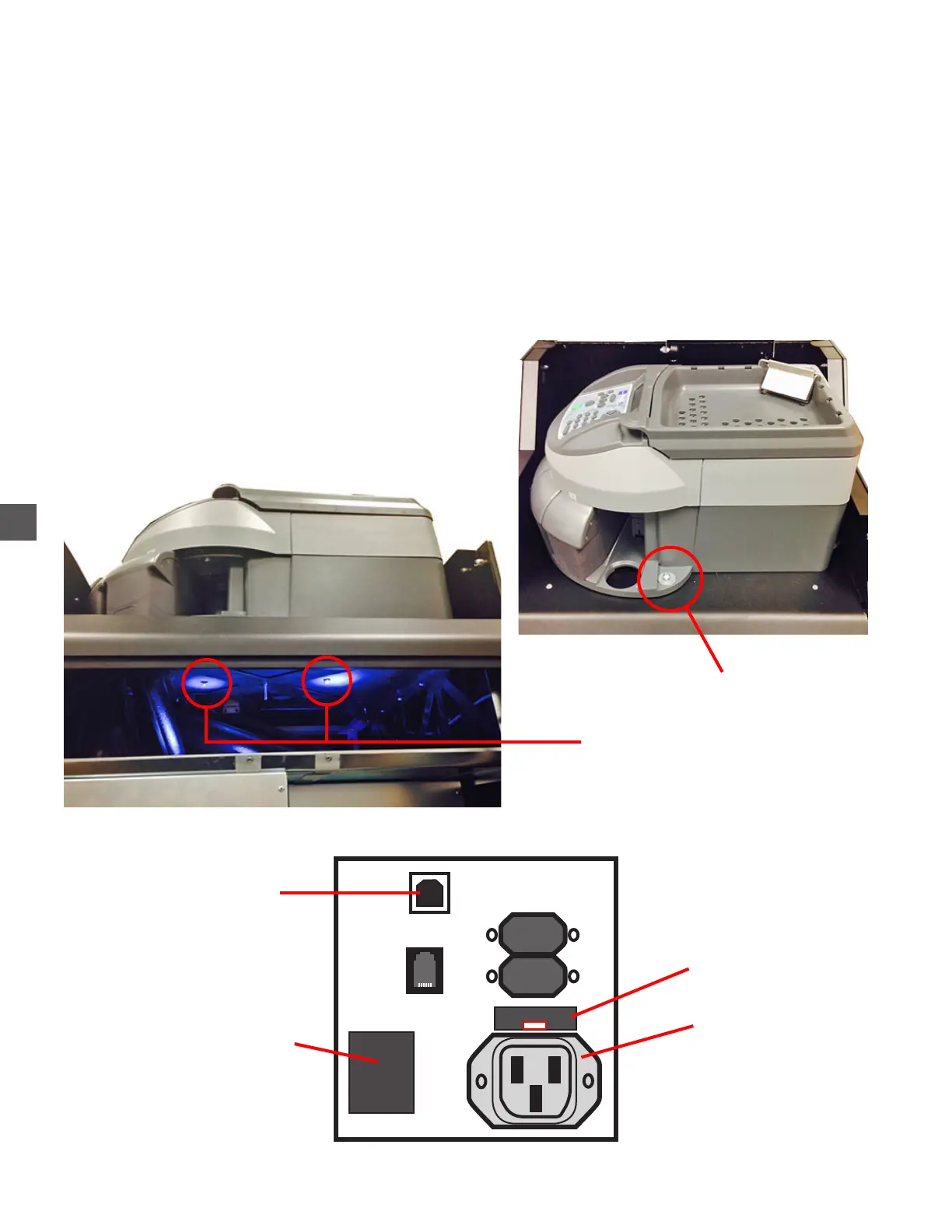
4) Remove the upper securing screw and washer.
5) Remove the (2) lower securing (phillips head) screws, located inside, at the top of the Coin
Hopper vault.
6) Carefully access the right side of the Coin Sorter and disconnect the VAC Power Cord and USB
Upper Securing Screw
Lower Securing Screws
Coin Sorter Connection Bank
ON/OFF Switch
USB (type B)
VAC Power Cord
(2) 4 amp fuses



 To Next Page