1-9
1
Preparing the Note Recycler for operation
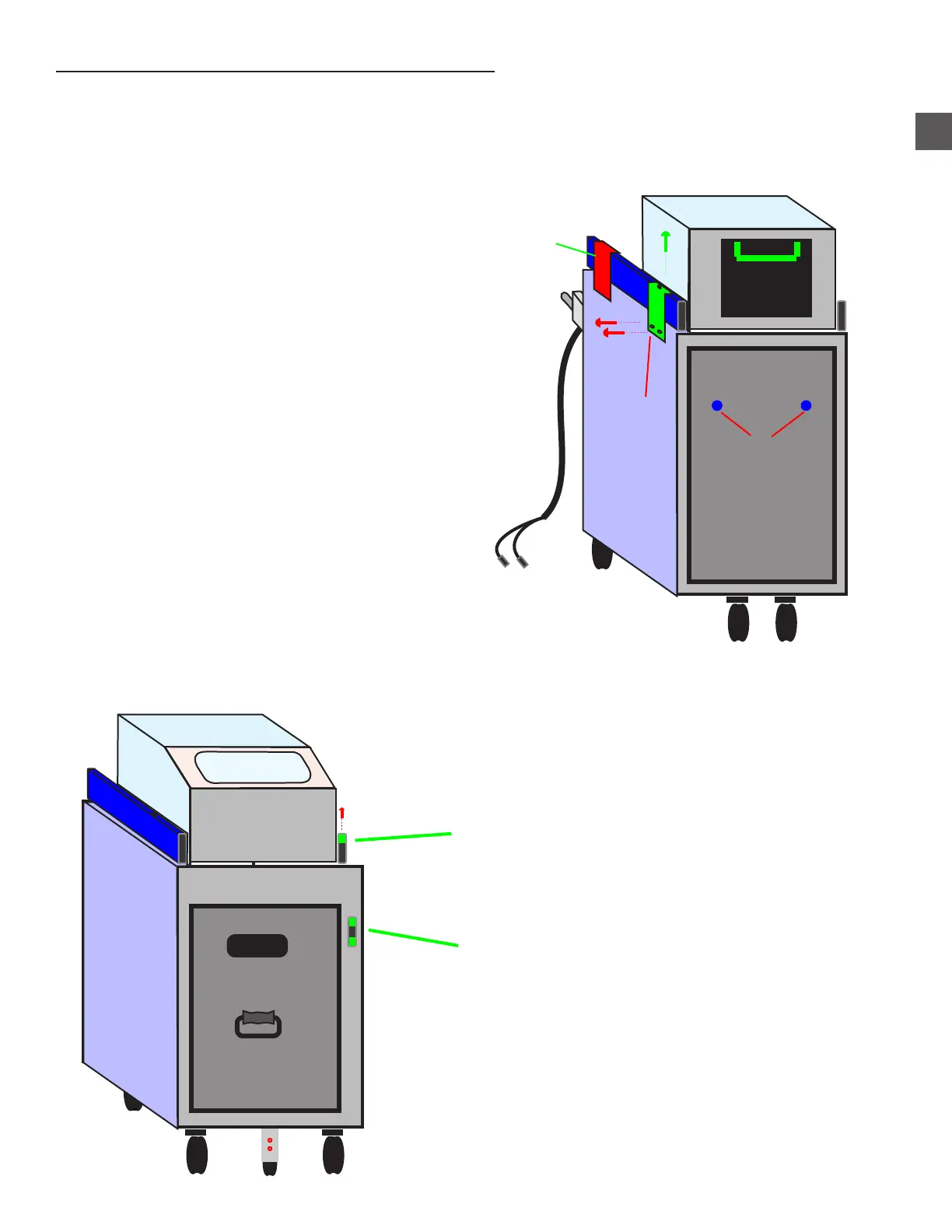
Step 1: Using a JIS Screwdriver, remove the (2) screws “A” that secure the Cassette Rack Shipping
Bracket to the rear of the Cradle (do not discard bracket or screws).
Step 2: Using a JIS Screwdriver, remove the (3) phillips head screws that secure the Upper Rack
Rail bracket “B” at the rear of the “Hot Side” and re-secure the bracket in the highest position
possible.
Rear View of Note Recycler
Front View of Note Recycler
Cassette Rack Release Lever
DO NOT DISTURB
Note Recycler Assembly Release Lever
Step 3: Using a JIS Screwdriver, remove the phillips head screw that secures the Note Recycler
Release lever, rotate the lever 180 and re-secure the lever onto the release mechanism.
o
REPOSITION Bracket “B”
Do Not Disturb Bracket “C”
B
C
A
Reject
Cassette



 To Next Page