7-9
7
Dumping Coins Function (Coin Receiving Tray)
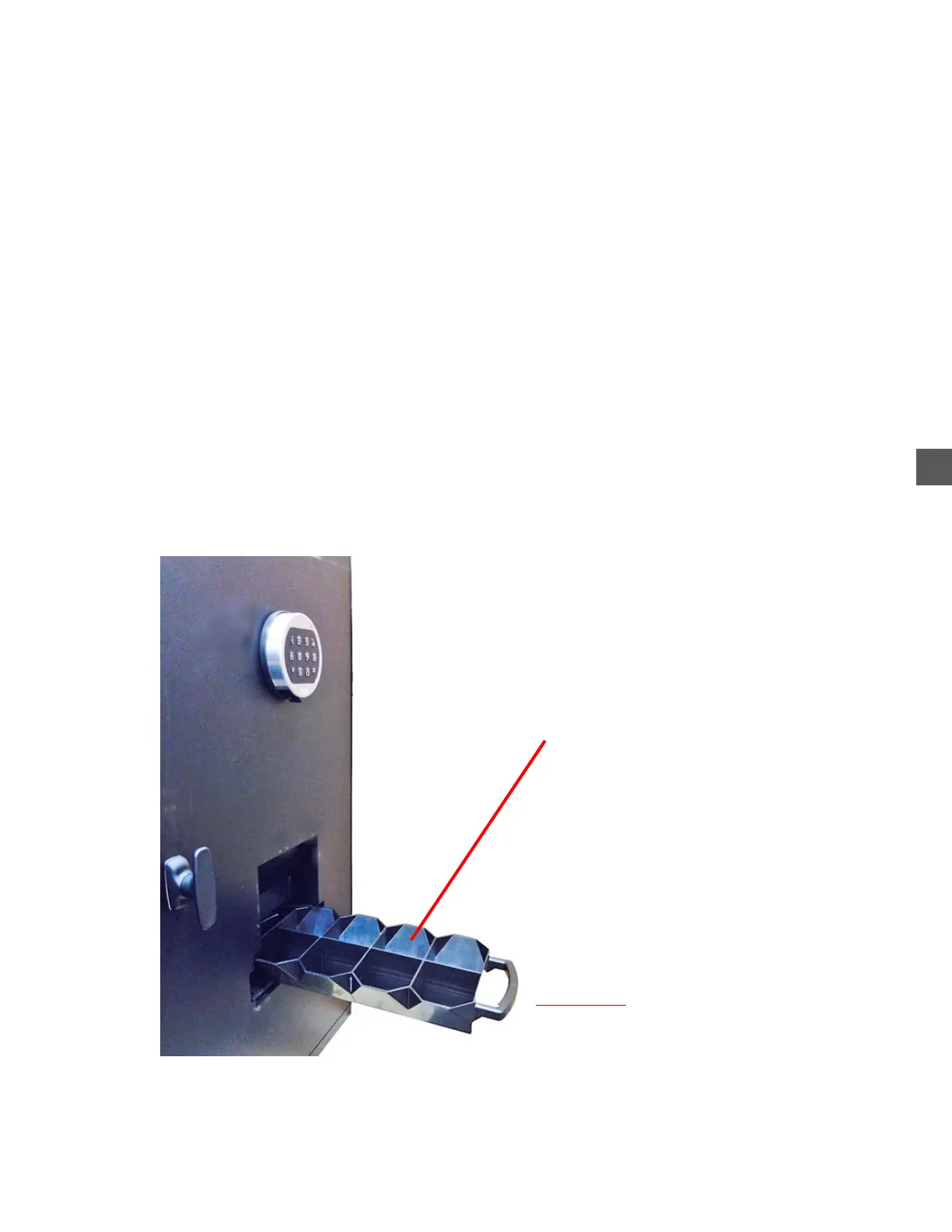
Hoppers emptied into the Coin Collection Tray will allow coins types to be kept separate.
When coins are dumped to the Coin Collection Tray using this feature, a printed report will indicate
the beginning counts, ending counts and the “coin out/coin in” net difference.
Step 1: Ensure the Coin Handler Vault door is closed and locked.
Step 2: Ensure the Coin Collection Tray is inserted fully into the Coin Collection Tray Rack.
Step 3: Navigate to the Dump Coins menu
Log In > Status (bottom tool bar) > Coin Recycler > Dump/Accept > Coins Out
Step 4: The user will be prompted to select the Coin Hopper to dump.
Step 5: All coins in the selected Hopper will be dispensed into the Coin Collection Tray.
The Coin Collection Tray has a limited capacity (depending on coin type).
The dump process may require removal/unloading the Coin Collection Tray multiple
times in order to dump all coins from the selected Hopper.
After Coins are dumped, the Hopper count will be set to “0”.
Coin Collection Tray
CANNOT be extended during
dumping operations
Coin Collection Tray
(Extended)



 To Next Page