14-26
14
Note Recycler Cleaning/Access
! DO NOT USE ALCOHOL OR SOLVENTS TO PERFORM CLEANING !
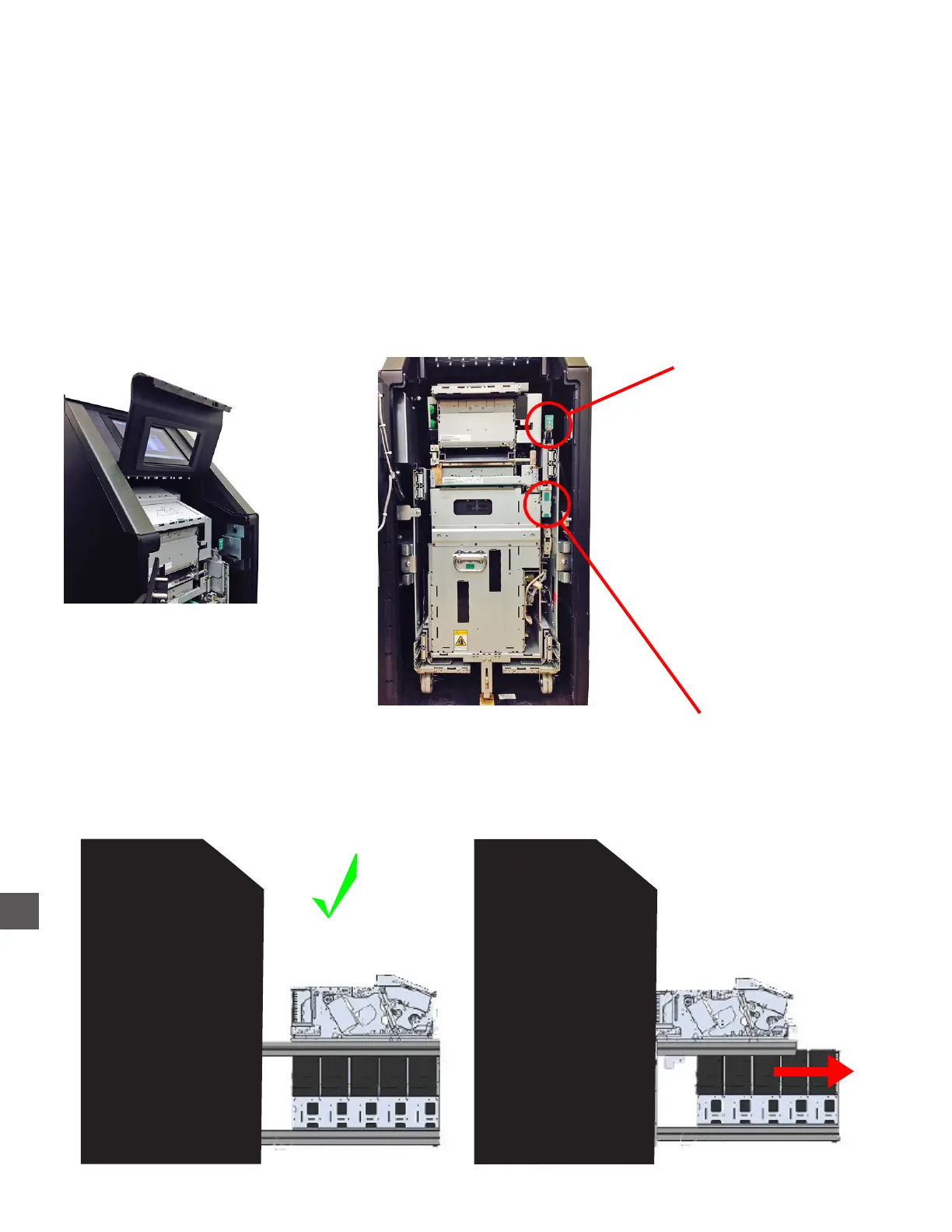
To perform cleaning, the Note Recycler must be extended from the Note Handler Vault.
1) Open the Note Recycler Vault
2) Perform a computer shut down and turn off power to the Note Handler
Log In > Exit > Shut Down Computer
3) Raise the Note Collection Coverplate.
4) Pull the Note Recycler Release Lever forward.
5) Extend the Note Recycler fully forward.
DO NOT RELEASE THE
CASSETTE RACK RELEASE LEVER
WHEN THE NOTE RECYCLER IS EXTENDED
Note Recycler
Release Lever
X
Note Collection
Coverplate



 To Next Page