11-8
11
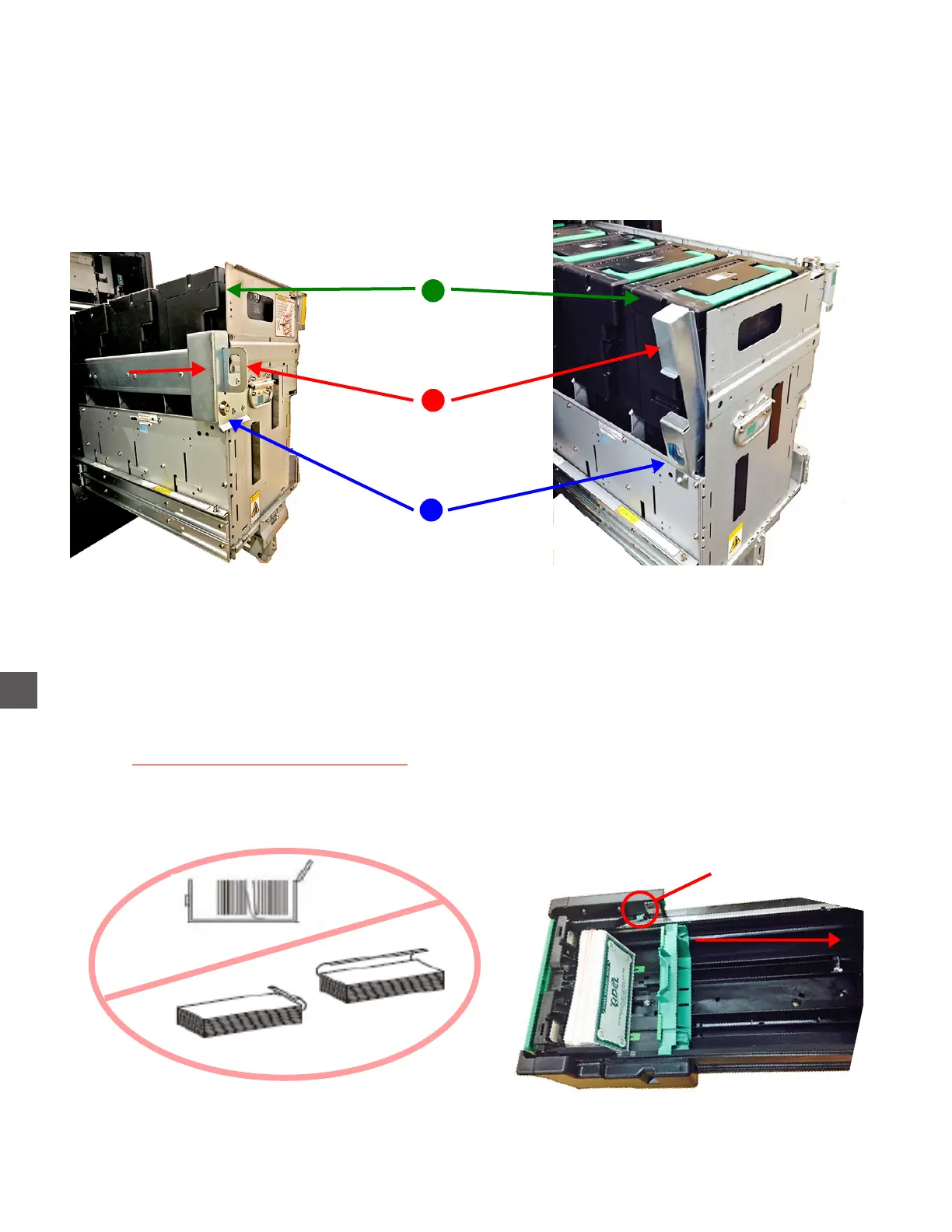
Note Recycler ~ Cassette Information
Deposit Cassette with retainer.
1) Open the Note Recycler Vault
2) Press the Cassette Rack Release Lever.
3) Extend the Cassette Rack fully forward.
Unlock the
Deposit Cassette Retainer
Place the Retainer
in the removal position
A
Remove the
Deposit Cassette
C
B
Opening, Loading, and Unloading Cassettes
1) Remove the Cassettes.
2) Unlock the Cassette and open the hatch
3) Retract the Packer Plate.
4) Load notes level and evenly (2700 notes maximum per Recycle Cassette).
Notes that should not be loaded:
Folded, torn or tattered notes.
Notes with foreign matter attached such as staples, tape, glue or other foreign substances.
Packer Plate
Release Button
Pull Packer Plate
back to load
5) Place the Cassette into the proper location - Cassettes placed in the incorrect position will
cause improper dispense amounts or high numbers of rejects.
6) Place the Cassette Rack back into the TR250 (ensure the Cassette Rack is locked in place).



 To Next Page