2-6
2
Built In Printer
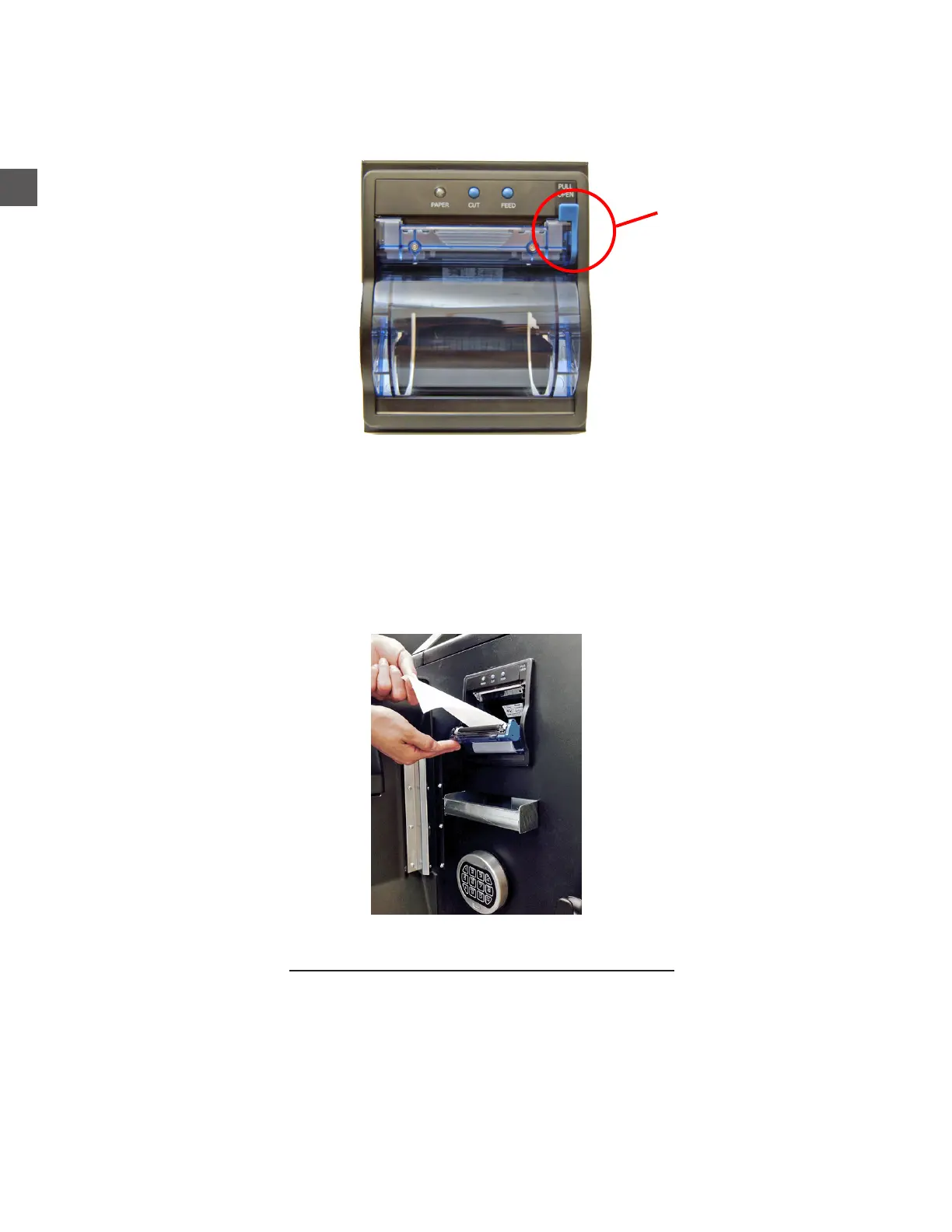
Step 1: Press down on the paper door release lever to expose the paper tray.
Step 2: Pull enough paper off the roll to extend out of the paper tray and place the paper into the
tray so the paper comes off the top off the roll.
Step 3: Close the paper tray door and tear off the excess paper extending out of tray.
Step 4: Press the paper feed button to ensure paper feeds properly.
Thermal paper
Paper width - 79.5 mm (3.13 inches)
Roll diameter - 80 mm or less (3.15 inches)
Thickness - 65 micron (0.065 mm)
Thermal coating on outside of roll
Paper part numbers:
644-0088-003S - Qty = 16 rolls
644-0088-004S - Qty = 8 rolls
Printer Paper Specications
Paper Door
Release Lever



 To Next Page