15-13
15
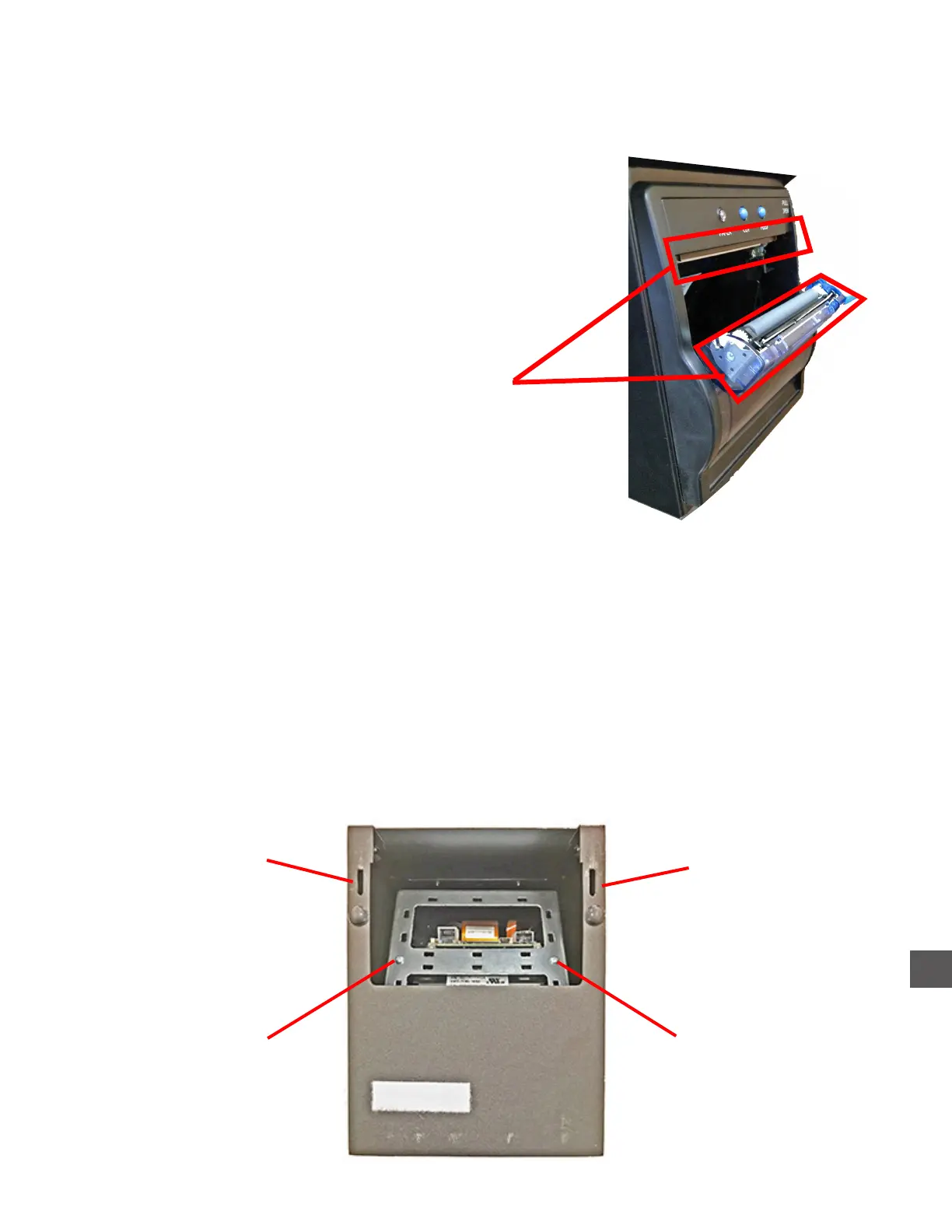
Printer Access/Removal (Glory TR300 Series)
1) Remove the front and rear upper compartment hoods
(see “Accessing The Upper Compartments” in this chapter)
2) Prior to disconnecting VAC power from the Note Handler, perform a “Shut Down Computer”.
Log In > Exit > Shut Down Computer
Disconnect the Component Power Supplies VAC power source.
3) Slide the Printer forward to remove it from the mounting place
4) Disconnect The USB and VDC Power cable from the Printer PCB .
5) Remove the (2) Printer mounting screws and remove the Printer through the front of the
housing.
Clean with vacuum and
compressed air
Printer Paper Cutter - Preventive Maintenance
Should be vacuumed or blown out with compressed air routinely.
Printer (KFI)
Printer mounting
screw
Printer mounting
screw
Mounting bracket
slot
Mounting bracket
slot



 To Next Page