13-13
13
Accessing the Rolled Coin Dispenser PCB - Power Supply
Electronics Box Cover Removal:
1) Open the door and Disconnect VAC power from the Rolled Coin Dispenser Module.
2) Remove the (2) upper Dispensers (see previous page).
3) Remove the (2) phillips head screws that secure the Elcetronic Box cover - lift the cover over the
Dispenser Racks to remove it.
Power Supply:
1) The Power Supply can be removed/accessed without further disassembly.
Rolled Coin Dispenser PCB:
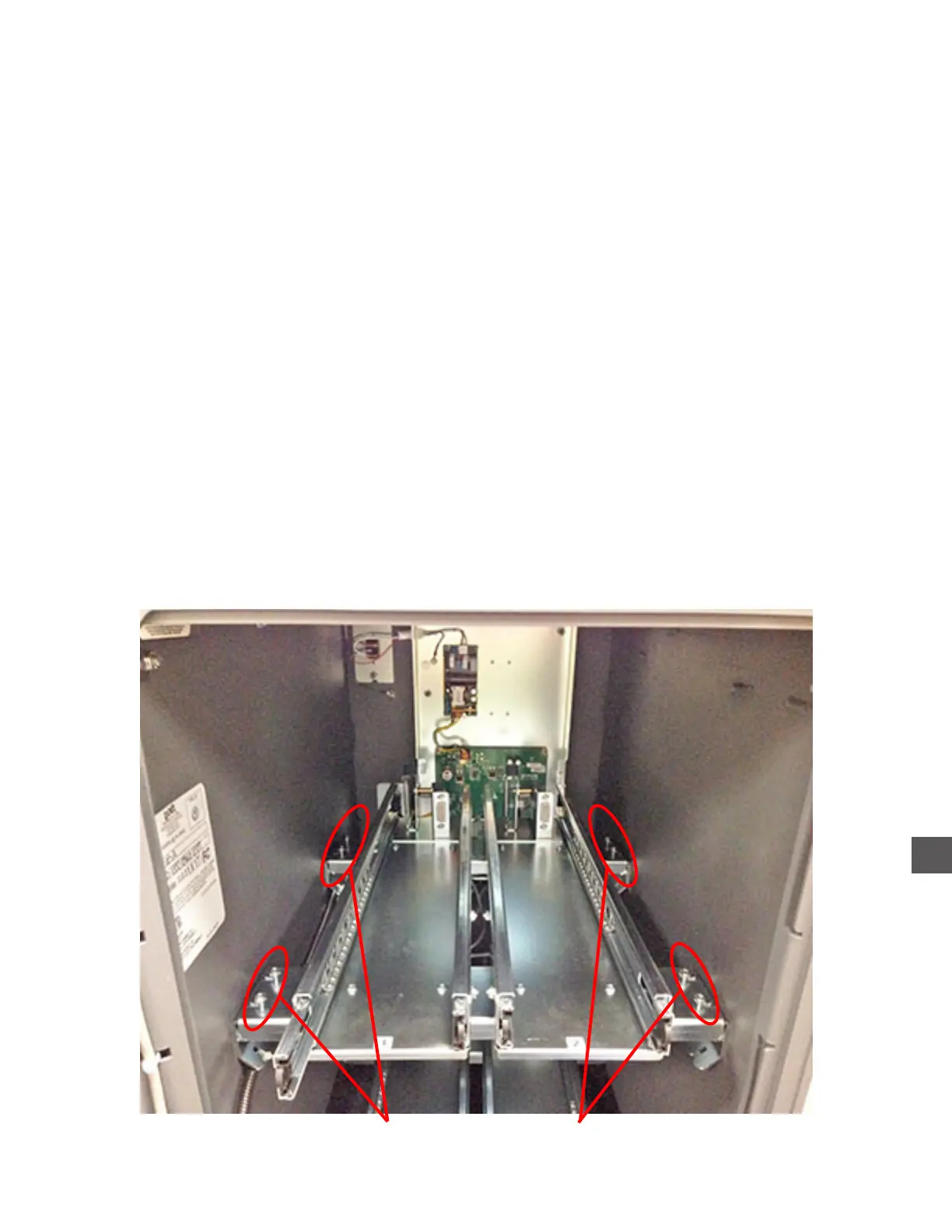
1) Remove the (4) left-side Dispenser Rack securing screws.
2) Loosen the (4) right-side Dispenser Rack securing screws.
3) Disconnect the “Mag 1 and Mag 2” power/data cables from the Rolled Coin Dispenser PCB
(located under the Dispenser Rack - see diagram on next page).
Remove Loosen



 To Next Page