7-14
7
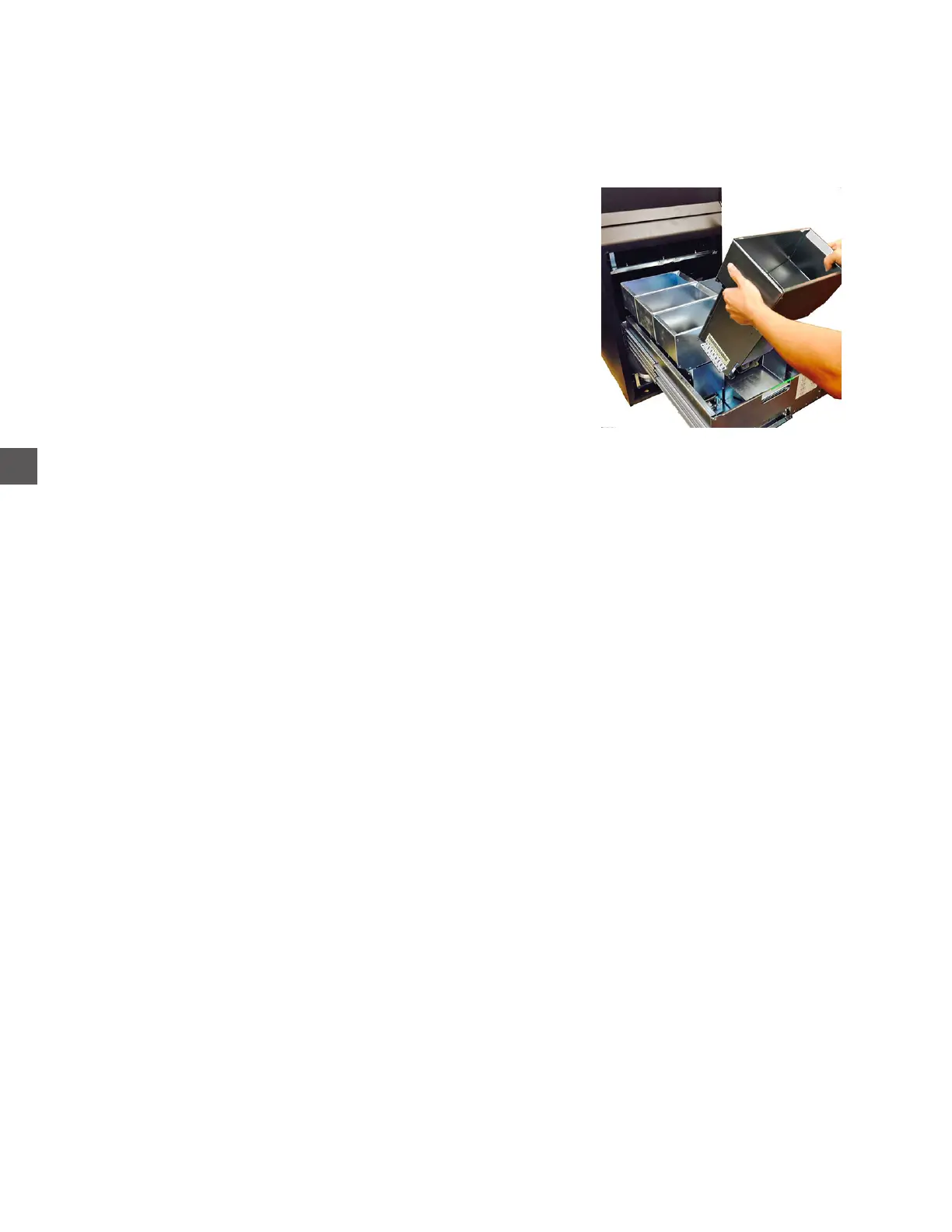
Removal
1) If possible, dump all coins from the Hopper before proceeding.
2) Open the Coin Handler vault door and extend the Hopper rack out fully.
3) Disconnect VAC power from the Coin Handler.
4) Lift the Coin Hopper from the rack.
Cleaning Reminders
The CLEANING reminder is pre-set from the factory to appear after 70,000 coins have been dispensed
from any of the Coin Hoppers.
The reminder interval can be changed to appear between 1 and 999,999 coins.
Log In > Configuration Menu > Edit Configuration > Maintenance and Odometers
When the reminder is displayed, the Coin Hopper Base should be disassembled for cleaning
f If possible, perform a “Dispense Coins To Overflow” prior to removing the Hopper from the rack.
a) Ensure the Coin Handler Vault door is closed and locked.
b) Remove the Coin Collection Tray.and pull the Coin Collection Tray Rack fully outward.
c) Perform a “Dispense To Overflow”.
Log In > Status > Coin Recycler > Dispense Coins To Overflow
d) Select each coin denomination and enter the total amounts of coins in the hoppers
(located the the top of the screen)
If dumping coins is not possible, place the Hopper upside-down in a container when disassembling
Coin Hoppers for cleaning - See next page for alternate coin removal/Coin Auditing
Coin Hopper Maintenance



 To Next Page