EasyManua.ls Logo

Tidel TR303 - Creating a Permissions Level

Tidel TR303
484 pages
Print Icon
To Next Page IconTo Next Page
To Previous Page IconTo Previous Page
Loading...
2-30
2
Creating A Permissions Level
Can Deposit Till
Can Dispense Till
Pull Reports
<<
<<
Act for others
Add cash
Advance cash
Buy change
Cash exchange
Cash out
Congure recycler
Display status
Edit database
Edit users
Override check in
Use vault funds
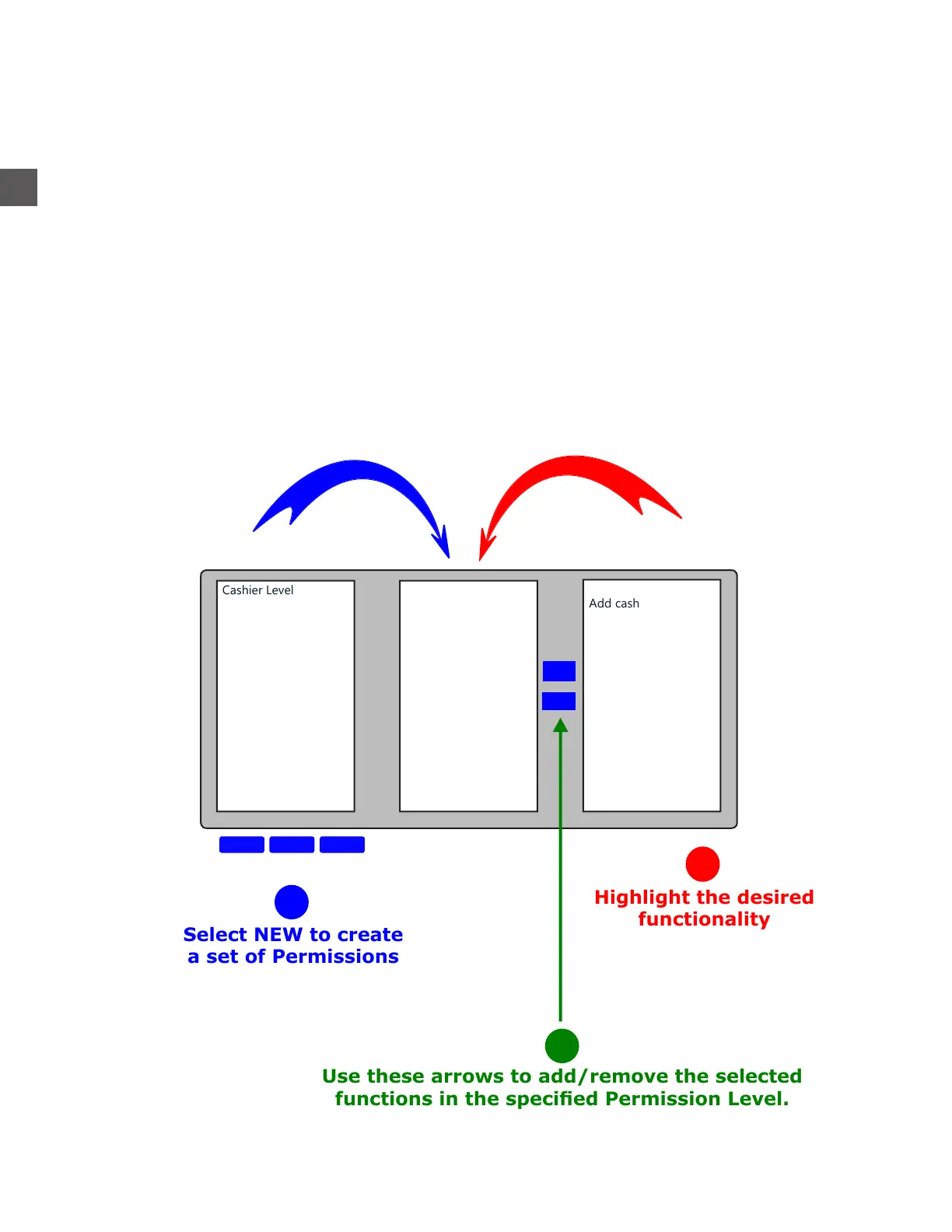
A PERMISSION LEVEL is created to determine the functions and restrictions that apply to ALL
Users within the Group.
To create a PERMISSION LEVEL:
Log In > Configuration Menu > Edit Groups, Mixes > Groups & Relationships
Highlight the desired
functionality
Select NEW to create
a set of Permissions
Use these arrows to add/remove the selected
functions in the specied Permission Level.
Cashier Level
Full Access
Manager Level
DeleteEditNew
1
2
3

Table of Contents

Related product manuals