11-13
11
Note Recycler Function Menus
Empty Reject
When this function is performed, the user will be prompted to place the
notes (only the notes removed from the Reject Cassette), into the Note
Collection door.
Notes will be processed into the Deposit Cassette and Recycle Cassette counts will be corrected
automatically.
If the notes cannot be processed, a prompt will be displayed
“Were you unable to feed notes”
YES = The user will be prompted to enter the amount of notes and perform a Vault Drop.
NO = The transaction will end, Reject Notes will not be processed by the Note Recycler.
Reject Cassette
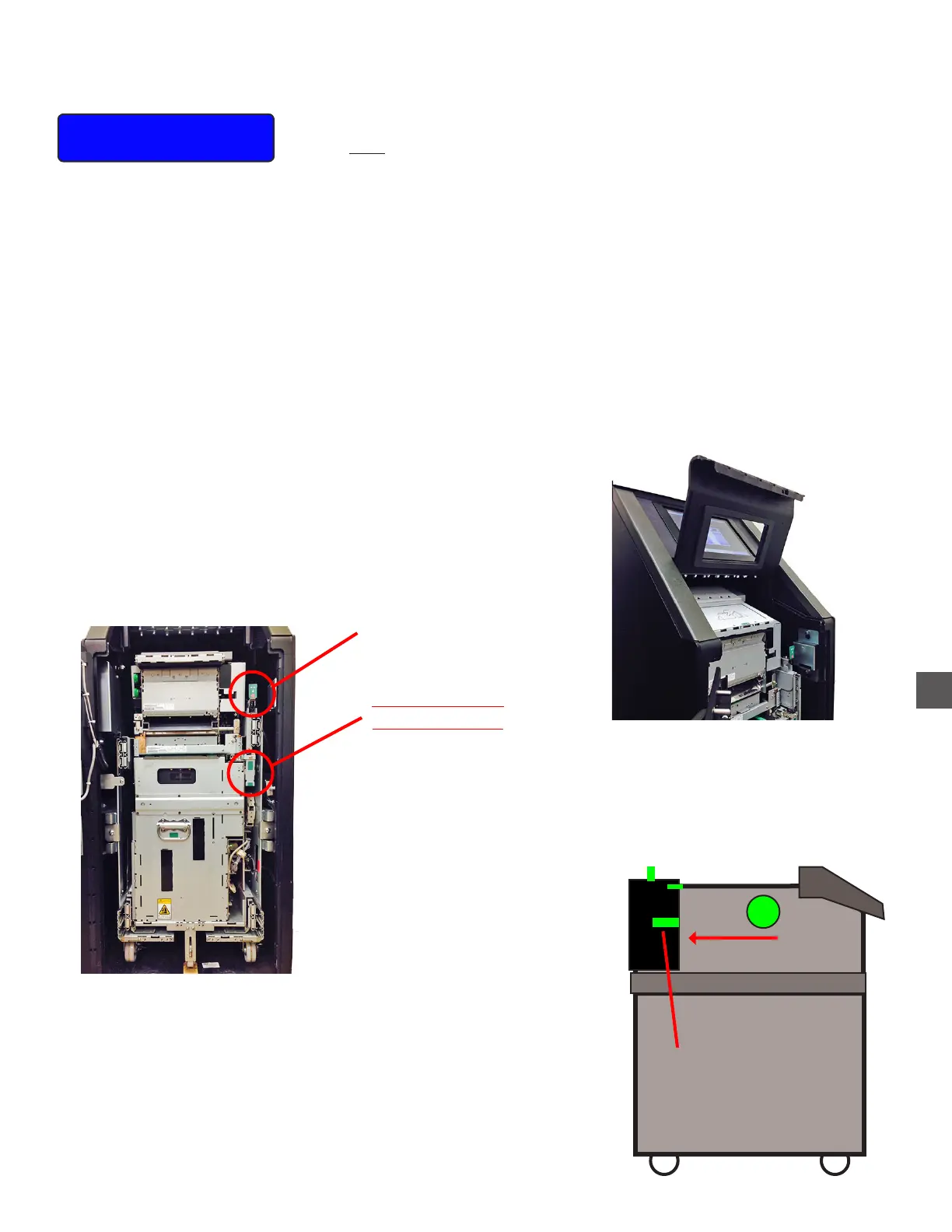
To access the Reject Cassette, the Note Recycler must be extended from the Note Handler Vault.
1) Open the Note Recycler Vault
2) Raise the Note Collection Coverplate.
3) Pull the Note Recycler Release Lever forward.
Note Recycler
Release Lever
Cassette Rack
Release Lever
DO NOT RELEASE
WHEN THE
NOTE RECYCLER
IS EXTENDED
DAMAGE WILL RESULT !!
Reject Cassette
Release Lever
Remove Reject
Note Collection
Coverplate



 To Next Page