DocID13284 Rev 2 161/564
UM0404 Parallel ports
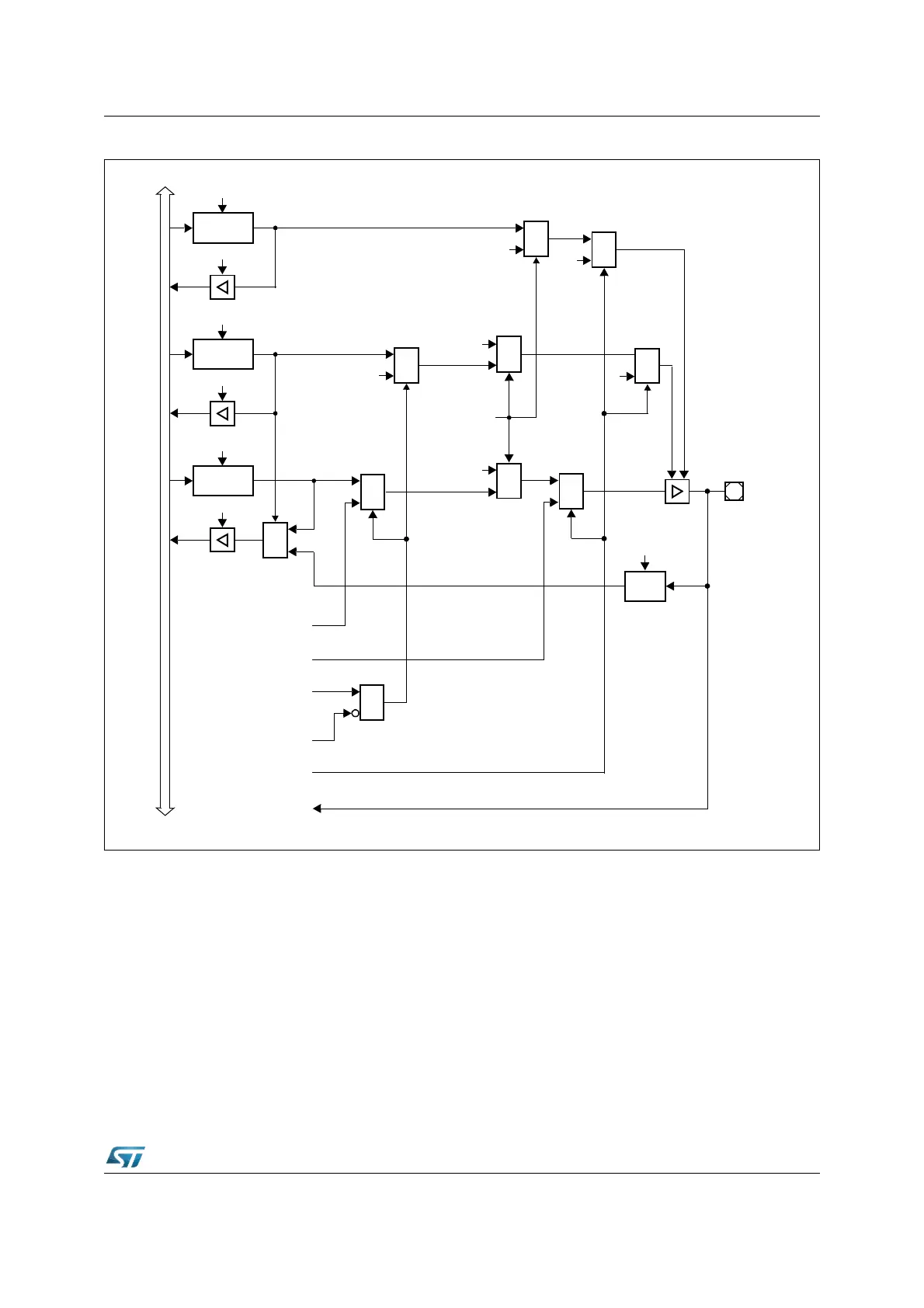
Figure 43. Block diagram of P4.7 pin
Note: When SALSEL = ‘10’, that is 8-bit segment address lines are selected, P4.7 is dedicated to
output the address: any attempt to use the CAN2 on P4.7 is masked. On the contrary,
enabling the I
2
C, also the segment function is masked; the pin P4.7 is automatically
configured as open-drain and used to input and output SDA alternate function.
When CAN parallel mode is selected, CAN2_TxD is remapped on P4.6: this occurs only if
CAN1 is enabled as well. On the contrary, if CAN1 is disabled, no remapping occurs.
6.7 Port5
This 16-bit input port can only read data. There is no output latch and no direction register.
Data written to P5 will be lost.
MUX
0
1
P4.7
Open Drain
Latch
Write ODP4.7
Read ODP4.7
Direction
Latch
Write DP4.7
Read DP4.7
Port Output
Latch
Write P4.7
Read P4.7
MUX
1
0
MUX
1
0
MUX
1
0
Ext. Memory
Data Output
MUX
1
0
‘1’
Ext. Memory
Function
‘0’
CAN2_TxD
Data Output
Output
Buffer
MUX
0
1
Input
Latch
Clock
XPERCON.1
(CAN2EN)
SDA
Data Input
I
n
t
e
r
n
a
l
B
u
s
Enable
MUX
1
0
SDA
Data Output
XPERCON.9
(I2CEN)
MUX
0
1
‘1’
‘1’
MUX
0
1
‘1’
&
XMISC.1
(CANPAR)



 To Next Page