CMS32L051 User Manual |Chapter 7 Real-Time Clock
www.mcu.com.cn 237 / 703
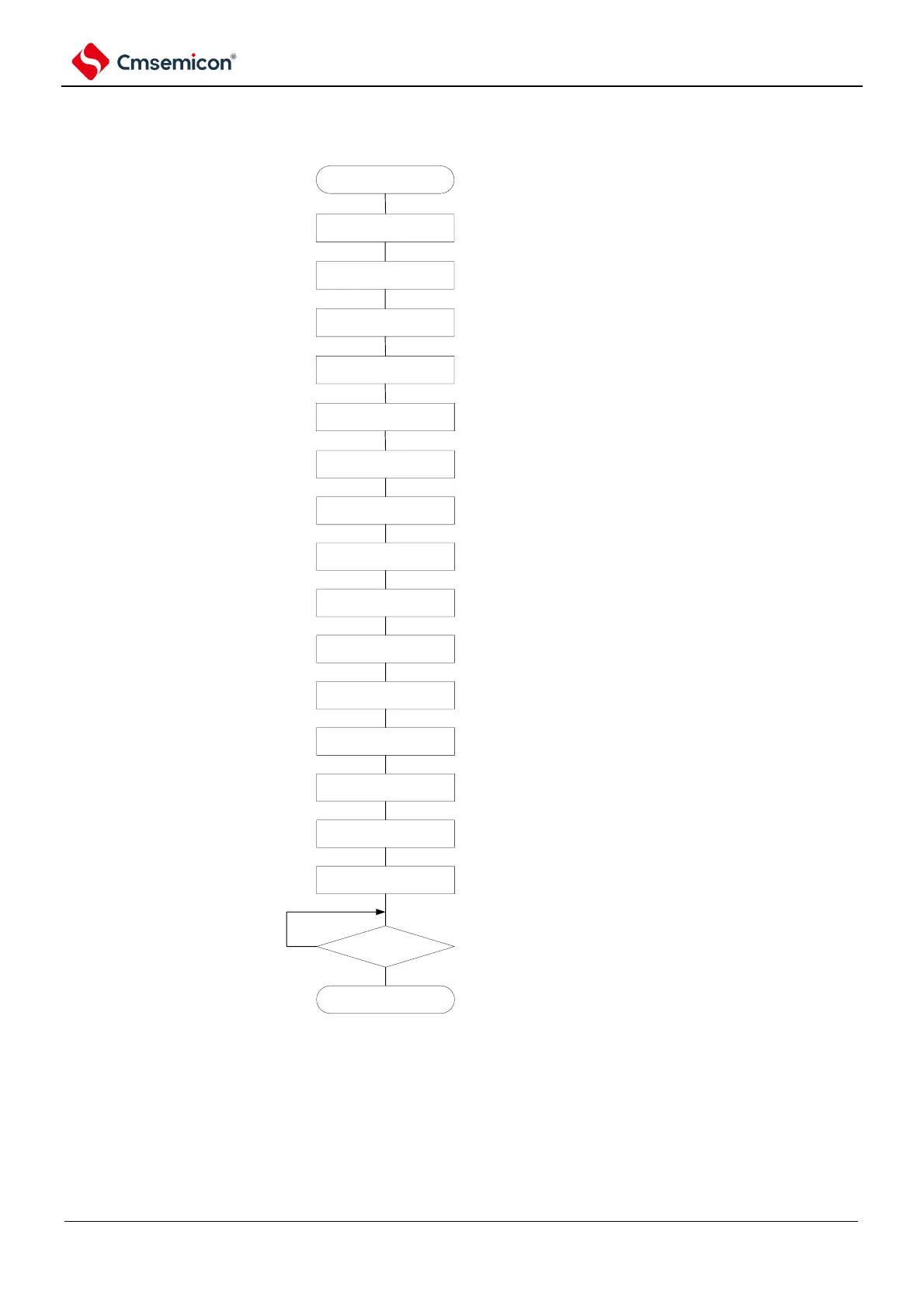
7.4 Operation of real-time clock
7.4.1 Start of real-time clock operation
Figure 7-17 Steps to start the operation of the real time clock
start
RTCEN=1
Note1
RTCE=0
configure RTCCL
configure AMPM,
CT2~CT0
configure SECconfigure SEC
configure MIN
configure HOUR
configure WEEK
configure DAY
configure MONTH
configure YEAR
configure SUBCUD
Note2
clear IF interrupt flag
clear MK interrupt flag
RTCE=1
Note3
INTRTC=1?
Yes
No
end
configure to provide
input clock
configure to stop counting
configure fRTC。
select 12 hour system or 24
hours system and interrupt
(INTRTC)
configure second count
register
configure minute count
register
configure hour count
register
configure week count
register
configure day count register
configure month count
register
configure year count
register
configure clock deviation
calibration register
clear interrupt request flag
(Ifxx).
clear interrupt mask flag
(MKxx).
configure start counting
Note 1 The RTCEN set to 1 must first be set in a stable state of the Count Clock (f
RTC
) oscillation.
2. This is only the case when the clock error needs to be corrected. For the calculation of the correction value,
please refer to 7.4.6 Clock Error Correction Example for Real-Time Clock.
3. If you do not wait for the INTRTC bit to change to 1 after the RTCE bit is 1 and then transfer to the sleep
mode, please check the procedure in 7.4.2 Shifting to sleep mode after starting operation.



 To Next Page