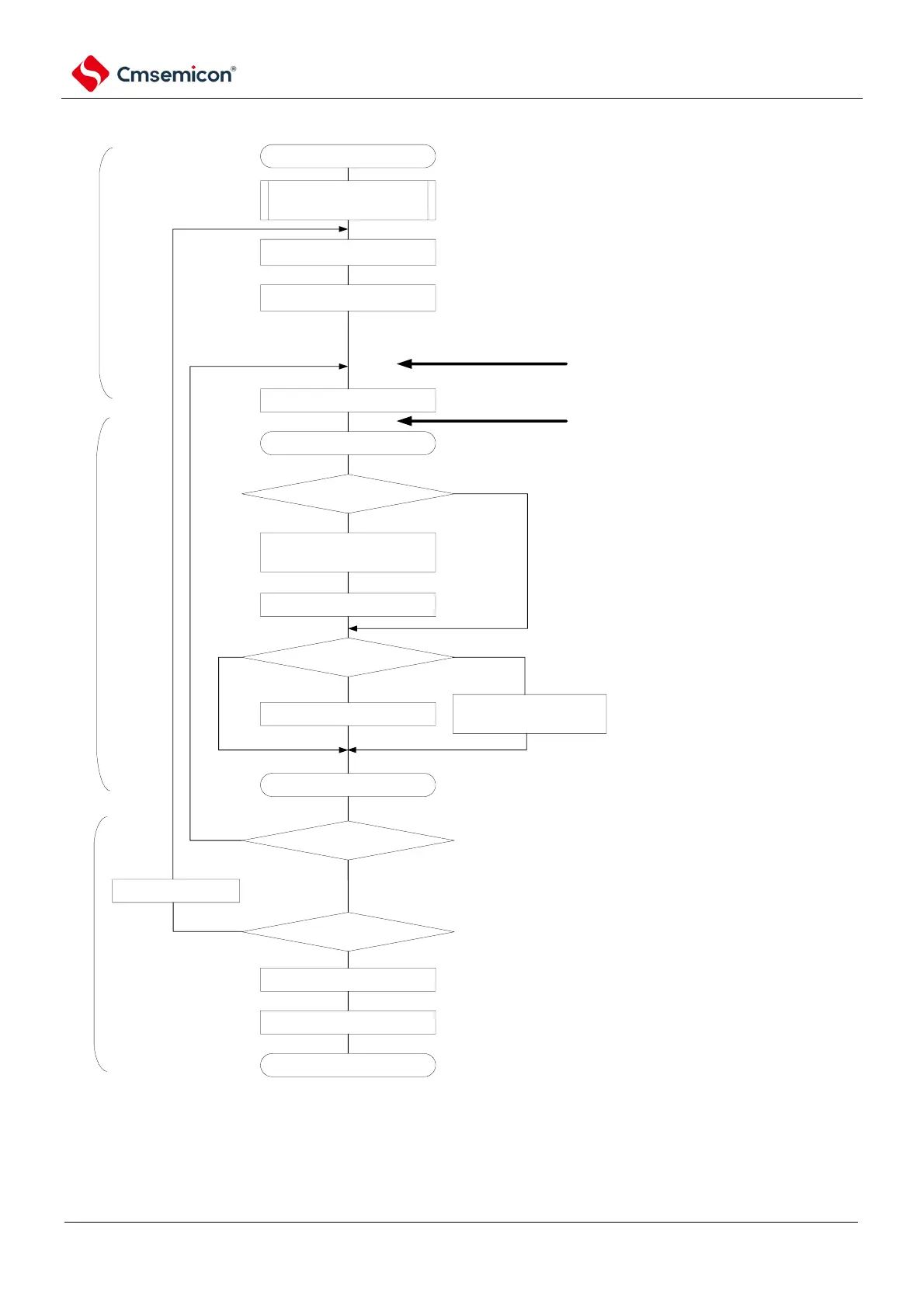
SSPI communication starts
configure transmit and receive
data
enable interrupt
Wait for the transfer to end
relevant initial configuration, refer to diagram
19-64(select buffer empty interrupt)
regarding transmit data, configure storage region and data count (via
software, any specified internal RAM storage region, transmit data pointer
communnication data count)
after clear interrupt request flag(Ifxx) and release
interrupt mask(MKxx), enable interrupt
start communication via clock provided by master
device.
except 1st interrupt, read received data and write into
storage region, update receive data pointer
SCI initial configuration
buffer empty/transmit completion
interrupt
BFFmn=1?
read receiving data to
SIOp(=SDRmn[7:0])
RETURN
communication data count =0?
disable interrupt (mask).
set STmn bit to 1.
communication completed.
Yes
No
No
Yes
main program
interrupt process program
main program
if buffer empty or transmit completion interrupt
occurs, jump to interrupt process program.
communication data count -1
continue communicating?
write MDmn 0 bit to 1
communication data count?
write MDmn 0 bit to 0
write transmit data into
SIOp(=SDRmn[7:0])
Yes
=0
2
=1
No
if there is data to be transmitted (communication data count
>=2), then read data from storage region and write into SIOp,
update storage pointer. If transmit completes
(communication data count = 1), then modify bit of transmit
completion interrupt.



 To Next Page