Chapter 10 Preparing to Replace Components 10-15
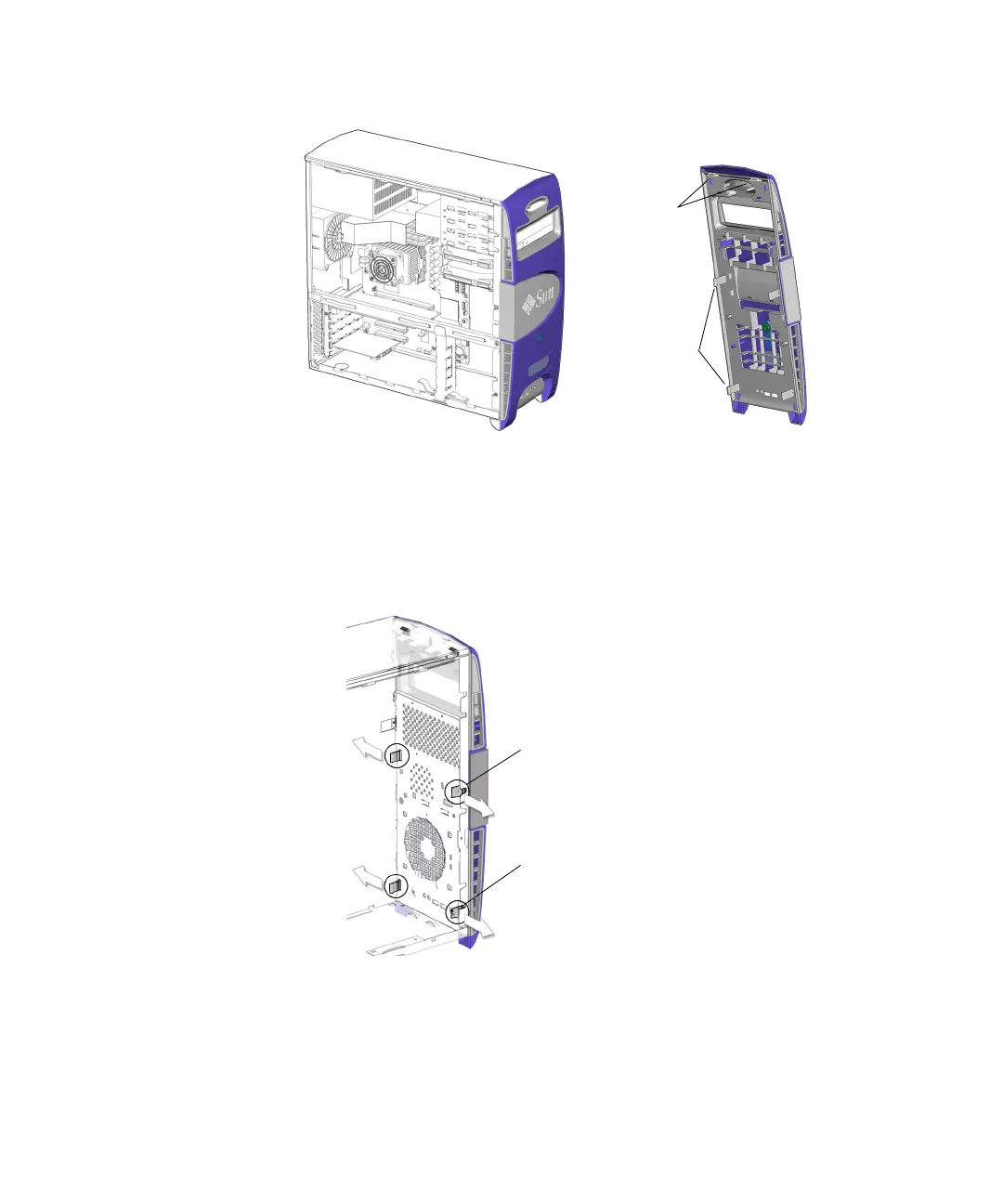
FIGURE 10-9 Bezel Location and Identification
3. Carefully move the lower pair of mounting tabs apart, and then push them
forward slightly.
See FIGURE 10-10.
FIGURE 10-10 Releasing the Bezel Mounting Tabs
As you do this, you should see the bottom of the bezel move slightly away from the
chassis.
Bezel short
Bezel mounting
tabs (4)
tabs (2)
Lower mounting tabs (2)
Middle mounting tabs (2)














 To Next Page