Chapter 12 Replacing Storage Devices 12-23
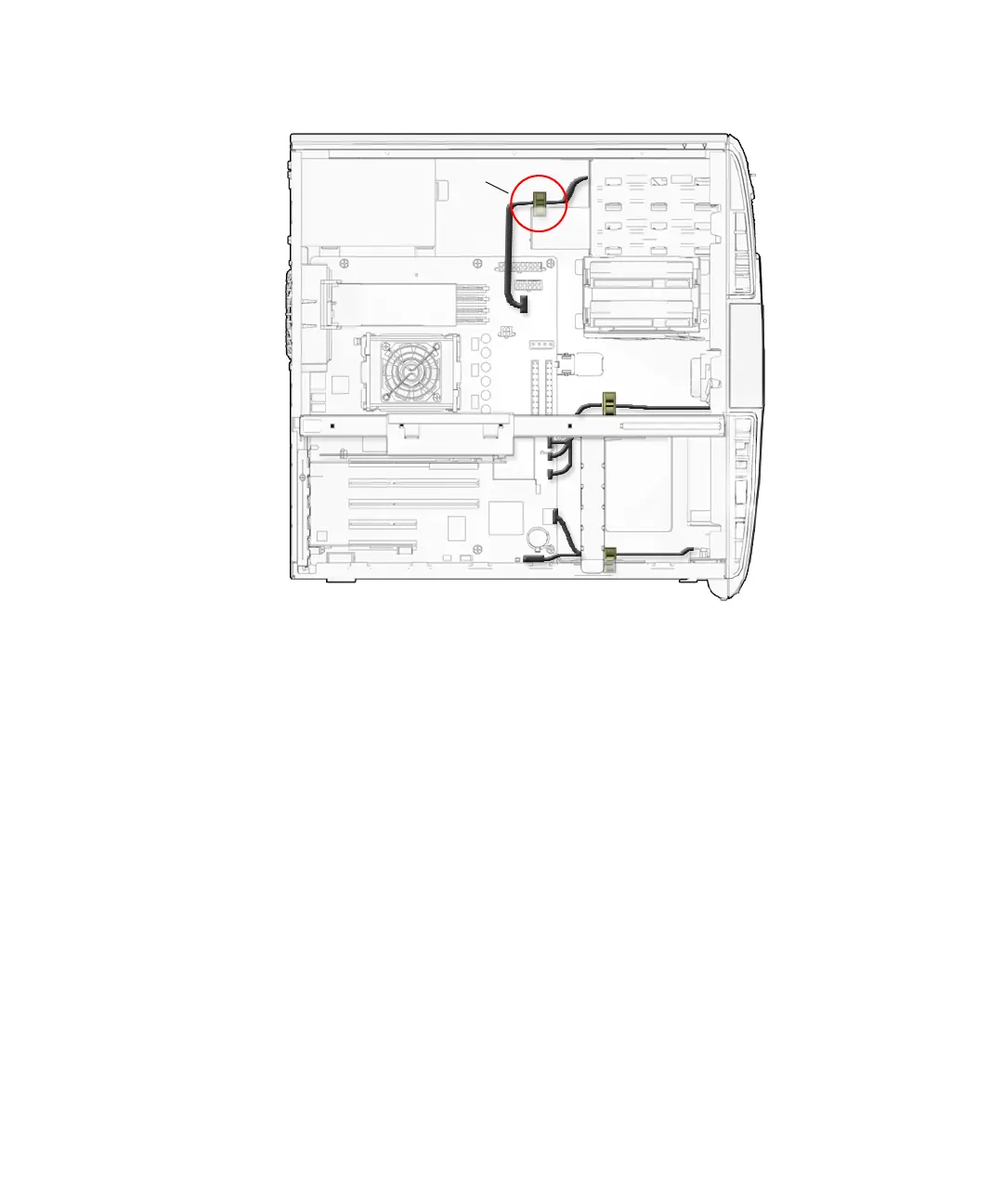
FIGURE 12-21 Securing the Smart Card Reader Interface Cable into the Reader Cable Clip
11. Inspect the smart card reader bracket fasteners to verify that:
■ The drive rails are well seated on the smart card reader bracket.
■ The bracket is tight in the removable media bay.
12. If you installed the smart card reader bracket after replacing the interface cable,
return to
Step 6 of “Installing the Smart Card Reader Cable” on page 14-5.
13. Inspect the smart card reader cabling to verify that:
■ The smart card reader interface cable is firmly connected to the motherboard at
SCR0.
■ The interface cable is firmly connected to smart card reader.
■ The interface cable is secure in the reader cable clip
14. Install the bezel, the access panel, power on the system, and verify the smart card
reader installation.
Refer to:
■ “Installing the Bezel” on page 15-2
■ “Installing the Access Panel” on page 15-5
■ “Powering On the Workstation” on page 15-8
SCR0
Reader cable clip














 To Next Page