Chapter 13 Replacing Chassis Components 13-39
■ “Installing the Bezel” on page 15-2
■ “Installing the Access Panel” on page 15-5
■ “Powering On the Workstation” on page 15-8
■ “Verifying an Installation” on page 15-11
13.6 Replacing the Speaker
This section describes removal and installation of the speaker. Topics include:
■ “Identifying the Speaker” on page 13-39
■ “Removing the Speaker” on page 13-40
■ “Installing the Speaker” on page 13-42
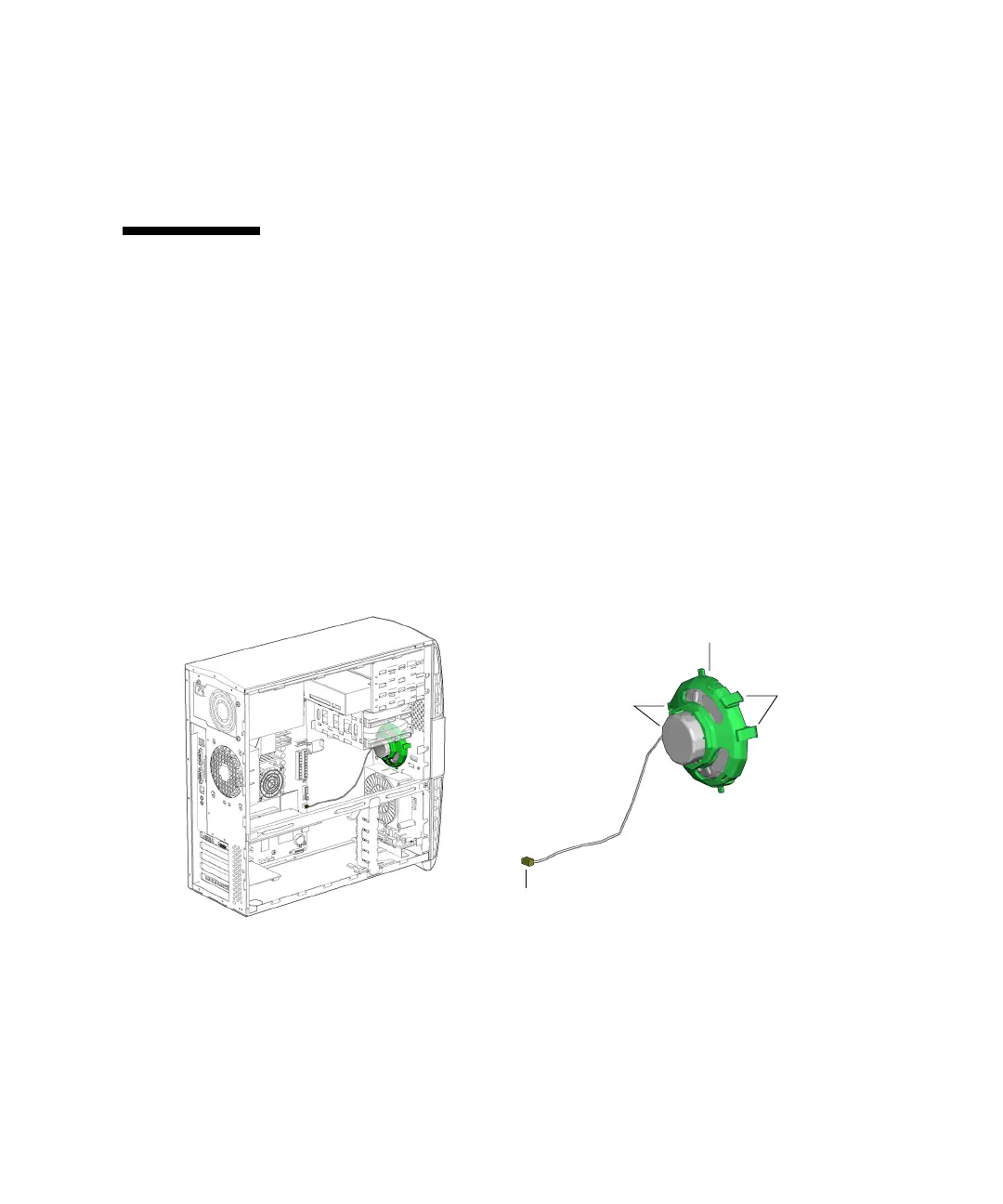
13.6.1 Identifying the Speaker
The speaker is installed in the front of the chassis. The speaker cable is connected to
the motherboard at SPK0. See
FIGURE 13-42.
FIGURE 13-42 Speaker Location and Identification
Connector SPK0
Speaker bracket
Bracket
Bracket tabs (2)
latches














 To Next Page