Chapter 14 Replacing Internal Cables 14-19
2. Locate the power switch assembly.
The power switch assembly cable is fed through the front of the chassis, just above
the front fan, and is fastened to the chassis with a small green bracket. See
FIGURE 14-16.
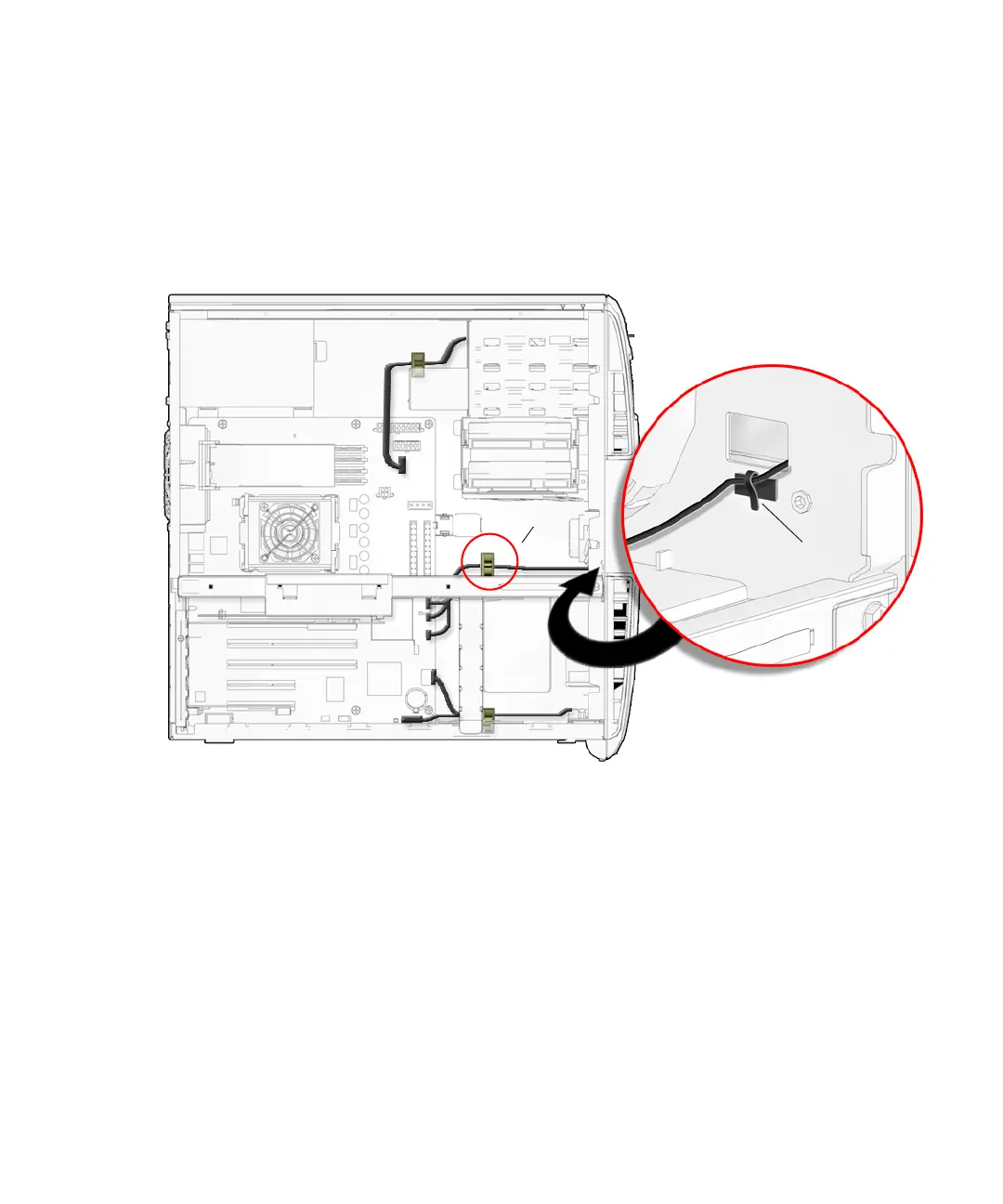
3. Open the bezel cable clip in the center of the chassis and remove the power
switch assembly cable from the clip. See
FIGURE 14-17.
FIGURE 14-17 Removing the Power Switch Assembly Cable From the Bezel Cable Clip and
Metal Clamp
4. Open the metal clamp and remove the power switch assembly cable. See
FIGURE 14-17.
5. Disconnect the power switch assembly cable from the motherboard at connector
J24 SW0.
See FIGURE 14-18.
J24 SW0
Metal clamp
Bezel cable clip














 To Next Page