Chapter 13 Replacing Chassis Components 13-35
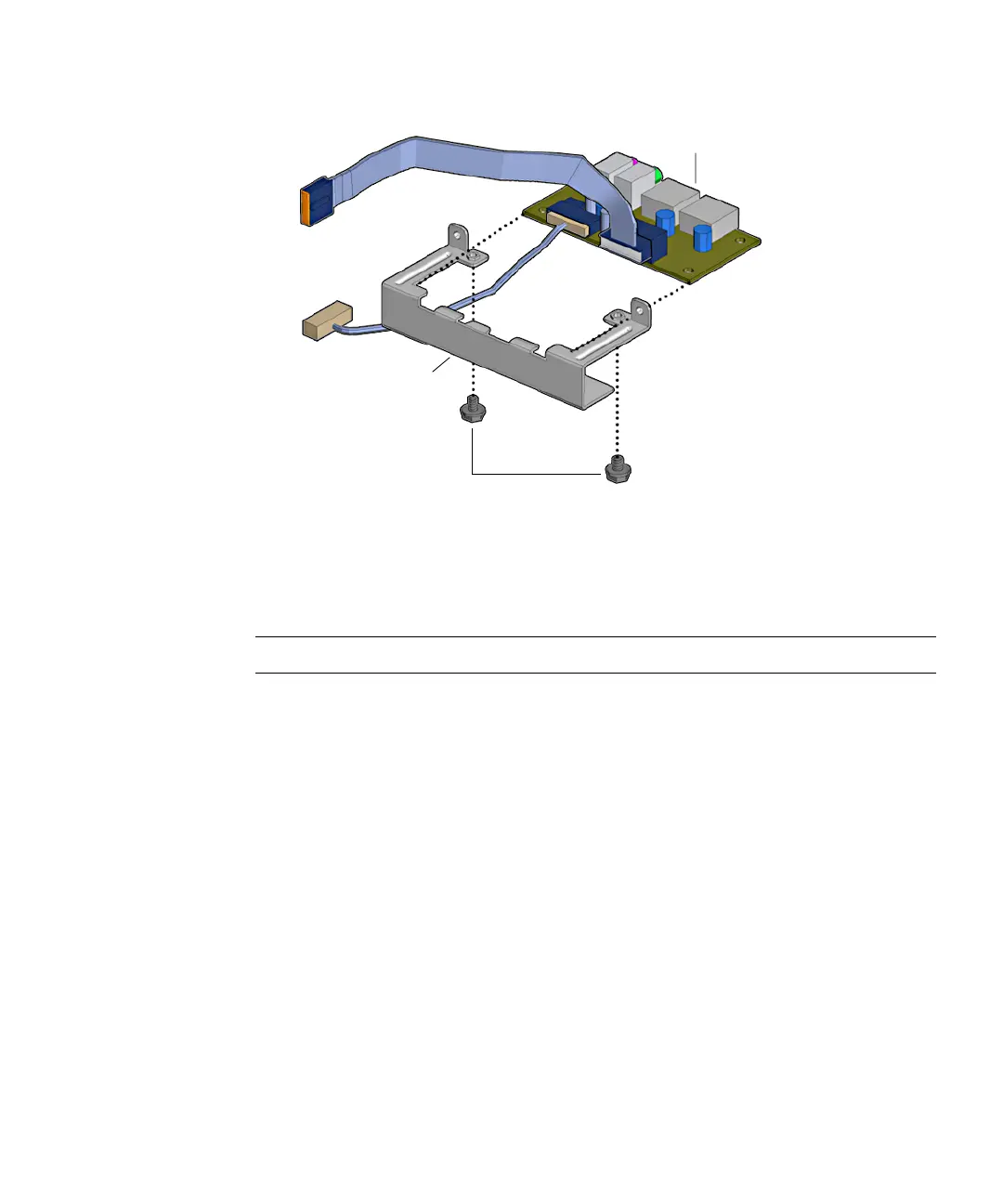
FIGURE 13-37 Removing the Audio USB Board From the Bracket
8. Set the audio USB board on an antistatic mat. Set the bracket aside.
Proceed to “Installing the Audio USB Board” on page 13-35.
Note – Do not operate the workstation without the audio USB board installed.
13.5.3 Installing the Audio USB Board
1. Open the chassis and remove the bezel.
Refer to:
■ “Removing the Access Panel” on page 10-12
■ “Removing the Bezel” on page 10-14
2. Position the bracket on an antistatic mat with the two arms facing up.
3. Remove the audio USB board from its packaging.
4. Slide the audio USB board into the audio USB board bracket with components
facing up.
See FIGURE 13-38.
Screws
Audio USB board
Audio USB board
bracket














 To Next Page