Chapter 13 Replacing Chassis Components 13-59
13.9 Replacing the Drive Rails
This section describes removal and installation of the drive rails. Topics include:
■ “Identifying the Drive Rails” on page 13-59
■ “Removing the Drive Rails” on page 13-59
■ “Installing the Drive Rails” on page 13-61
13.9.1 Identifying the Drive Rails
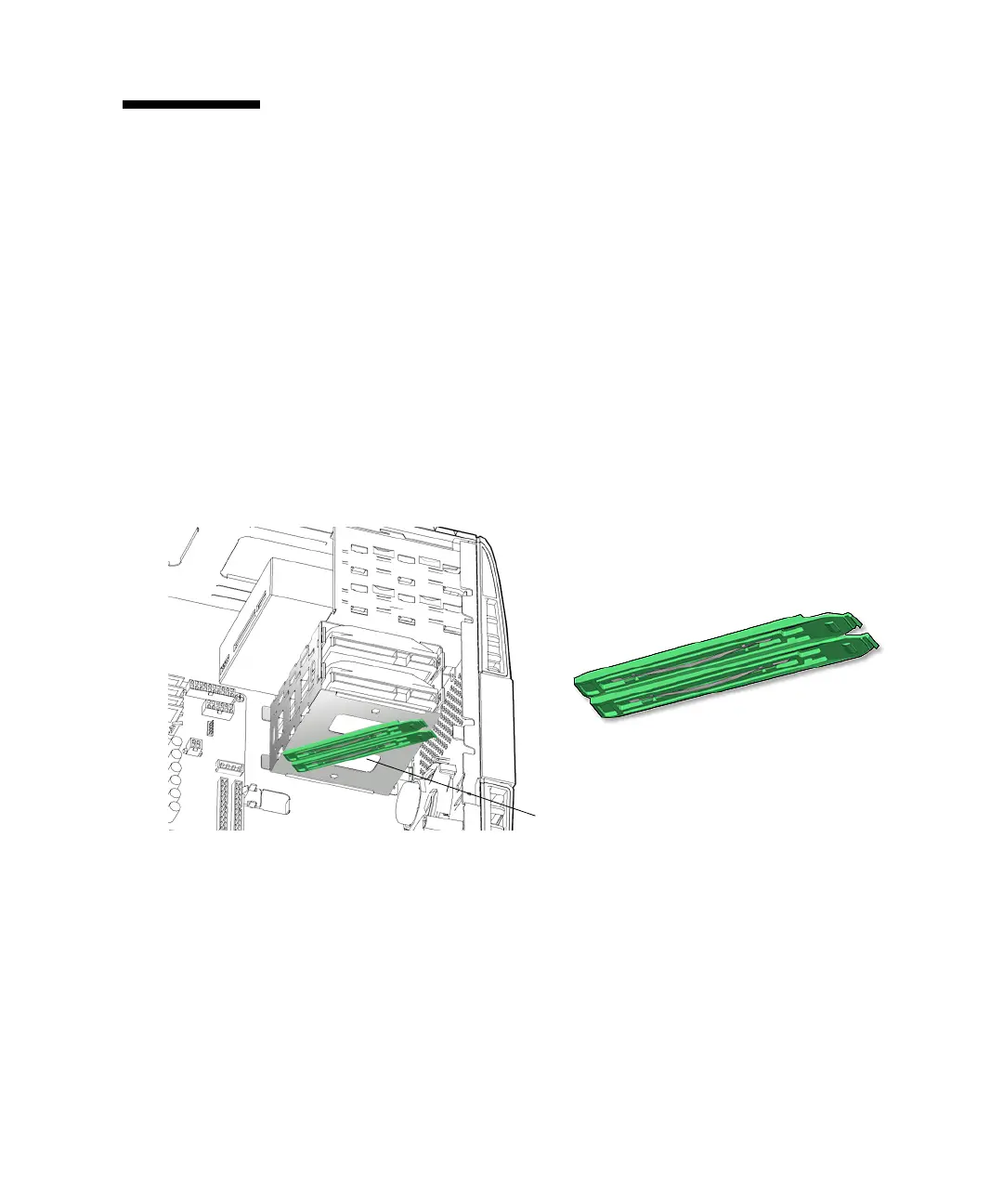
The Sun Blade 1500 workstation drive rails guide the hard drives into the hard drive
bay. The Sun Blade 1500 workstation supports up to two hard drives. When you are
not using the second hard drive, the corresponding drive rails are stored on the
underside of the hard drive bay. See
FIGURE 13-61.
FIGURE 13-61 Drive Rails Location and Identification
13.9.2 Removing the Drive Rails
1. Power off the system and open the chassis.
Refer to:
■ “Powering Off the Workstation” on page 10-4
■ “Removing the Access Panel” on page 10-12
Drive rails on underside of hard drive bay














 To Next Page