13-26 Sun Blade 1500 Service, Diagnostics, and Troubleshooting Manual • December 2004
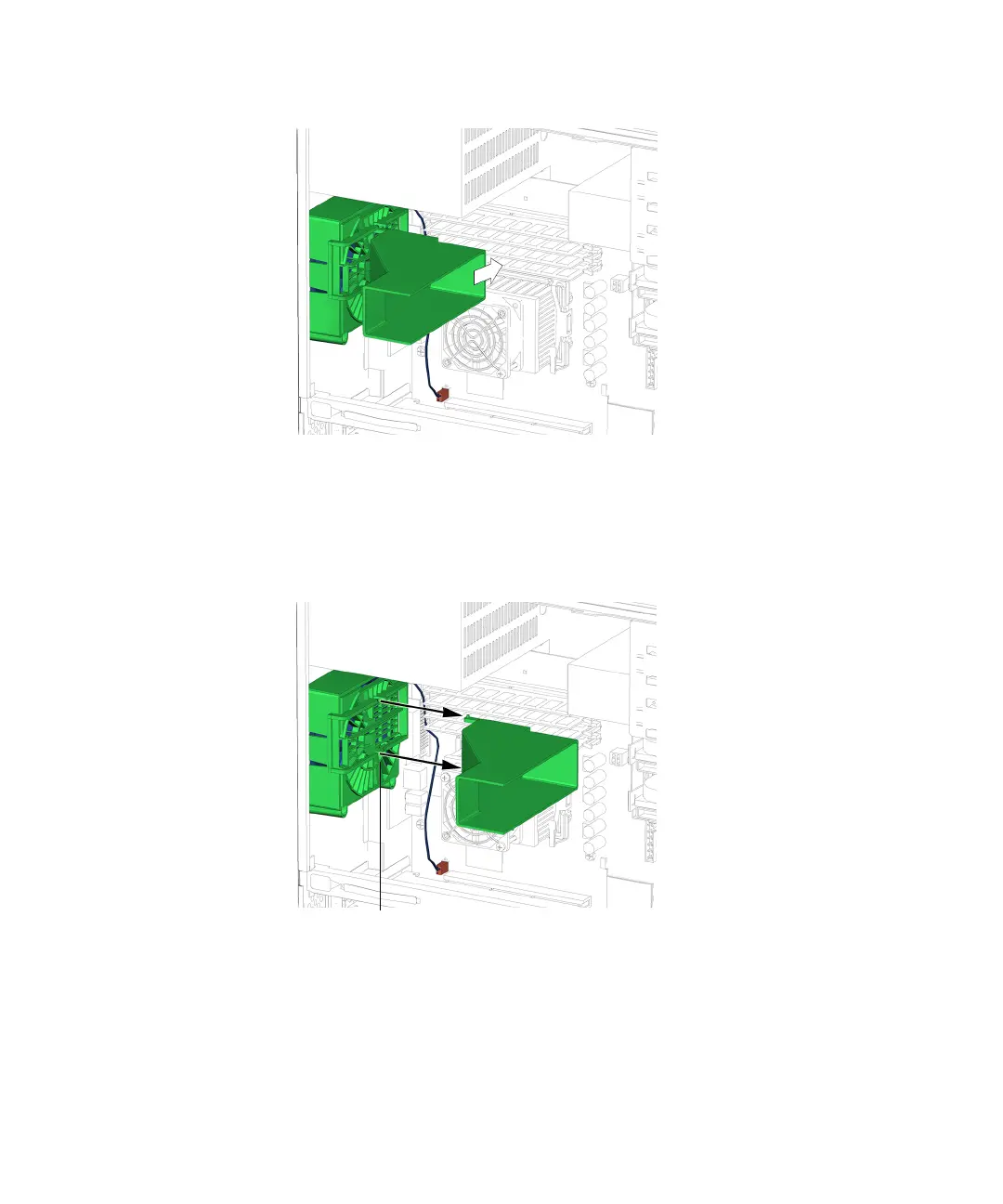
FIGURE 13-25 Sliding Duct Back to the Right
7. When the pivot pins reach the gap in the rear fan’s guide rails, the duct pulls free.
See FIGURE 13-26. Set the duct aside.
FIGURE 13-26 Pulling the Duct Free
8. Choose your next step:
■ If you removed the DIMM cooling duct prior to removing the motherboard,
return to
Step 4 of “Removing the Motherboard” on page 11-46.
Gap (2)














 To Next Page