14-14 Sun Blade 1500 Service, Diagnostics, and Troubleshooting Manual • December 2004
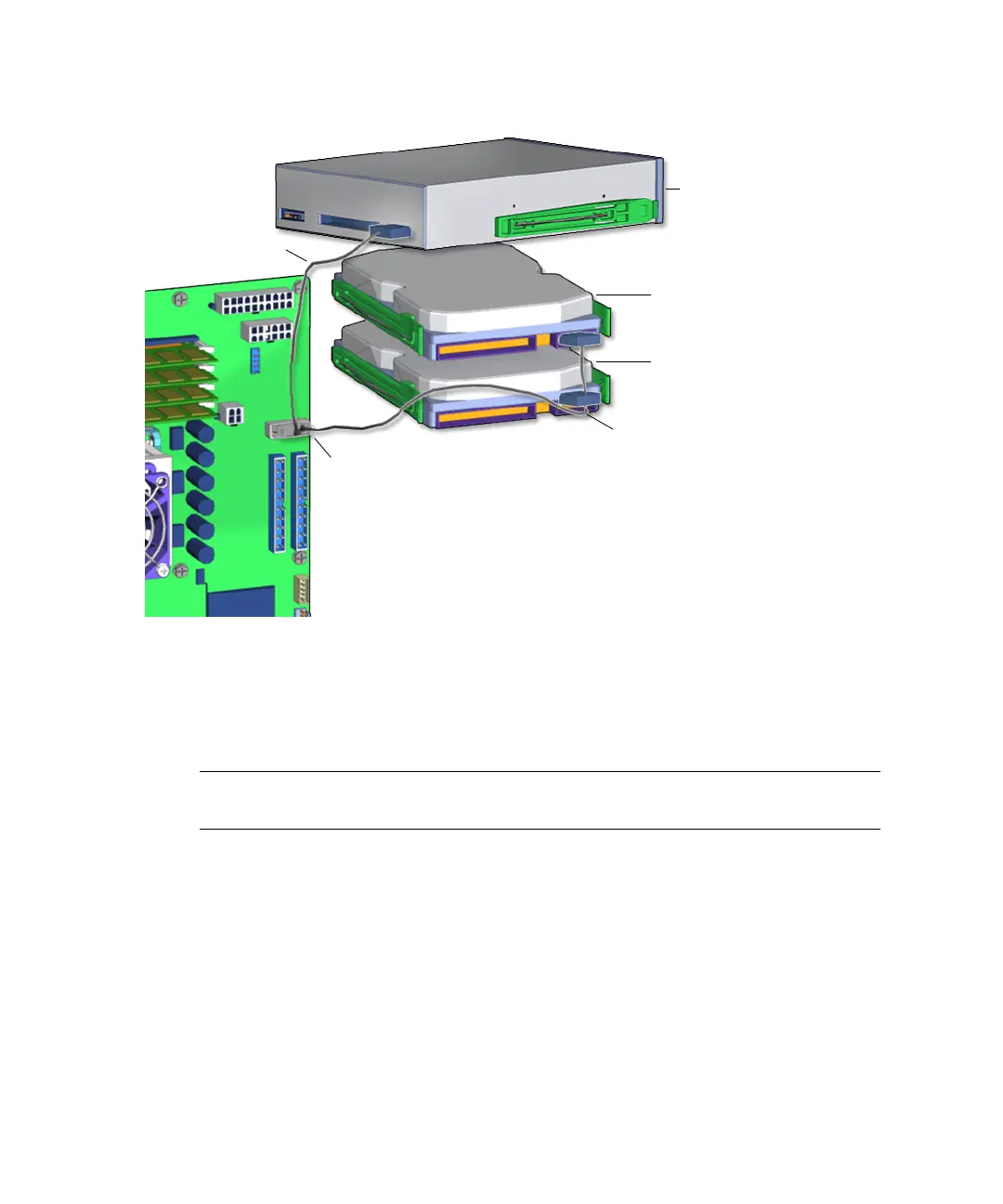
FIGURE 14-11 IDE Power Cable Connections
14.4.2 Removing the IDE Power Cable
Note – IDE power connectors fit tightly. Disconnect the cable by wiggling the
connector side to side while pulling it away from the drive or motherboard.
1. Power off the system and open the chassis.
Refer to:
■ “Powering Off the Workstation” on page 10-4
■ “Removing the Access Panel” on page 10-12
2. Locate the IDE power cable.
The IDE power cable is located in the upper portion of the chassis. It connects to the
optical drive, the hard drive(s), and the motherboard. See
FIGURE 14-11.
Connector IDE PWR
IDE power cable
IDE power cable
Optical drive
HDD0
HDD1














 To Next Page